Add a Natural AI Voiceover to Your Faceless Videos (Without the Robotic Read)
The voice is what keeps people watching a faceless video. Here is how to pick a natural AI voice, write for the ear, and go from script to publish-ready short in minutes.

Roberto Pasqualini
CMO at Faceless Lab
A practical walkthrough of choosing the right AI voice, writing a script it can actually perform, and turning that into a publish-ready faceless video in minutes.
So how do you add a natural AI voiceover to faceless videos without ending up with that flat, robotic read everyone scrolls past? It is the question we get most often from creators, and it matters more than the visuals. On a faceless channel there is no face to carry the emotion, so the voice does that job alone. Get it right and people stay to the end. Get it wrong and your retention dies in the first three seconds.
We are Stefano and Roberto, the two people behind Faceless Lab. We run faceless channels every day, and we have shipped enough videos to know that the voiceover is where most of them are won or lost. This guide is the exact thinking and workflow we use.
Executive Summary: A natural AI voiceover comes down to three things done in order: choosing a voice that fits your niche and audience, writing a script that reads well out loud, and matching the pacing to your visuals so the words and the cuts land together. Inside Faceless Lab you get more than 200 ElevenLabs voices, so you can audition a few, lock the one that fits, and let the app build the full short around it with visuals, music and captions in one pass. The voice is the single highest-leverage choice on a faceless channel, and in 2026 the gap between a human-sounding read and a robotic one is the difference between a video people finish and one they skip.
Table of Contents
- Why the voice is the make-or-break of a faceless video
- What makes an AI voiceover sound human instead of robotic
- How to pick the right voice for your niche
- How to add an AI voiceover inside Faceless Lab, step by step
- Writing a script your voice can actually perform
- Where an AI voiceover is and is not the right call
1. Why the voice is the make-or-break of a faceless video
On a talking-head video, your face does a lot of quiet work. It signals emotion, holds attention during a pause, and builds trust before you have said anything worth trusting. A faceless video has none of that. The voice carries every bit of it.
That is why we tell creators to treat the voiceover as the lead actor of the video, not an accessory bolted on at the end. The hook, the tone, the small change in energy when the story turns, all of it lives in the audio.
A few things the voice quietly controls:
- Retention in the first 3 seconds. People decide whether to keep watching before the first sentence finishes. A confident, clear opening line buys you the rest of the video.
- Perceived quality. A natural voice makes basic visuals feel intentional. A robotic voice makes even great footage feel cheap.
- Trust and repeat views. A consistent voice across a channel becomes a signature. Viewers start to recognise it, and recognition is what turns a random view into a subscriber.
2. What makes an AI voiceover sound human instead of robotic
The models got good fast. The reason so many AI voiceovers still sound off is rarely the model. It is how the voice is used.

Pacing and pauses
Real people breathe. They slow down on the important line and speed up through the setup. A read at one flat speed is the fastest way to sound synthetic. Short sentences and deliberate pauses give the voice room to feel human.
Punctuation is direction
Modern text-to-speech reads your punctuation as stage direction. A comma is a small breath. A period is a full stop and a reset. A question mark lifts the end of the line. Write your script the way you want it performed and the voice follows.
Emotion has to match the words
A cheerful voice reading a tense true-crime script feels wrong, and viewers feel it even if they cannot name why. The voice and the content have to agree. This is why voice choice and script are one decision, not two.
One voice per channel
Jumping between voices from video to video breaks the sense of a channel. Pick a voice and stay with it. Consistency is a growth lever that costs you nothing.
3. How to pick the right voice for your niche
There is no single best AI voice. There is the right voice for your niche and your audience. Here is the shortlist logic we use.
Match the voice to the content type:
- Story and narrative channels (Reddit stories, true crime, motivation): a warm, mid-paced voice with natural inflection. Clarity over drama.
- Facts, education and Top 5 formats: a crisp, confident voice that sounds like it knows the answer. Energy without shouting.
- Calm or aesthetic niches (sleep, meditation, luxury): a slower, softer voice with space between sentences.
- High-energy entertainment: a punchy, upbeat voice that can carry fast cuts without getting tiring.
Then filter by two practical things:
- Language and accent fit. If your audience is US-based, a neutral American accent usually outperforms. If you are publishing in Italian or Spanish, pick a native-sounding voice in that language rather than an accented English voice.
- Fatigue test. Listen to 30 seconds, not 5. Some voices are pleasant for one line and grating for a full video. The 30-second test saves you from a voice you will regret ten videos in.
Inside Faceless Lab you have more than 200 ElevenLabs voices to audition, which is enough range to find a fit for almost any niche and language without paying for a separate voice tool.
💡 Ready to audition a few voices on your own script?Start free and generate your first video. No credit card needed.
4. How to add an AI voiceover inside Faceless Lab, step by step
This is the workflow we use daily. Start to publish-ready in a few minutes.
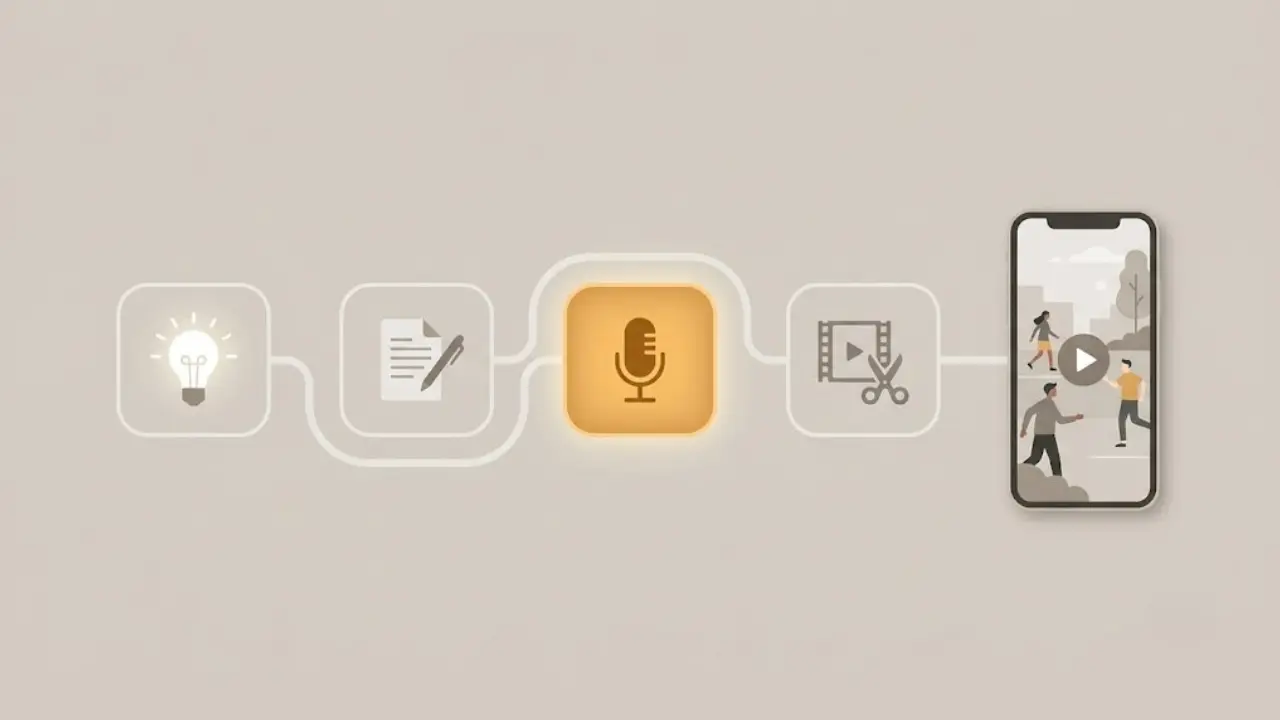
Step 1: Start from an idea or a script
Open the dashboard and type your topic or paste a script you already have. If you start from a topic, the app writes the script for you using one of its 8 story structures, so the narrative already has a hook, a middle and a payoff. You can edit any line before moving on.
Step 2: Choose your voice
Pick from more than 200 ElevenLabs voices. Preview a few against your actual script, not a generic sample. Use the 30-second fatigue test from section 3, then lock the voice you want to become your channel signature.
Step 3: Let the app build the rest around the voice
Faceless Lab generates the visuals, background music and captions in the same pass. Visuals run on a multi-model setup through Replicate, and you can pick from 39 visual styles so the look matches your niche and your voice. Everything stays in one workflow, so there is no exporting audio and re-importing it somewhere else.
Step 4: Review and fine-tune
Read the script out loud once while you watch the draft. Adjust any line where the pacing feels off, swap a visual that does not fit, and tweak the captions if a word landed wrong. This last pass is quick and it is where good videos become great ones.
Step 5: Schedule or publish
Send the finished short to your schedule and let Faceless Lab publish it on a rhythm. If you want the fully hands-off version, our Autopilot mode (currently in beta) keeps a channel fed for you. One note to be upfront about: TikTok is excluded from fully automatic publishing and needs your explicit consent each time, so that platform stays in your hands by design.
5. Writing a script your voice can actually perform
Even the best voice cannot rescue a script written for the eye instead of the ear. A few habits fix most of it.
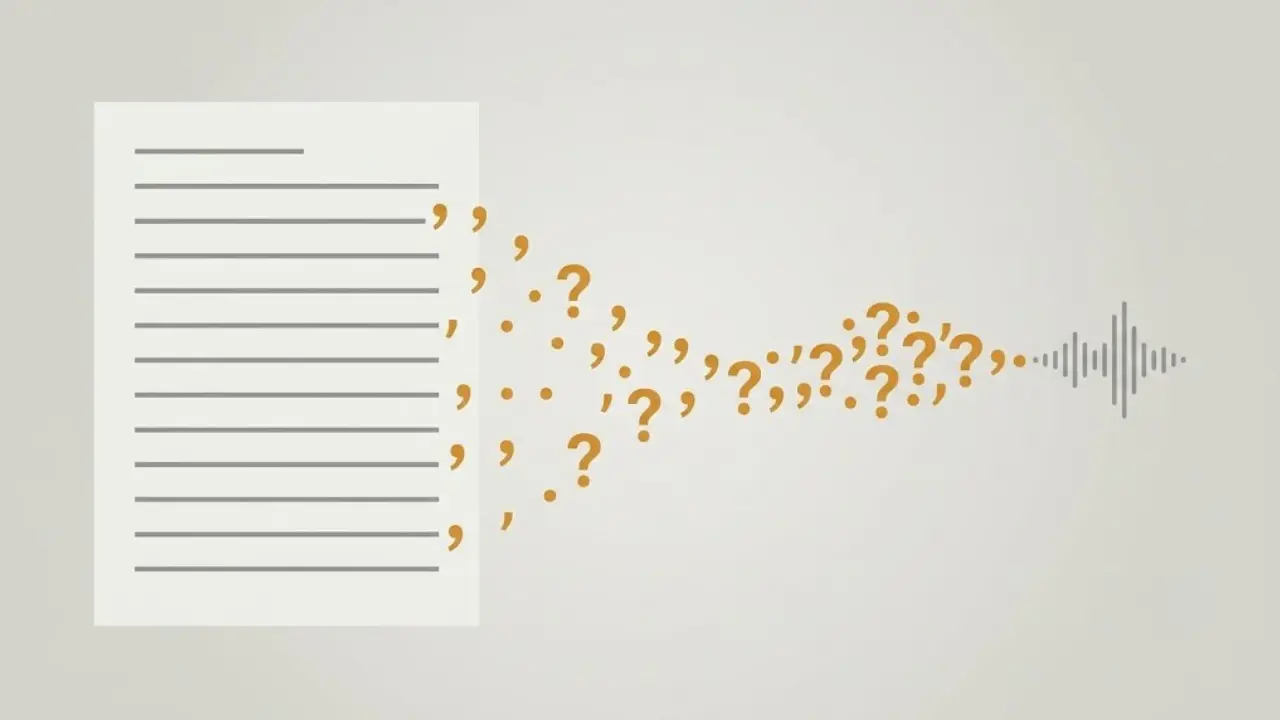
Write short sentences. Long, comma-heavy sentences trip up any voice, human or AI. If you run out of breath reading a line aloud, cut it in two.
Front-load the hook. Your first line is the whole game. Ask a question, state a surprising fact, or drop the viewer into the middle of a moment. Save the context for line two.
Use punctuation on purpose. Put a comma where you want a breath and a full stop where you want a beat. The voice reads it as direction, so use it deliberately.
Read it out loud before you generate. This is the single best habit on this list. If it feels awkward in your mouth, it will feel awkward in the voice. Ten seconds of reading saves you a re-generate.
Keep the energy honest. Do not write a screaming hook if your voice is calm. The words and the delivery have to match, or the mismatch does the opposite of what you wanted.
6. Where an AI voiceover is and is not the right call
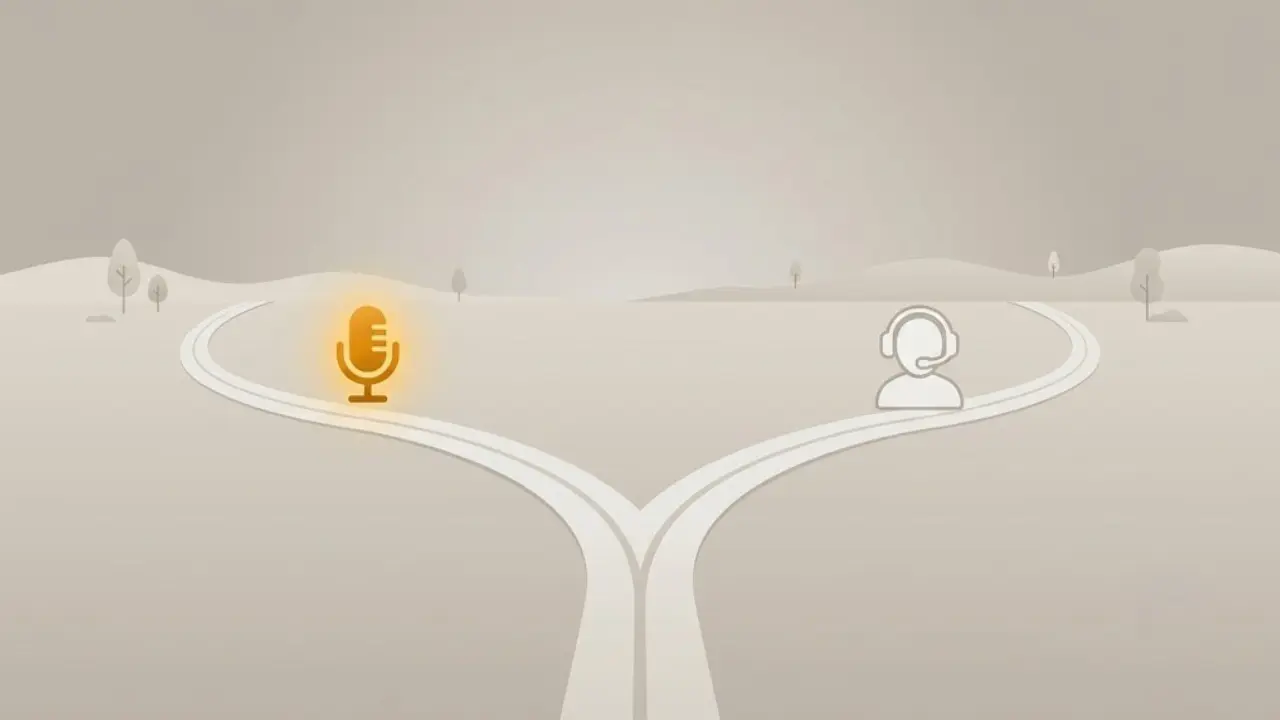
We would rather be straight with you than oversell. An AI voiceover is a strong choice in most faceless situations, and there are a few where it is not.
AI voiceover is the right call when:
- You are publishing on a rhythm and cannot record fresh audio every day.
- Your niche rewards a clean, consistent read: stories, facts, education, listicles, calm content.
- You publish in more than one language and need native-sounding voices in each.
- You want the voice, visuals, music and captions built in one place instead of stitched across apps.
A human recording may serve you better when:
- Your brand is built on a specific personal voice that your audience already knows and expects.
- You need a very particular emotional performance, like comedy timing that depends on your own delivery.
- You are making a personal or vulnerable piece where the point is that it is you talking.
Most faceless creators sit squarely in the first group, which is exactly why AI voice has become the default for the format. But it is worth knowing where the line is so you spend your time where it counts.
💡 The honest summary: if your channel lives or dies on publishing consistently, an AI voiceover removes the biggest bottleneck. If it lives on your personal delivery, keep recording.
Conclusion
A natural AI voiceover is not complicated once you know the order of operations. Pick a voice that fits your niche, write a script it can perform, and match the pacing to your cuts. In 2026 that is the difference between a faceless video people finish and one they scroll past, and it is a skill you build in a handful of uploads.
If you want to try it without spending anything, the Free trial is €0 and needs no credit card. Paid plans start at Starter €19, then Growth €59 and Pro €149 when you are ready to scale your output. Audition a few voices on your own script and you will feel the difference in the first draft.
If this helped, the best thing you can do is repost it to a creator who is still fighting a robotic voiceover, and if you want to earn while you share, our affiliate program pays you for it.
Try Faceless Lab free and add a natural AI voiceover to your next video
Read more
Frequently asked questions
How do I make an AI voiceover sound more natural?
Three habits do most of the work. First, write short sentences and use punctuation on purpose, because modern text-to-speech reads commas as breaths and periods as beats. Second, match the voice to the emotion of the script, since a cheerful voice on a tense story feels wrong even if listeners cannot say why. Third, vary the pacing so the important lines slow down and the setup moves quicker. Inside Faceless Lab you can preview a voice against your real script before generating, which is the fastest way to catch an awkward read early.
What is the best AI voice for YouTube Shorts in 2026?
There is no single best voice, only the right voice for your niche and audience. Story channels do well with a warm, mid-paced narrator, while facts and Top 5 formats suit a crisp, confident read. For calm niches like sleep or meditation, a slower and softer voice works better. Always run a 30-second fatigue test rather than judging from one line, because some voices are pleasant briefly and tiring across a full video. Faceless Lab gives you more than 200 ElevenLabs voices to audition, so you can find a fit for almost any niche.
Can I add an AI voiceover to a script I already wrote?
Yes. In Faceless Lab you can paste your own script instead of starting from a topic, then pick your voice and let the app build the visuals, music and captions around it. This is useful if you already have a proven script or a specific brand voice in your copy. Read the script out loud once before generating to catch any line that feels awkward, since a line that trips you up will usually trip up the voice too. You can edit any part of the script before the final render.
Does the AI voiceover work in languages other than English?
Yes. The voice library covers multiple languages, and for non-English audiences you should choose a native-sounding voice in that language rather than an accented English voice. If you publish the same channel in English, Italian and Spanish, use a separate fitting voice for each locale so the read sounds local. Natural pronunciation matters more than you might expect for retention, because an off accent pulls attention away from the content. Faceless Lab lets you audition voices per language so you can match each version of your channel properly.
How long does it take to make a faceless video with a voiceover?
Most videos come together in a few minutes inside Faceless Lab, because the script, voiceover, visuals, music and captions are generated in a single pass rather than across separate apps. The slow part of manual production is switching between tools and syncing audio to visuals by hand, which the app removes. Your main time cost becomes the review pass, where you read the script out loud, adjust pacing and swap any visual that does not fit. That review is quick, and it is where an average video becomes a good one.
Is an AI voiceover good enough to grow a channel, or do I need my own voice?
For most faceless niches an AI voiceover is more than good enough and is now the default for the format, especially for stories, facts, education and calm content. Your own voice makes sense when your brand is built on your personal delivery, when you need specific comedy timing, or when the piece is personal and the point is that it is you. The deciding factor is consistency. If your channel grows by publishing on a rhythm, a reliable AI voice removes the biggest bottleneck and lets you keep that rhythm without recording every day.
Related articles
Faceless Shorts Can Have Thumbnails Now. Make Yours Earn the Click
YouTube just gave Partner Program creators custom thumbnails on Shorts. Here is how faceless creators, with no face to feature, build a frame that earns the click and lifts views.
Make Faceless Quiz Videos That Get People Answering in the Comments
Quiz and trivia shorts are some of the easiest faceless videos to grow with. Here is how the format works, the structures that hold attention, and how to make one in minutes.
Make Faceless Horror Story Videos That People Watch Until the End
Horror is one of the highest-retention faceless niches, and you do not need a camera or a scary voice of your own. Here is how to build a scary-story channel that posts on its own.