Background Music Makes or Breaks a Faceless Video. Here Is How to Get It Right.
Background music can lift a faceless video or get it muted. Here is how to pick tracks that hold attention, stay copyright-safe in 2026, and add them automatically inside Faceless Lab.

Stefano Ventrudo
CTO at Faceless Lab
Here is how background music shapes retention, which tracks keep you copyright-safe, how to match sound to your niche, and how to add it automatically inside Faceless Lab.
What background music should go on a faceless video, and where do you find tracks that will not get the whole thing muted or hit with a copyright claim? We get this question a lot, usually right after someone posts their first few shorts and watches one get silenced. Background music is the layer most faceless creators treat as an afterthought, and it is also the one that quietly decides how a video feels and whether it survives the platform's copyright scanners. This guide covers what music actually does for retention, how the 2026 copyright rules work across YouTube, TikTok and Instagram, how to match a track to your niche, and how we handle music inside Faceless Lab.
Executive Summary. Background music will not save a weak video, and the wrong track will sink a strong one.The safest music is either a royalty-free library track licensed for commercial use or a sound added through a platform's own in-app picker, because sounds you pull from one app are not licensed to reuse anywhere else. Match the energy of the track to your niche, keep it roughly 15 to 20 dB under your voiceover, and duck it when the narrator speaks. Faceless Lab adds royalty-free background music automatically to every video, marks which tracks are copyright-free, and lets you swap the track before you generate, so you get a clean, safe soundbed without opening an editor.
Table of Contents
- Why background music decides whether a faceless video gets watched
- The copyright trap most faceless creators fall into
- How to match music to your faceless niche
- Mixing music with your voiceover so neither gets lost
- How to add background music inside Faceless Lab, step by step
- Where Faceless Lab is and isn't the right choice for music
1. Why background music decides whether a faceless video gets watched
Around 85% of short-form plays happen on mute, so it is fair to ask whether music matters at all. It does, for two reasons. The first group plays sound on, and that group includes the early test audience the algorithm serves your video to, plus the people who rewatch and save. The second reason is that music sets the pace of your edit even for silent viewers, because you cut, reveal captions and change scenes on the beat.

Here is what the right track actually does:
- It sets emotion before a word is read. A tense synth pad and a warm piano loop tell two completely different stories under the same script.
- It creates rhythm for your cuts. When scene changes and caption pops land on the beat, the video feels intentional instead of slapped together.
- It builds channel identity. Reusing a small set of tracks across a series trains viewers to recognise your content in a crowded feed.
- It covers dead air. A voiceover with silent gaps feels amateur. A soft bed under the narration keeps energy up between lines.
The honest version: music will not rescue a boring script or a weak hook. What it does is protect a good video from feeling flat, and give a decent one a professional finish. Get the voiceover and the script right first, then treat music as the layer that ties them together.
2. The copyright trap most faceless creators fall into
This is where faceless channels get hurt. The trending sound you hear on every TikTok is almost never free to reuse. Platforms license popular music for their own in-app editors only, and that license does not travel.
The rule that catches everyone
A sound that is "free to use" inside the TikTok, Instagram Reels or YouTube Shorts editor is licensed for videos you post inside that app, on that surface, only. Download the same audio, drop it into an editor and repost it to another platform, and you are now using unlicensed music. This matters a lot for faceless creators, because the whole point is to make one video and publish it everywhere.
What each platform does
- YouTube Shorts. The in-app audio picker covers copyrighted songs only for Shorts under 60 seconds. Go over a minute with a Content ID claim on the track and the video can be blocked worldwide, not only demonetised. If Content ID catches music you added yourself, the claim can take your revenue, mute the audio, block the video in some countries, or in repeat cases hit you with a strike.
- Instagram Reels. Enforcement got stricter in 2026. The upgraded audio fingerprinting now scans background sound and AI-generated audio, and business accounts can no longer reach for popular commercial tracks the way personal accounts sometimes can.
- TikTok. The Commercial Music Library is the safe lane for any account posting as a brand or reusing content off-platform.
The music that keeps you safe
For faceless videos you plan to publish across several platforms, stick to one of these:
- Royalty-free tracks licensed for commercial use, from a library that hands you a clear license.
- The platform's own in-app picker, but only for the single video you post natively in that app.
- Free libraries like the YouTube Audio Library, or paid catalogues such as Epidemic Sound, Artlist and Soundstripe if you want more range.
3. How to match music to your faceless niche
The best track is the one that fits the job. Match energy and tempo to the emotion you want, not to whatever is trending. A rough map we use:
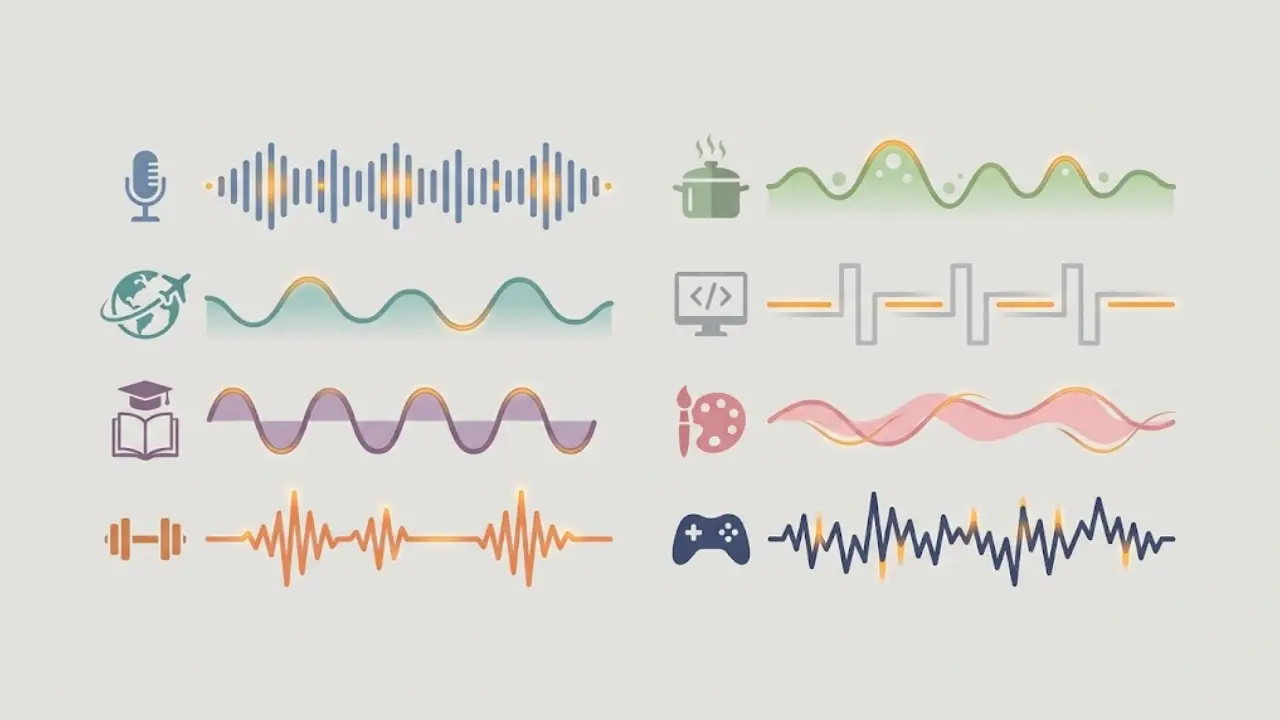
Motivation and discipline
- Mood: cinematic, building, hopeful.
- Tempo: slow build to a bigger drop around the payoff line.
- Watch for: epic tracks that drown the voice. Keep the swell for the final third.
Story formats (Reddit, fake text, confessions)
- Mood: light tension, curious, slightly playful.
- Tempo: steady mid-tempo that does not distract from the plot.
- Watch for: anything too dramatic, which makes a small story feel silly.
Educational and explainer
- Mood: clean, neutral, modern.
- Tempo: low-key lo-fi or soft electronic that sits far in the background.
- Watch for: melodies that pull attention away from the point.
Finance, luxury and business
- Mood: confident, minimal, a little cold.
- Tempo: slow, spacious, deep bass.
- Watch for: cheap-sounding loops that undercut a premium topic.
Horror, mystery and facts
- Mood: dark, sparse, unsettling.
- Tempo: slow with space between the hits.
- Watch for: over-scored tension that peaks too early and has nowhere left to go.
Pick two or three tracks per channel and reuse them. Consistency reads as a brand, and it saves you from hunting for a new song every single video.
4. Mixing music with your voiceover so neither gets lost
Most faceless videos fail the audio test in the mix, not the track choice. The voice has to lead and the music has to support. A few numbers that keep you safe:
- Keep music roughly 15 to 20 dB under the voiceover. If you can hum along to the music while the narrator talks, it is too loud.
- Duck the music by 6 to 10 dB when the voice comes in. Bring it back up in the gaps and at the end. This move is called ducking, and it is the single biggest upgrade to a soundbed.
- Let the music breathe at the open and close. A second or two of music alone before the first line, and a short outro after the last one, frames the video.
- Match one track to one video. Cutting between two songs mid-short almost always feels jarring on a 30 to 60 second clip.
If mixing by hand sounds like exactly the tedious work you started faceless video to avoid, that is the whole point of automating it, which is the next section.
5. How to add background music inside Faceless Lab, step by step
Faceless Lab adds a royalty-free soundbed to every video automatically, and mixes it under the voiceover for you. Here is the flow from idea to a video with music on it.
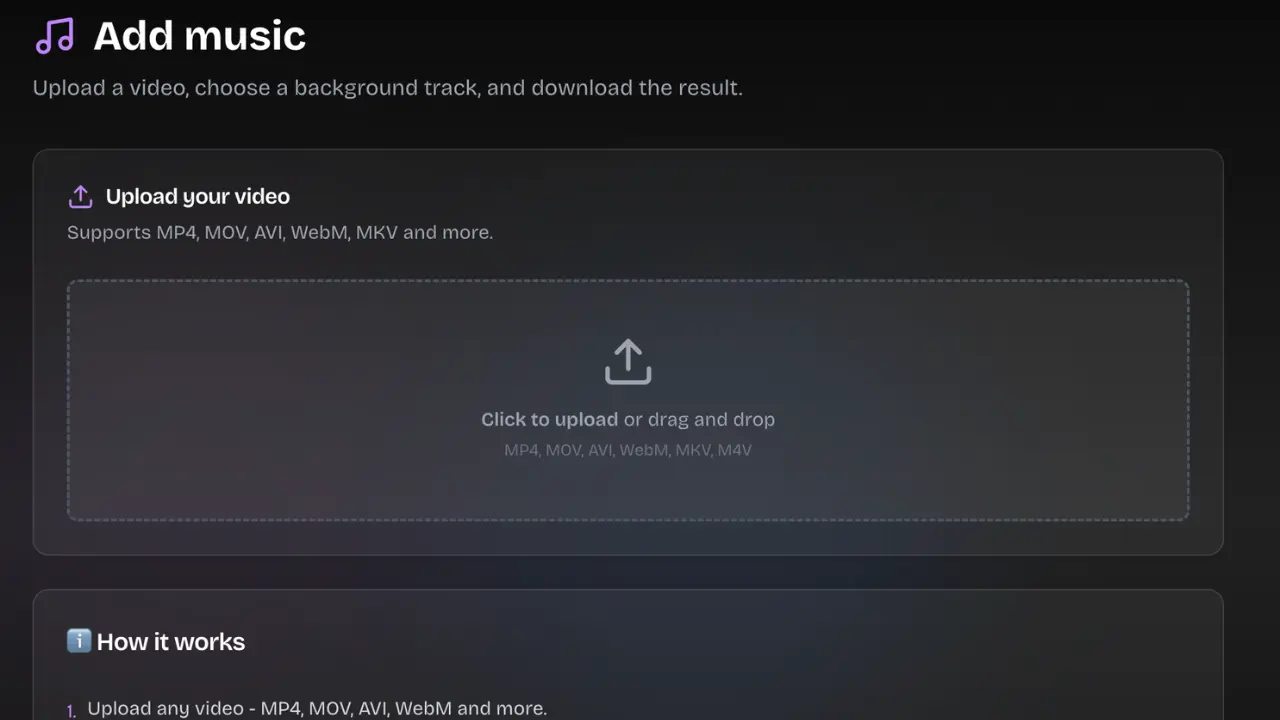
- Start from an idea or a script. Type a topic or paste your script. Faceless Lab writes or takes the script, then generates the voiceover, visuals and captions in one pass.
- Let it pick the music. Every generated video comes with background music already selected and mixed under the narration, so you are never staring at a silent timeline.
- Swap the track if you want a different mood. Before you generate the final video, you can change the music to better fit your niche using the map in section 3.
- Check the copyright-free label. Most of the library is royalty-free and licensed for commercial use, and we mark clearly which tracks are copyright-free, so you know what is safe to publish anywhere.
- Preview the mix. Watch the draft with sound on and confirm the voice sits on top and the music supports it.
- Publish or schedule. Send it straight to YouTube, Instagram, Facebook or LinkedIn, or schedule it for later. Autopilot and Series can keep new videos going out with music handled every time.
💡 Want to hear how the auto-mixed soundbed sounds on your own topic? Create your first faceless video free and generate one in a few minutes.
6. Where Faceless Lab is and isn't the right choice for music
We would rather you pick the right tool than feel surprised later. Here is the honest read.
Faceless Lab is the right choice if you want:
- Music handled automatically on every video, mixed under the voice, with no editor to learn.
- A royalty-free library with copyright-free tracks marked, so a whole batch of videos is safe to publish across platforms.
- Consistency across a series, where the same clean soundbed treatment runs on autopilot.
Faceless Lab is not the right fit if you need:
- To ride one specific trending TikTok sound. Those live inside the app's picker and are licensed for native posting there. If a trend depends on one exact viral audio, add it in-app on that platform rather than expecting it in a library.
- Frame-accurate manual sound design. If you want to layer three tracks, place custom sound effects on exact frames and draw volume curves by hand, a full editor gives you more control than any automated soundbed.
- A specific commercial song. We do not provide chart music, and honestly you should not want it on a multi-platform faceless channel, because that is the fastest route to a claim.
One more honest note. TikTok is excluded from fully automatic auto-publish, so you post there with explicit consent rather than hands-off, which is also the natural moment to add a trending in-app sound if you want one.
The verdict
Background music is not the thing that makes a faceless video go viral, and it is the thing that quietly makes a good video feel finished and keeps it out of copyright trouble. Pick tracks that match your niche, keep them under the voice, and use royalty-free or in-app licensed music so one video can safely go everywhere. If you would rather not think about any of this, let it happen automatically. Faceless Lab puts a safe, mixed soundbed on every video on the free trial, so you can hear the difference before you pay a cent.
If this helped, the best thing you can do is make one and post it, then share this guide with a creator who keeps getting their audio muted. We also run an affiliate program, so if you send people our way you can earn from it while you build your own channel.
Try it free and put clean, copyright-safe music on your next faceless video: https://facelesslab.video/
Read more
Frequently asked questions
What is the best background music for faceless videos?
The best background music matches the emotion of your niche rather than whatever is trending. For motivation, use cinematic tracks that build; for story formats, light mid-tempo tension; for finance or luxury, slow and minimal; for explainers, low-key lo-fi that stays in the background. Keep the track under your voiceover so the narration always leads. Most importantly, use music that is royalty-free and licensed for commercial use, or a sound from a platform's in-app picker, so your video is safe to publish. Faceless Lab adds a fitting royalty-free track to every video automatically.
Can I use copyrighted music on YouTube Shorts, TikTok or Reels?
Only in limited ways. Each platform licenses popular songs for its own in-app editor, and only for videos you post natively on that surface. That license does not let you download the track and reuse it elsewhere. On YouTube Shorts, in-app songs cover clips under 60 seconds, and longer Shorts with a Content ID claim can be blocked worldwide. Instagram tightened enforcement in 2026, and business accounts cannot freely use commercial music. For a faceless channel that publishes one video across several platforms, stick to royalty-free or copyright-free music instead.
How loud should background music be under a voiceover?
Keep the music roughly 15 to 20 decibels below the voiceover so the narration always sits on top. A quick test: if you can hum along to the music while the narrator talks, it is too loud. Use ducking, which lowers the music by about 6 to 10 decibels whenever the voice comes in and raises it again in the gaps and at the end. Let the track play alone for a second or two at the open and close to frame the video. Faceless Lab handles this mix automatically on every video.
Where can I find copyright-free music for faceless videos?
The safest sources are royalty-free libraries that give you a clear commercial license. Free options include the YouTube Audio Library, and paid catalogues such as Epidemic Sound, Artlist and Soundstripe offer more range. Avoid pulling audio out of TikTok or Instagram, because those sounds are licensed only for posting inside those apps. Inside Faceless Lab, most of the music library is royalty-free and licensed for commercial use, and we mark clearly which tracks are copyright-free, so you can publish a whole batch of videos across platforms without worrying about claims.
Does background music actually improve retention?
It helps, though it will not rescue a weak script or a slow hook. Around 85% of short-form plays happen on mute, so captions carry most viewers, but the sound-on group matters because it often includes the early test audience and the people who rewatch and save. Music also sets the pace of your edit, since cuts and caption pops that land on the beat feel intentional. The bigger risk is the wrong track, which can make a good video feel flat or a serious topic feel silly. Match energy to your niche.
Do I have to add music to every faceless video myself?
No. Adding, trimming and mixing music by hand is exactly the kind of repetitive work that eats your week. Faceless Lab adds a royalty-free soundbed to every video automatically and mixes it under the voiceover, so you never start from a silent timeline. You can swap the track before generating if you want a different mood, and the copyright-free tracks are marked so you know what is safe to publish. With Series and Autopilot, new videos keep going out with the music handled each time.
Related articles
Teach a Language on Shorts and Reels Without Ever Showing Your Face
Language lessons are short, repeatable and built for replays and saves, which makes them a great fit for a faceless channel. Here are the formats, the script rules and a step by step build.
Faceless Shorts Can Have Thumbnails Now. Make Yours Earn the Click
YouTube just gave Partner Program creators custom thumbnails on Shorts. Here is how faceless creators, with no face to feature, build a frame that earns the click and lifts views.
Make Faceless Quiz Videos That Get People Answering in the Comments
Quiz and trivia shorts are some of the easiest faceless videos to grow with. Here is how the format works, the structures that hold attention, and how to make one in minutes.