Make Faceless Quiz Videos That Get People Answering in the Comments
Quiz and trivia shorts are some of the easiest faceless videos to grow with. Here is how the format works, the structures that hold attention, and how to make one in minutes.
Roberto Pasqualini
CMO at Faceless Lab
A practical guide to making faceless quiz and trivia videos: why the format grows so fast, the structures that hold attention, and how to produce one in minutes without filming anything.
What makes a good faceless quiz video, and why do so many of the fastest-growing faceless channels run on trivia? A quiz video works because it asks a question your brain refuses to leave unanswered. Someone scrolling past a static clip feels nothing, but a question with a three-second countdown pulls them in and holds them until the reveal. That single mechanic, question then countdown then answer, is why quiz and trivia shorts are some of the easiest faceless videos to start with and one of the most reliable ways to get people commenting.
We are Stefano and Roberto, the two people behind Faceless Lab. Between us we run several faceless channels every day, and quiz formats are some of the most forgiving to build a posting habit around. This guide walks through what actually works.
Executive Summary: Faceless quiz videos win because every question is a built-in hook and every answer reveal is a reason to comment, which gives you the two signals short-form algorithms reward most: watch time and engagement. The format is beginner-friendly because there is no filming, no face, and a repeatable structure you can reuse forever. Keep videos in the 15 to 30 second range with 5 to 7 questions, put a countdown before each reveal, and end with a prompt like "drop your score below." Faceless Lab turns a topic into a finished quiz short with script, voiceover, visuals, music and captions, and can publish a new one every day so the channel keeps posting while you focus on ideas.
Table of Contents
- Why quiz videos are one of the easiest faceless formats to grow with
- The quiz formats that actually get watched and shared
- Anatomy of a quiz short that holds attention
- How to make a faceless quiz video inside Faceless Lab
- Turn one quiz idea into a daily series on autopilot
- Where Faceless Lab is and isnt the right choice
- How to get more comments and saves on every quiz video
1. Why quiz videos are one of the easiest faceless formats to grow with
Most people who want to start a faceless channel get stuck on the same thing, which is what to actually post. Quiz videos solve that in one move because the topic is the content. Pick "world capitals" or "guess the movie from one frame" and you already have a hundred videos.
The format also does the heavy lifting on retention and engagement, the two things that decide whether a short spreads. Interactive content earns far more engagement than static posts, with one widely cited figure putting it at around 52.6% more engagement than passive formats. On short-form specifically, a quiz question is a hook that repeats every few seconds, and the countdown before each answer creates a small retention spike that keeps people watching to the reveal.
Then comes the part that matters most for reach. When people get an answer wrong, or right, they want to say so. A reveal is a natural reason to comment, and high comment rates plus high watch time is exactly the combination the algorithm pushes. That is why daily-trivia accounts are consistently among the fastest-growing faceless channels.
Three reasons quiz videos are beginner-friendly:
- No face, no filming. Everything is on-screen text, visuals and voiceover, so you never appear.
- Endless supply of ideas. Any topic with right-and-wrong answers becomes a series.
- A structure you reuse forever. Once one quiz works, you copy the format and only change the questions.
2. The quiz formats that actually get watched and shared
Not every quiz idea travels the same way. Some are built for comments, others for saves, and the best channels usually pick one lane and stay in it. Here are the formats that reliably perform.
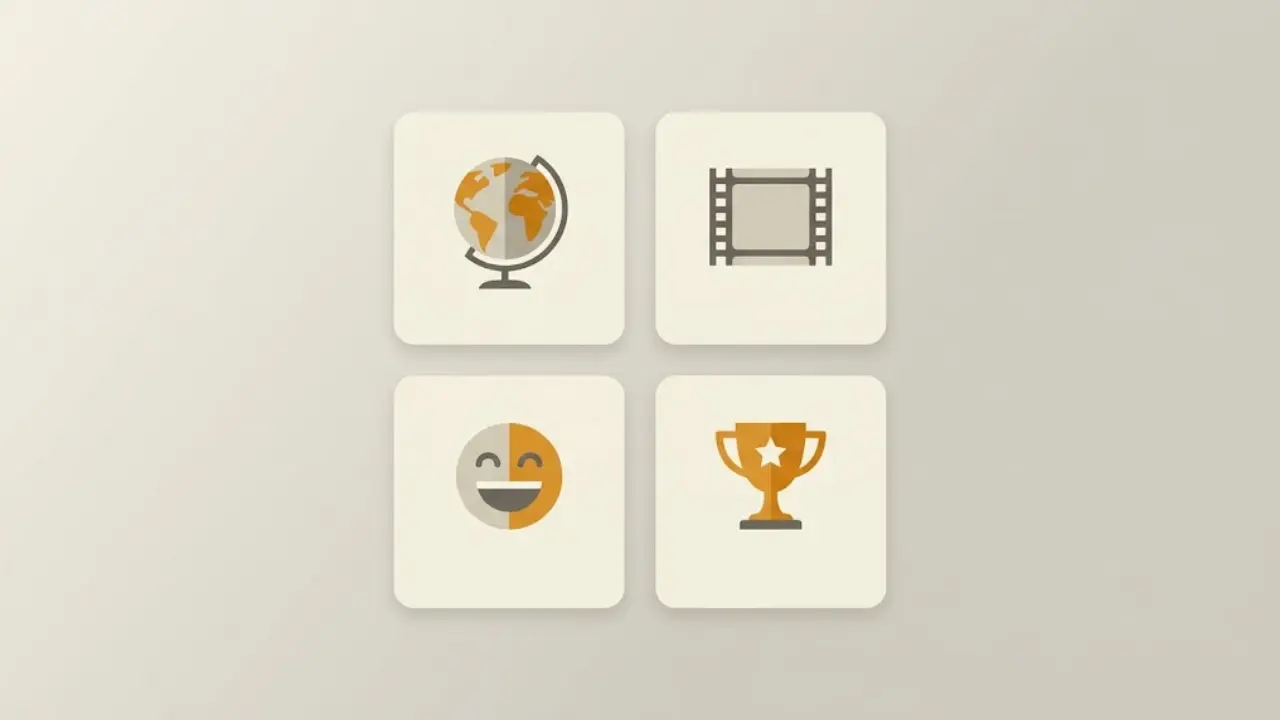
Guess-the-answer trivia
The classic. A question appears, a countdown runs, the answer drops. Works for geography, history, science, sports and pop culture. Strong for broad reach because almost anyone can play.
"Can you name..." challenges
"Can you name all 5?" style prompts that ask viewers to list things before the reveal. These pull big comment counts because people rush to prove they got them all.
Guess from the image or emoji
Guess the movie from one frame, the country from its flag, the song from the emoji. Highly visual and very save-friendly, since people send them to friends to test them.
Would-you-know and "only 1% can..." hooks
Difficulty framing raises the stakes. Claiming a question is hard makes people want to prove they are the exception, which drives both watch time and comments.
3. Anatomy of a quiz short that holds attention
A quiz short is simple, but the timing is everything. Here is the structure we use, and it maps almost one-to-one onto how Faceless Lab builds a video.
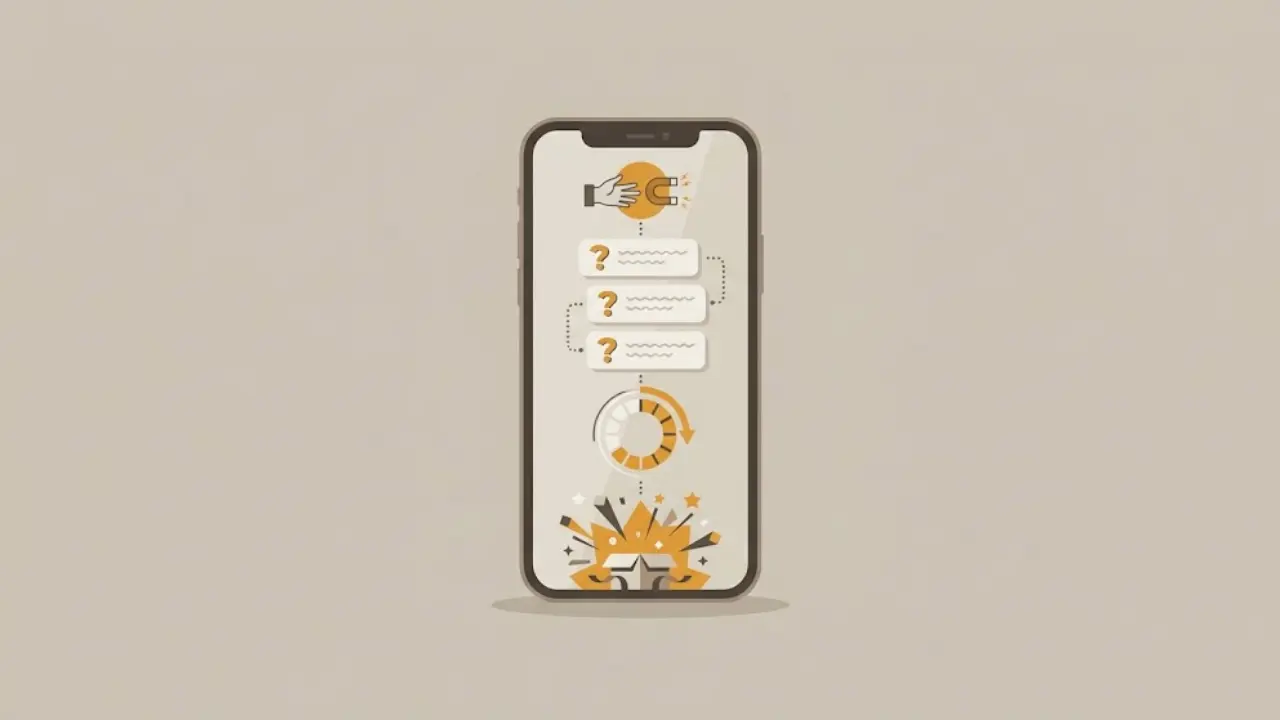
The open (0 to 3 seconds). State the game and the stakes immediately. "Only 1 in 10 people can name all 5 of these capitals." No slow intro, no channel branding first. The promise is the hook.
The questions (5 to 7 total). For short-form, 5 to 7 questions is the sweet spot. Fewer feels thin, more and completion rates start to drop. Keep each question on screen long enough to read, then run the countdown.
The countdown (2 to 3 seconds per question). This is the retention engine. A visible timer or ticking sound tells the brain to hang on for the answer. Do not skip it.
The reveal. Show the answer clearly, ideally with a quick visual or sound cue so getting it right feels rewarding.
The close (last 3 seconds). End with a direct prompt. "Comment your score out of 5." A specific ask beats a vague "like and follow" every time, because you are giving people an exact thing to type.
On length, the 15 to 30 second range is the sweet spot for trivia shorts. Long enough for a satisfying run of questions, short enough to keep completion high, which is the metric that gets you pushed to new viewers.
4. How to make a faceless quiz video inside Faceless Lab
Here is how the whole thing comes together in one workflow, without jumping between a script tool, a voice tool, a stock site and an editor.
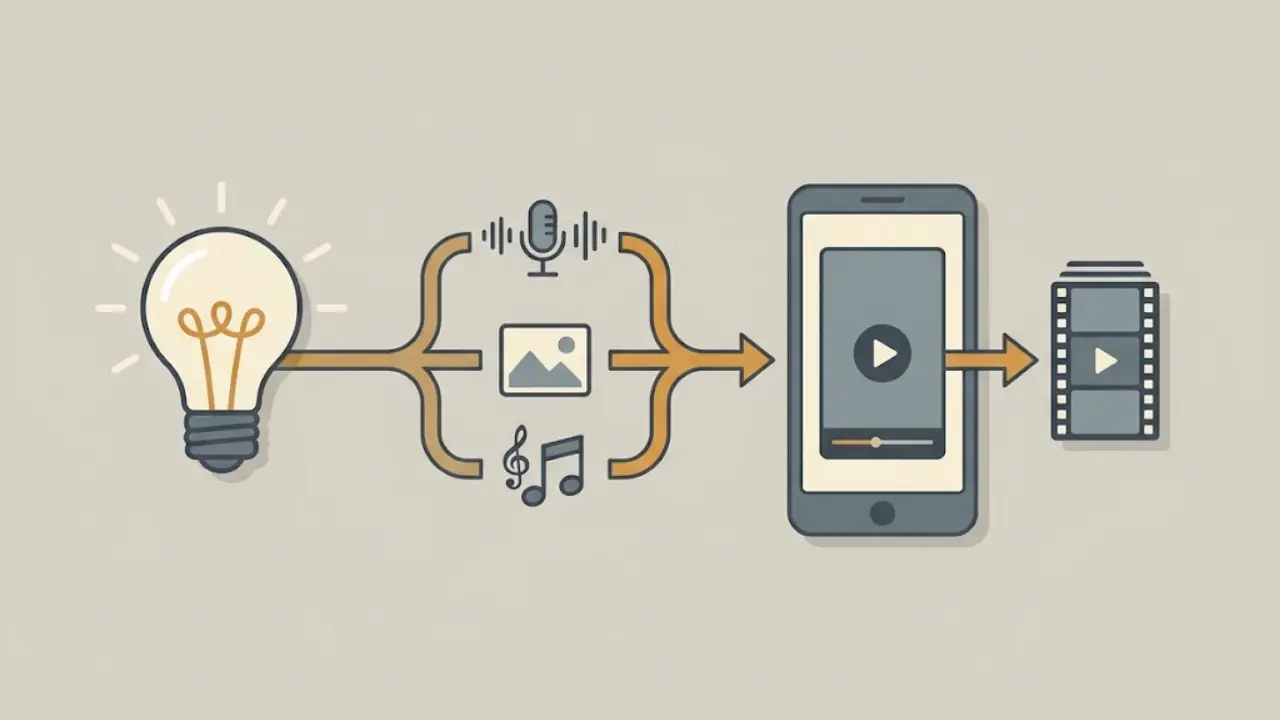
Step 1: Start from a topic. Type your quiz idea, for example "guess the country from its flag" or "90s movie trivia." You can write your own questions or let the AI draft a full set for you to approve and edit.
Step 2: Pick a structure. Faceless Lab includes 8 video structures, so you choose the one that fits a quiz rhythm and the questions get laid out with room for the countdown and reveal.
Step 3: Choose a voice. There are 200+ ElevenLabs voices to pick from, so the read sounds natural rather than robotic. Match the tone to your niche, calm for history, punchy for sports.
Step 4: Set the look. With 39 visual styles and multiple image models available through Replicate, you lock one style for the channel so every quiz video looks like it belongs to the same show. Consistency here is what makes a channel recognisable.
Step 5: Let it assemble. Faceless Lab generates the script timing, voiceover, visuals, background music and captions together, so the countdown, reveal and on-screen text all line up. Most videos are ready in a few minutes.
Step 6: Review, then publish or schedule. Tweak any question, swap a visual, then publish straight to your platforms or schedule it. Auto-publish covers YouTube, Instagram, Facebook and LinkedIn. TikTok is intentionally left out of fully automatic publishing because it needs your explicit consent, so you confirm those posts yourself.
💡 Ready to try it on your own quiz idea? Create your first faceless quiz video.
5. Turn one quiz idea into a daily series on autopilot
The real advantage of a quiz format is that it repeats. Once "guess the flag" works, you do not reinvent it, you just feed it new questions. Faceless Lab is built for exactly this.
With Series, you set a theme once and the app keeps producing new episodes in the same style, voice and structure, so episode 30 looks and sounds like episode 1. Batch a week of quizzes in an afternoon, line them up on the schedule, and the channel keeps posting on a rhythm even when you are busy.
Autopilot takes it a step further. It is currently in beta, and it is designed to keep the pipeline running with minimal input from you, generating and queuing videos so posting never stalls. For a quiz channel, where consistency and volume compound over time, that hands-off cadence is the whole game.
6. Where Faceless Lab is and isnt the right choice
We would rather you pick the right tool than the wrong one and churn, so here is the honest read.
Faceless Lab is a strong fit if you want to publish quiz and trivia shorts consistently without editing, you value one workflow over stitching five tools together, and you want the channel to keep posting through Series and scheduling. It is also a good fit if you care about a natural voice and a consistent visual identity, which the 200+ voices and 39 styles are built for.
It is less of a fit if you need frame-by-frame manual editing control, custom animated timers and bespoke motion graphics for every single video. Faceless Lab optimises for speed and consistency at volume, so if your goal is one highly bespoke cinematic piece rather than a daily series, a manual editor will give you more granular control.
One honest note on Autopilot. It is in beta, so treat it as a fast-improving convenience rather than a finished set-and-forget guarantee, and keep an eye on your first runs. And remember TikTok stays a manual confirm for auto-publishing, by design.
7. How to get more comments and saves on every quiz video
Small changes to the same quiz can meaningfully lift engagement. These are the levers we reach for first.
- Ask for a number, not a like. "Comment your score out of 5" gets far more replies than "let me know what you think," because you are telling people exactly what to type.
- Raise the stakes in the hook. "Only 1% get all 5" makes people want to prove they belong to the 1%, which lifts both watch time and comments.
- Make it shareable. Guess-from-image and emoji formats get sent between friends as a challenge, which is what drives saves and shares.
- Keep the visual identity fixed. One style, one voice, one caption look. A recognisable show gets more repeat viewers and followers than a channel that changes its face every video.
- Post daily. Quiz channels compound. The more consistent your posting, the more the algorithm learns who to show you to.
The takeaway is simple. Quiz videos give you a format that is easy to make, easy to repeat, and naturally engineered for the comments and watch time that short-form rewards. If you can pick a topic, you already have a channel.
If you want to see how fast one comes together, you can try it free. The trial is €0, no credit card, and if a quiz clicks with your audience you can scale to a daily series from there. If a video does well, repost it organically across your platforms, and if you love the tool, our affiliate program is open so you can earn by sharing it.
Try it and make your first faceless quiz video today: facelesslab.video
Read more
Frequently asked questions
How do I make a faceless quiz video without showing my face?
You never need to appear. A faceless quiz video is built from on-screen text, visuals, a voiceover and captions, so the "face" of the channel is the format itself. In Faceless Lab you type a topic like "world capitals" or "guess the movie," approve or edit the questions, pick a voice and a visual style, and the app assembles the script timing, voiceover, images, music and captions into a finished short. You review it, then publish or schedule. No camera, no editing software, and no on-screen presence required at any point.
How many questions should a quiz short have?
For short-form, 5 to 7 questions is the sweet spot. Fewer than five can feel thin and end before the viewer is invested, while more than seven tends to drag and completion rates start to drop. Each question should stay on screen long enough to read comfortably, followed by a short countdown of two to three seconds before the reveal. That pacing keeps the video in the 15 to 30 second range, which is where trivia shorts tend to hold attention best and get watched all the way through.
Why do quiz videos get so many comments?
Because a reveal is a natural reason to react. When people get an answer right they want to brag, and when they get it wrong they want to argue or share their score, so the comment box fills up on its own. Ending with a specific prompt like "comment your score out of 5" pushes this further by telling viewers exactly what to type. High comment rates combined with high watch time are precisely what short-form algorithms reward, which is why trivia channels grow quickly.
What quiz formats work best for faceless channels?
The reliable ones are guess-the-answer trivia, "can you name all 5" challenges, guess-from-image or emoji puzzles, and difficulty-framed hooks like "only 1% can pass this." Guess-from-image and emoji formats are especially save-friendly because people send them to friends as a challenge. The best approach is to pick one format, lock a visual style and voice, and repeat it as a series so the channel becomes recognisable. Faceless Lab's 8 structures and 39 styles make it easy to set that look once and reuse it.
Can I publish quiz videos automatically to my accounts?
Yes, with one exception. Faceless Lab can auto-publish to YouTube, Instagram, Facebook and LinkedIn, and you can schedule videos in advance so the channel keeps posting on a set rhythm. TikTok is intentionally excluded from fully automatic publishing because it requires your explicit consent, so you confirm those posts manually. Autopilot, currently in beta, is designed to keep generating and queuing videos with minimal input, which suits a quiz channel where consistent daily posting is what drives growth over time.
Is there a free way to try making faceless quiz videos?
Yes. Faceless Lab has a free trial at €0 with no credit card required, so you can make a quiz short and see the full workflow before paying. If it fits, paid plans start at Starter €19, then Growth €59 and Pro €149, scaling with how many videos you want to produce and publish each month. A quiz format is a good first test because it is quick to generate and easy to repeat, so you can judge the tool on a real video rather than a demo.
Related articles
Faceless Shorts Can Have Thumbnails Now. Make Yours Earn the Click
YouTube just gave Partner Program creators custom thumbnails on Shorts. Here is how faceless creators, with no face to feature, build a frame that earns the click and lifts views.
Make Faceless Horror Story Videos That People Watch Until the End
Horror is one of the highest-retention faceless niches, and you do not need a camera or a scary voice of your own. Here is how to build a scary-story channel that posts on its own.
Background Music Makes or Breaks a Faceless Video. Here Is How to Get It Right.
Background music can lift a faceless video or get it muted. Here is how to pick tracks that hold attention, stay copyright-safe in 2026, and add them automatically inside Faceless Lab.