Black Friday Rewards the Faceless Creators Who Batched in September
The shopping season goes to creators who queued their videos in September. Here is what faceless Black Friday videos to make, how to batch a month of them, and how to schedule the whole run so your channel posts on time.


Stefano Ventrudo
CTO at Faceless Lab
A practical playbook for planning, batching, and scheduling faceless Black Friday videos so your channel posts deal content on time, without the mid-November scramble.
When should you start making your faceless Black Friday videos? Earlier than feels comfortable. Black Friday lands on Friday, November 27 this year, and by the time most creators open an editor in mid-November, the viewers searching for gift ideas and deal roundups have already spent weeks watching someone else. I run faceless channels every day, and the pattern repeats every Q4. The people who win the shopping season are the ones who queued their videos while everyone else was still deciding on a niche. September and October are quiet months for shopping content, which is exactly why they are the right time to build the whole run.
Executive Summary
Faceless Black Friday videos work because shopping content is high intent and simple to produce without ever showing your face: gift guides, deal alerts, product roundups, and last-minute buying advice all live comfortably in a 30 to 60 second short. The creators who see real traffic start in September, batch 15 to 30 videos across a couple of afternoons, and schedule them to publish daily through late November. Inside Faceless Lab you turn one idea into a script, voiceover, visuals, music, and captions in minutes, then queue the entire run to post automatically to YouTube, Instagram, Facebook, and LinkedIn. Start early, post on a rhythm you can keep, and let the season arrive at a channel that is already warmed up.
Table of Contents
- Why faceless creators should care about Black Friday
- What kinds of Black Friday videos actually get watched
- The September-to-November timeline that wins the season
- How to make and schedule faceless Black Friday videos inside Faceless Lab
- Where Faceless Lab is and isn't the right choice
- Keep the momentum after the deals end
1. Why faceless creators should care about Black Friday
Black Friday is one of the few moments in the year when ordinary viewers actively look for videos telling them what to buy. That shift in intent is the whole opportunity.
The audience is already in buying mode. For most of the year you are convincing people to care about your topic. In late November they arrive with a wallet open and a question in mind: what is worth buying and where is it cheapest. Content that answers that question travels fast because people save it, send it to family, and come back to it.
Faceless format fits shopping content perfectly. A gift guide, a price comparison, or a countdown of the best deals needs product footage, clear captions, and a confident voiceover. None of it needs your face. That makes shopping videos one of the easiest categories to run at volume on a faceless channel.
It rewards preparation over talent. You do not need to be first with breaking news or clever with a trend. You need coverage: enough videos, across enough products and price points, published often enough that some of them land. Preparation is a system, and a system is something you can build in September when you have time.
2. What kinds of Black Friday videos actually get watched
Not every shopping video is equal. Some formats reliably hold attention and earn saves. Here are the ones I would build a Q4 calendar around.
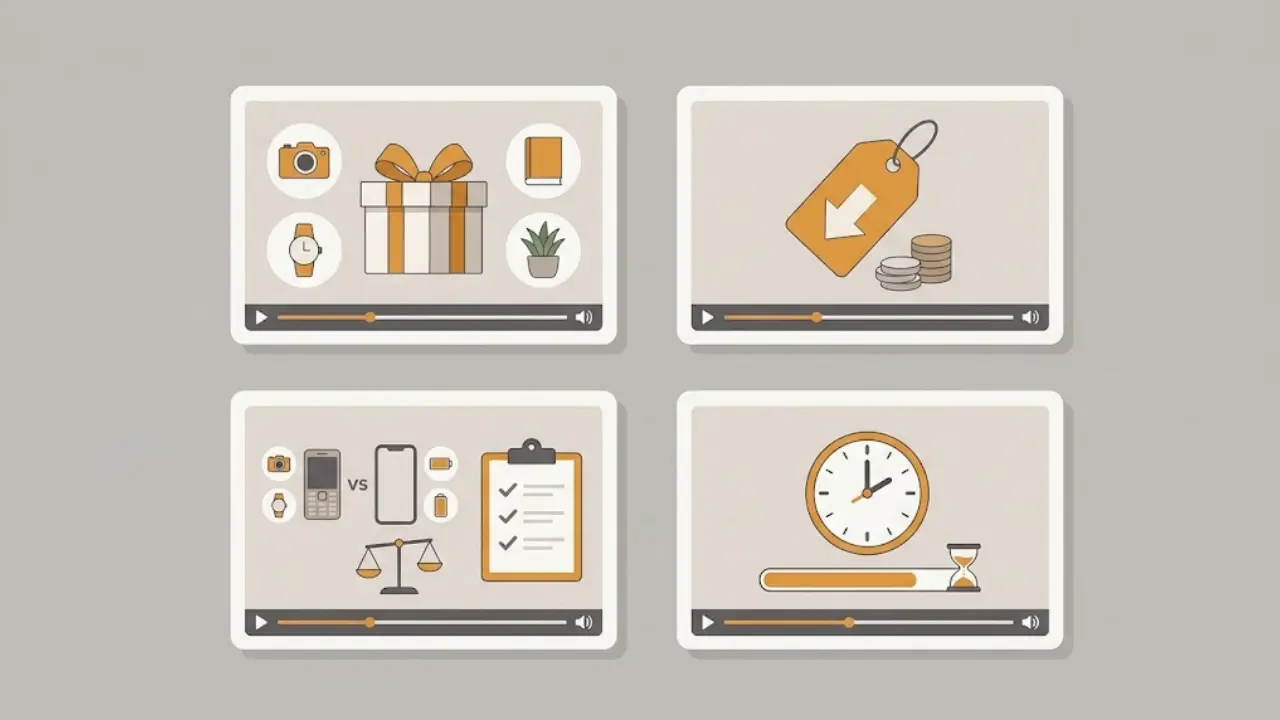
Gift guides by person or budget
People search for gifts the way they think about them, by who they are buying for and how much they want to spend.
- By person: gifts for gamers, gifts for coffee people, gifts for new parents, gifts for someone who has everything.
- By budget: best gifts under 25, under 50, under 100.
- By interest: desk setup upgrades, kitchen gadgets, fitness gear.
Each of these is a clean short: a hook, five picks, one line on why each one is worth it.
Deal alerts and price roundups
Short, punchy videos that call out a specific deal or a category of deals. These do well when they feel timely, so schedule them for the actual Black Friday week rather than early November.
Buying advice and warnings
Not everyone wants a product list. Some want guidance: how to spot a fake discount, what to buy now versus wait on, common Black Friday mistakes. This kind of video builds trust and often gets saved for later.
Countdown and top-five formats
The top-five structure is a natural fit for shopping content because it sets an expectation and pays it off. Viewers stay to see what lands at number one.
3. The September-to-November timeline that wins the season
Here is the plan I follow. It spreads the work out so nothing is rushed and everything is live before the traffic shows up.
September: plan and batch
This is when you have time, so use it.
- Pick your angle. Choose two or three formats from the list above and stick with them. Consistency in format is what makes a channel feel coherent.
- Draft your topics. Write out 20 to 30 video ideas. Gift guides for different people, a few deal-advice videos, a couple of countdowns.
- Batch the videos. Generate the run in one or two sittings. The goal is a full library sitting ready, not a perfect single video.
October: schedule and warm up the channel
- Queue the run. Set your videos to publish on a steady rhythm, building toward Black Friday week.
- Post lighter content now. A channel that has been posting for weeks going into late November performs better than one that appears from nowhere. Publish a few general videos in your niche so the account is active.
November: let it run and react
- Front-load the shopping week. Concentrate your best deal alerts and gift guides in the days right before and during Black Friday week, November 23 to 30.
- React where it makes sense. If one video takes off, make two more like it. Everything else keeps posting on its own.
4. How to make and schedule faceless Black Friday videos inside Faceless Lab
Here is the actual workflow, start to finish, using the tools in Faceless Lab. You can build a week of content in an afternoon.
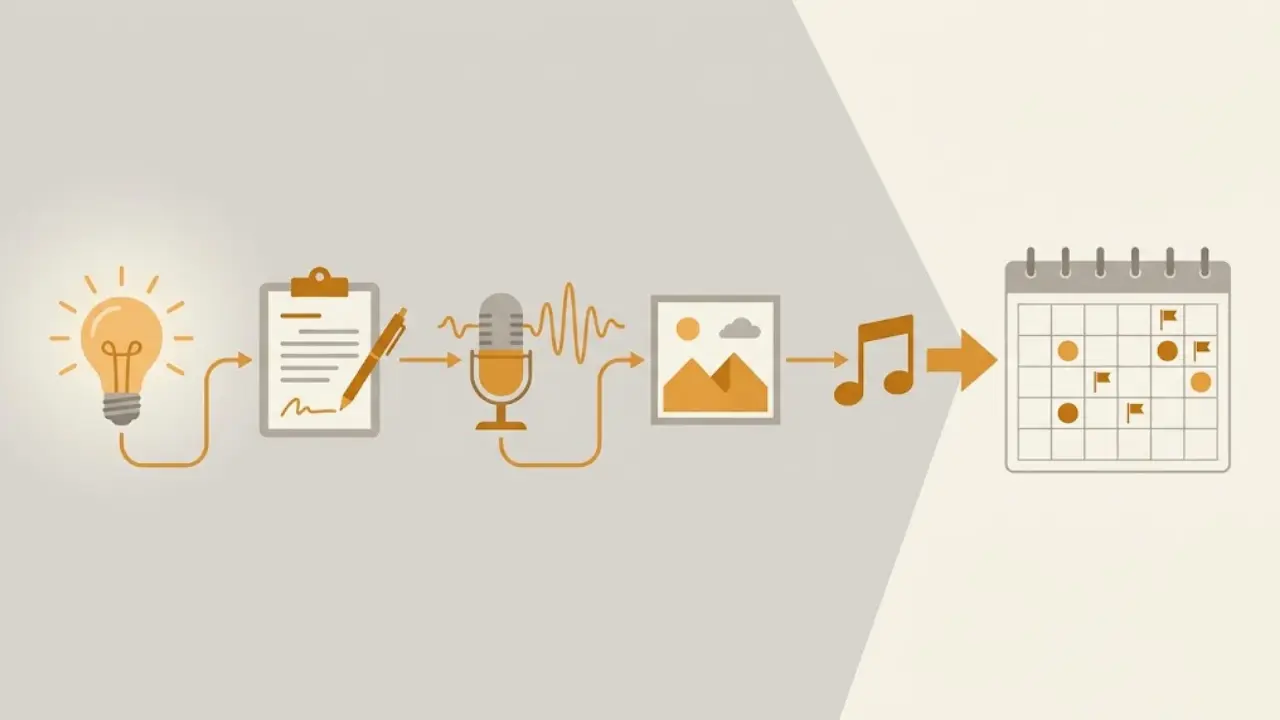
- Start from an idea or a script. Type a topic like best gifts for coffee lovers under 50 or five Black Friday mistakes to avoid. Faceless Lab writes the script for you, and you can edit any line before moving on.
- Pick a structure. Choose from the 8 built-in video structures. For shopping content the countdown and list structures fit best. The structure shapes how the script is paced so the video holds attention.
- Choose a voice. There are over 200 ElevenLabs voices to pick from. Settle on one voice for the whole run so your Black Friday videos sound like one channel rather than a dozen.
- Set your visual style. Faceless Lab offers 39 visual styles powered by multiple models through Replicate. Pick one style and keep it across the run so the channel looks consistent.
- Let it assemble everything. Voiceover, visuals, background music, and captions are generated and synced automatically. Most videos are ready in a few minutes.
- Batch the rest. Repeat for your list of topics in one sitting. This is where the September time investment pays off.
- Schedule and auto-publish. Queue the videos to publish on the dates you want, straight to YouTube, Instagram, Facebook, and LinkedIn. Set the rhythm once and the channel posts without you.
A note on Autopilot and TikTok. Autopilot is in beta and can take an idea through to a finished, scheduled video with very little input from you. TikTok is excluded from fully automatic auto-publish because it requires explicit consent for each post, so plan to push your TikTok uploads with a quick manual confirm.
💡 Ready to build your Black Friday queue? Create your free account and start batching.
5. Where Faceless Lab is and isn't the right choice
I would rather you start with clear expectations, so here is the honest version.
Faceless Lab is a strong fit if:
- You want to publish shopping content at volume and keep a steady posting rhythm through Q4.
- You value speed and a single workflow over deep manual control of every frame.
- You are running one or more faceless channels and need the videos to look and sound consistent.
Faceless Lab is not the right tool if:
- You want to hand-edit every cut, keyframe, and transition. A timeline editor gives you more granular control than we do, and that is a fair trade if control is what you want most.
- Your Black Friday plan depends on live product footage you filmed yourself. We generate visuals, so real hands-on unboxings are a different workflow.
- You are only ever going to make one video. The value here is volume and consistency over a season, so a single one-off is not where we shine.
Honesty helps both of us. If you need frame-level editing, use a timeline tool. If you need a month of consistent faceless shorts scheduled and posted for you, that is exactly what we built.
6. Keep the momentum after the deals end
Black Friday ends, but the shopping season does not stop on November 27. Cyber Monday lands on November 30, and gift-buying runs right through December.
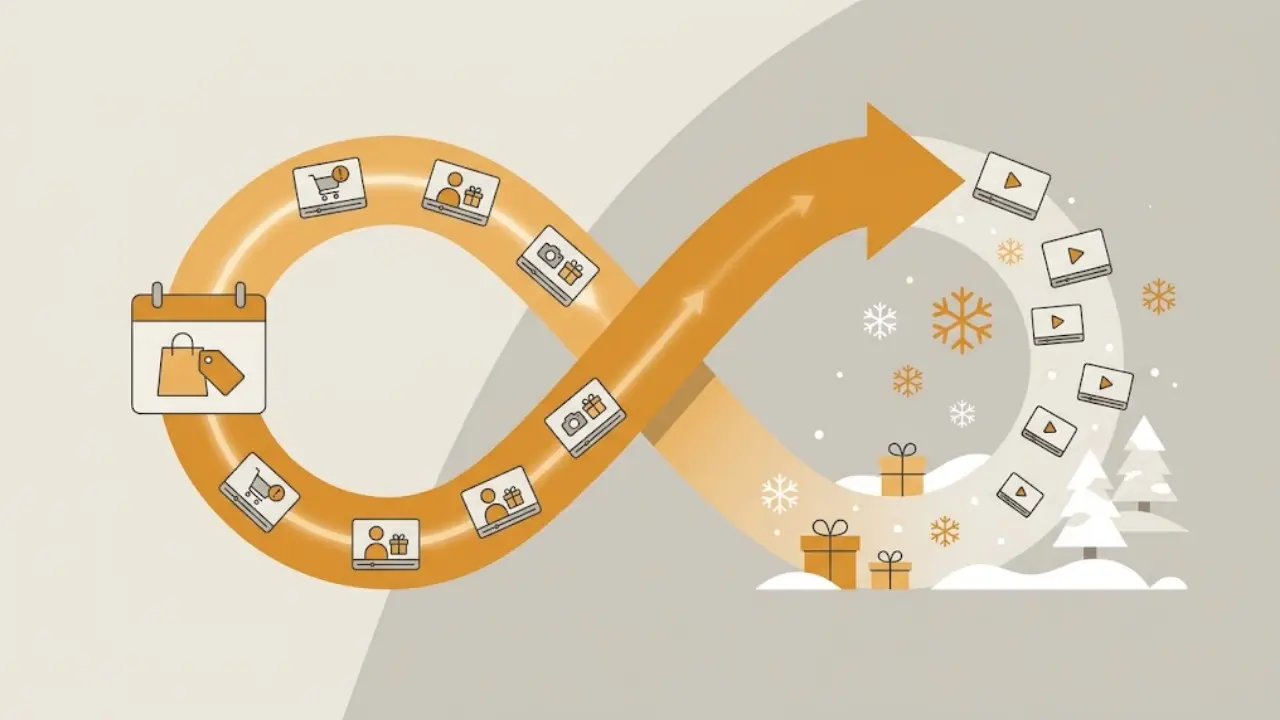
- Roll into Cyber Monday and December gifting. The same gift guides work with a light refresh. Reschedule your strongest videos and add a few last-minute-shipping and stocking-filler angles.
- Turn the winners into evergreen. A gift guide that performed can be re-cut without the Black Friday framing and keep earning views all year.
- Plan the next seasonal run now. The creators who did well in November are already thinking about January content while the habit is fresh.
The lesson repeats every year. Seasons reward the channel that was ready before the season started.
The fastest way to be ready is to start today. Open Faceless Lab, generate your first few Black Friday videos on the free trial, and get the run into your queue while you still have room to breathe. If your videos land, repost them across your other platforms and tag us, and if you want to earn from sending other creators our way, our affiliate program is open.
Start building your faceless Black Friday queue on Faceless Lab.
Read more
Frequently asked questions
When should I start making faceless Black Friday videos?
Start in September. Shopping content is high intent but seasonal, so the traffic shows up in late November whether you are ready or not. September and October are quiet months for deal content, which makes them the right time to plan your angles, batch 20 to 30 videos, and load them into a schedule. Creators who wait until mid-November are competing for attention that earlier creators have already captured. The work is the same either way. Doing it early just means it is finished before the season starts, so November becomes about reacting to winners rather than scrambling to produce.
What kinds of Black Friday videos work best without showing your face?
Gift guides, deal alerts, buying advice, and countdown formats all work well faceless. Gift guides sort naturally by person or budget, such as gifts for gamers or best gifts under 50. Deal alerts are short and timely, best scheduled for Black Friday week itself. Buying advice, like how to spot a fake discount, builds trust and earns saves. Countdown or top-five videos hold attention because viewers stay to see what lands at number one. All of these need product visuals, clear captions, and a confident voiceover, none of which require your face on camera.
How many Black Friday videos should I make?
Aim for 15 to 30 across the season. Coverage matters more than any single video, because you cannot predict which topic or product will land. A realistic plan is a mix: ten or so gift guides across different people and budgets, a handful of deal-advice videos, and a few countdowns. Batch them in one or two sittings in September, then schedule them to publish on a steady rhythm that builds toward Black Friday week. If one video takes off in November, make two more like it. Everything else keeps posting on its own.
Can Faceless Lab schedule and publish the videos for me?
Yes. Once a video is generated you can queue it to publish automatically to YouTube, Instagram, Facebook, and LinkedIn on the dates you choose. That is what makes the batch-and-schedule approach work: you do the creative in September, set the rhythm once, and the channel posts without you touching it. One exception to note is TikTok, which is excluded from fully automatic auto-publish because it requires explicit consent for each post. For TikTok, plan on a quick manual confirm when each video goes out. Autopilot, currently in beta, can take an idea all the way to a scheduled video.
How much does it cost to start?
You can start on the free trial at zero cost to test the workflow before committing. Paid plans are Starter at 19 euro, Growth at 59 euro, and Pro at 149 euro per month, with limits that reset monthly and the option to cancel anytime. For a seasonal Black Friday push, the free trial is enough to generate your first videos and see whether the output fits your channel. If you decide to batch a full 20 to 30 video run and schedule it across the season, a paid plan gives you the volume to do that comfortably. Choose based on how many videos you plan to publish.
What should I do with these videos after Black Friday ends?
Do not retire them. Cyber Monday lands on November 30 and gift-buying runs through December, so your strongest gift guides can be rescheduled with a light refresh and a few last-minute-shipping angles. Videos that performed well can also be re-cut without the Black Friday framing to become evergreen content that earns views all year. The broader habit is worth keeping too. The creators who did well in November are already planning January content while the momentum is fresh. Seasonal runs reward the channel that prepared early, so start planning the next one right away.
Related articles
Make Faceless Diwali Videos for the Festival of Lights, Starting This Week
Diwali peaks on November 8. Here is how to make respectful faceless Diwali videos with AI, which formats get watched, and how to schedule all five days without ever filming.
Ride the Final Stretch of the F1 Season With a Faceless Racing Channel
The F1 season runs until the Abu Dhabi finale on December 6. A faceless racing channel batched now can post breakdowns, rankings and title-fight stories with no camera and no race footage.
Start a Faceless Hockey Channel While the NHL Season Is Still Fresh
The 2026-27 NHL season opened September 29. A faceless hockey channel batched now can post breakdowns, rankings and storylines from the Winter Classic to the playoffs, with no camera and no game footage.