Get Your Faceless Christmas Videos Scheduled Before the Holiday Rush Hits
December is too late to start planning Christmas content. Here's how to script, voice, and schedule a month of faceless Christmas videos in one September afternoon.
Roberto Pasqualini
CMO at Faceless Lab
Christmas content works best when nobody can tell you made it in a rush, and the only way to pull that off is to make it before the rush even starts.
How early should you actually start making faceless Christmas videos? If you're asking that question in September, you're not early, you're exactly on time. Every year the same thing happens: creators wait until the first week of December, realize scripts, voiceovers and edits take longer than they thought, and end up posting Christmas content on December 20th to an algorithm that's already moved on. Faceless channels don't have that excuse anymore. When script, voiceover, visuals, music and captions come out of one tool instead of five, a month of Christmas videos is a weekend project, not a December emergency.
Executive Summary: The window to plan Christmas content isn't December, it's now. Holiday search interest and shopping behavior climb steadily from late October through mid-December, which means videos published in the first week of the month are competing with far less content than videos published in the third week. Faceless Lab turns a Christmas video from a multi-hour production into a five-minute job (script, AI voiceover from over 200 ElevenLabs voices, AI visuals, music and subtitles in one pass), so a creator can batch a full month of themed content, including a recurring "12 Days of Christmas" style series, in a single sitting. Autopilot (currently in beta) and scheduled auto-publish then carry that content out through December, with TikTok as the one platform that still needs your explicit go-ahead before it posts. The tool doesn't write the strategy for you, and it won't stop you from batching content nobody wants, but if the plan is right, it removes almost every excuse for starting late.
Table of Contents
- Why September Is the Real Deadline, Not December
- The Christmas Video Ideas That Actually Fit a Faceless Channel
- How Many Videos You Actually Need Before December 1
- How to Batch Your Christmas Season Inside Faceless Lab
- Scheduling It All Without Losing Your December
- Where Faceless Lab Is (and Isn't) the Right Fit for Holiday Content
- What Happens to This Content After Christmas
1. Why September Is the Real Deadline, Not December
Holiday shopping and holiday search interest don't switch on overnight. Retail analysts who track this every year describe the same shape: a slow climb through late October, a sharp jump around Black Friday, and a plateau that holds through mid-December. Content behaves the same way. By the time "Christmas gift ideas" or "Christmas video" searches peak, the accounts that already have a week of content sitting in the feed are the ones the algorithm keeps showing.
That's the same math we used for Black Friday, and it's why Black Friday Rewards the Faceless Creators Who Batched in September said what it said. Christmas is the bigger version of that pattern. It has a longer build-up, more sub-niches (gift guides, cozy content, family stories, year-end lists), and a much harder wall on the other side: once December 26th hits, all of it stops being useful at the same time.
What this means in practice:
- Scripting in September or early October gives you time to actually plan a theme instead of grabbing whatever idea is fastest.
- Publishing your first Christmas video in early to mid November puts you ahead of the search curve instead of chasing it.
- Having a buffer of unpublished videos means a slow week in December doesn't turn into a content gap.
2. The Christmas Video Ideas That Actually Fit a Faceless Channel
Christmas content doesn't need a face, a tree, or a single physical prop. It needs a clear angle and a format that can repeat without feeling repetitive.
Formats that hold up across a full month
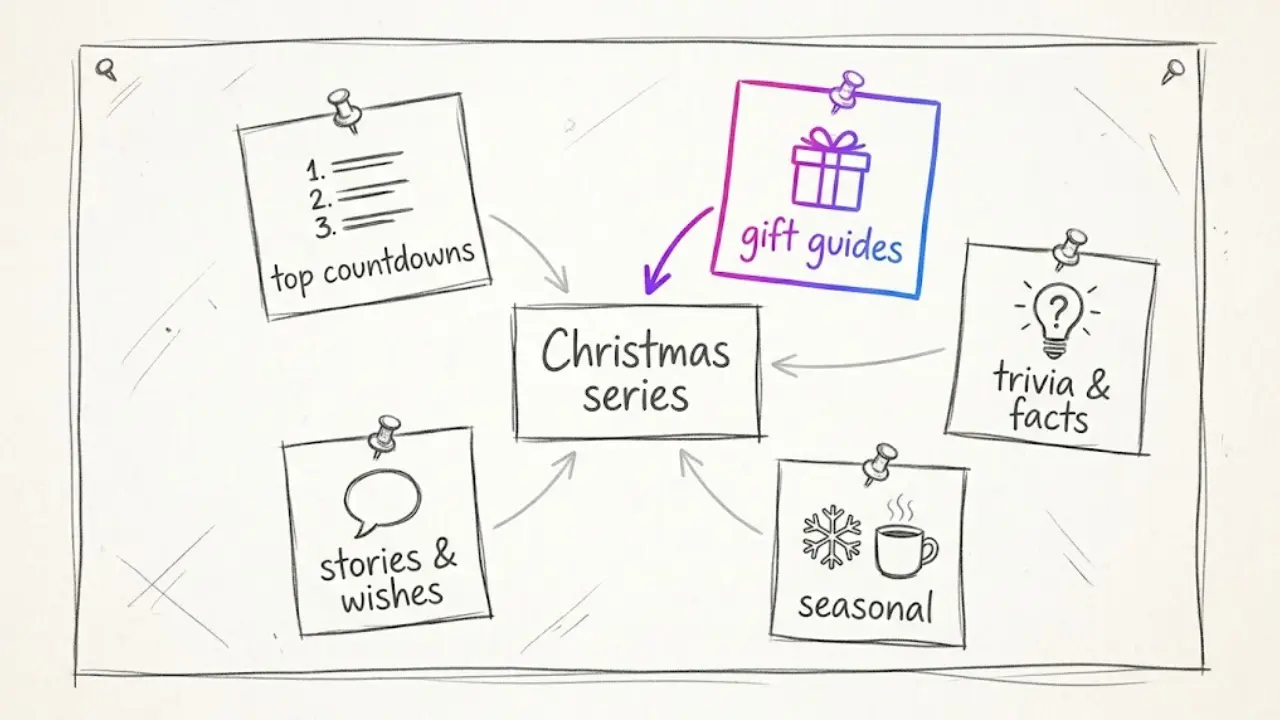
- Countdown and list videos: "5 gift ideas under [budget]" or "the most requested gifts this year" work in almost any niche, from tech to books to home decor.
- "Things you didn't know about Christmas" style facts: history, traditions, and trivia content travels well because it's genuinely shareable, not just seasonal filler.
- Gift guides by audience: for the coworker, the picky teenager, the person who has everything. Each one is a different video with the same skeleton.
- Cozy and ambient content: faceless ASMR or slow, calming visuals with a Christmas theme (crackling fire, snow, string lights) do well on channels built around sleep, focus or ambience.
- Short story or "text story" style content: a Christmas-themed twist on a fake text conversation or a short narrated story fits channels already doing that format the rest of the year.
Turn it into a series, not a one-off
The strongest move is picking one format and running it daily through December, rather than scattering five different formats across the month. A "12 Days of Christmas" countdown series, one gift idea a day, or one Christmas fact a day gives viewers a reason to come back, and it's exactly what Turn One Idea Into a Faceless Video Series That Runs on Autopilot is built for.
3. How Many Videos You Actually Need Before December 1
Do the math before you start batching, not after. If you plan to post once a day from December 1 through December 25, that's 25 videos. Add a few extra for high-traffic days like the week of Black Friday and Christmas Eve, and a realistic target is somewhere between 25 and 35 finished videos ready to go before the season starts.
That number sounds heavy until you separate planning from producing. Planning a month of Christmas content, picking the angle, the format, and the daily topics, takes an afternoon with a notes app. Producing 30 videos one at a time in a traditional editor, writing each script, recording or licensing a voiceover, sourcing visuals, adding music and captions by hand, is the part that used to take a full week. That's the part a single tool built for faceless video collapses down to an afternoon instead of a week.
4. How to Batch Your Christmas Season Inside Faceless Lab
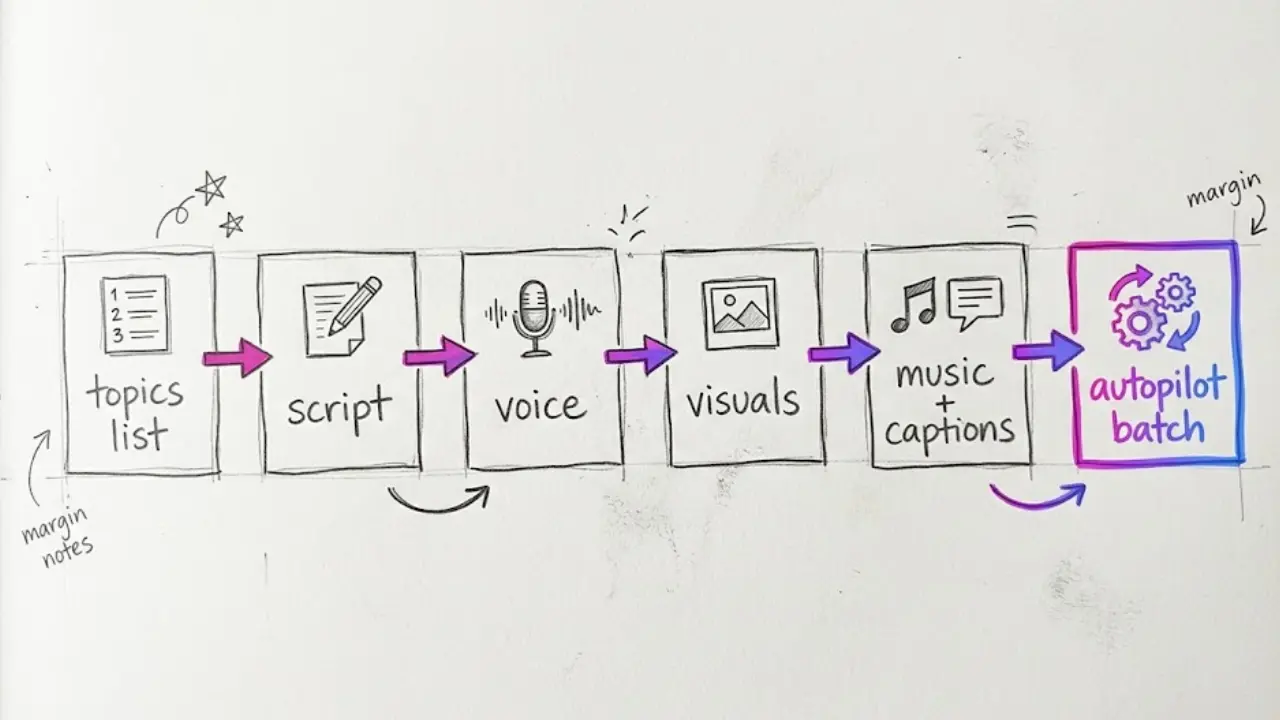
Here's the actual workflow we use inside Faceless Lab to get a month of Christmas content ready before the rush starts.
Step 1: Lock the format first.
Before opening the app, decide on your Christmas angle: a countdown series, a gift guide series, a facts series, or a cozy ambience series. Write down the 25 to 31 daily topics in a simple list. This is the only part that has to happen outside the tool.
Step 2: Turn the list into scripts.
Feed each topic into Faceless Lab as its own idea and let it generate the script. Pick from the 8 proven video structures so every video in the series follows a format that's already shown it can hold attention, rather than reinventing the structure 25 times.
Step 3: Pick one voice and one visual style for the whole series.
Choose a voice from the 200+ ElevenLabs voices available and one visual style from the 39 available styles, then keep both consistent across every video in the series. Consistency is what makes a daily series feel like a series instead of 25 unrelated clips. Visuals are generated across multiple AI models through Replicate, so you're not locked into a single model's look.
Step 4: Let music, captions and subtitles fill in automatically.
Background music and auto-generated subtitles/captions are added in the same pass as the script and voiceover, so there's no separate editing step for a Christmas soundtrack or caption styling.
Step 5: Batch the whole series with Autopilot.
Autopilot (currently in beta) is built for exactly this: a series of related videos generated from one set-up rather than one video at a time. Set it up once for your Christmas series and let it work through the list of daily topics.
Step 6: Review before you schedule.
Skim each finished video once. Faceless video is fast, not blind, and a quick pass catches anything that needs a tweak before it goes into the schedule.
💡 Not on Faceless Lab yet? Start your free trial and get your first Christmas scripts written before October even starts.
5. Scheduling It All Without Losing Your December
Batching the videos solves production. Scheduling solves the part where you actually get your December back.
Faceless Lab supports auto-publish and scheduling to social platforms, which means a finished batch of Christmas videos can go out through the month without you opening the app every day to post manually. The one exception is TikTok: fully automatic auto-publish isn't available there, because TikTok requires your explicit consent before anything posts on your behalf. Every other connected platform in your batch can run on the schedule you set; TikTok just needs that one extra confirmation step from you when it's time to publish.
Once the batch is scheduled, the only real decision left is timing. How Often to Post Faceless Videos to Actually Grow and Post Your Faceless Videos When Your Audience Is Actually Watching both apply directly here: a daily Christmas series should go out on the same cadence and around the same time slot your channel already performs best at, not on a separate holiday schedule.
6. Where Faceless Lab Is (and Isn't) the Right Fit for Holiday Content
We'd rather tell you this straight than have you find out the hard way.
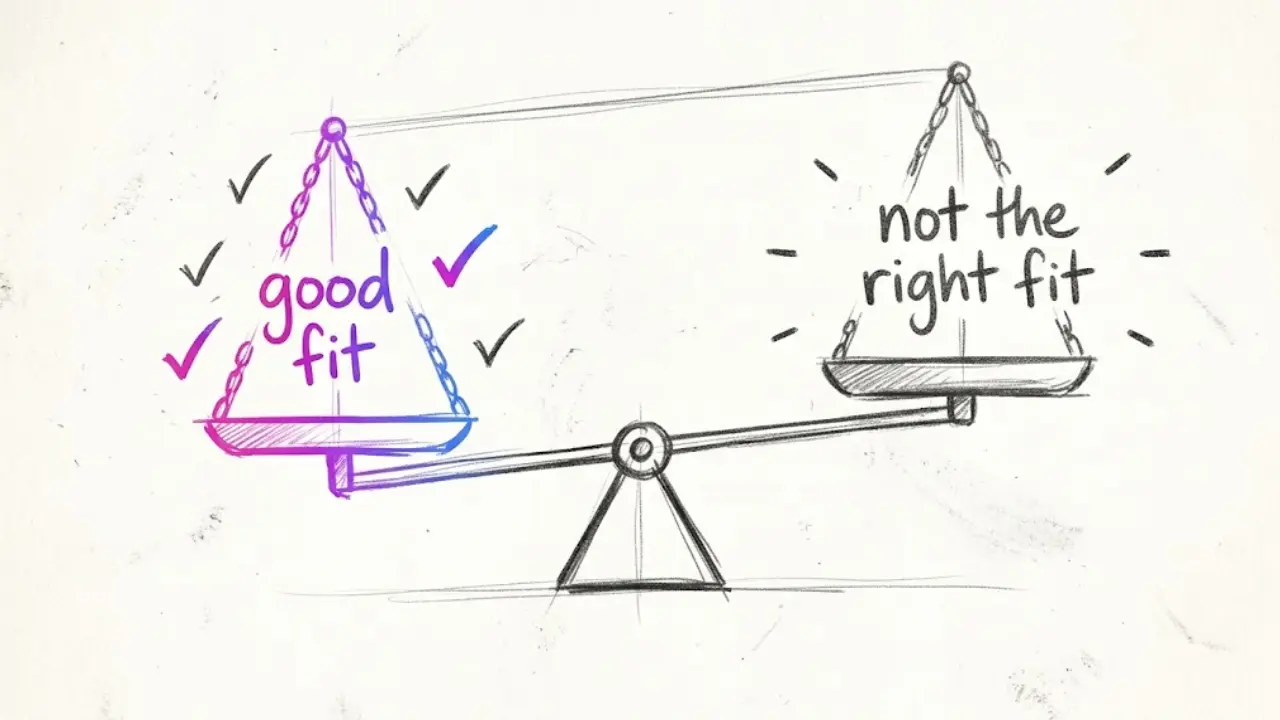
Faceless Lab is a strong fit if:
- You already have a niche or channel and want to add a themed Christmas series on top of it.
- You want one tool covering script, voiceover, visuals, music and captions instead of stitching together five separate apps.
- You're planning to batch and schedule ahead of time rather than posting one video at a time as inspiration strikes.
- You want to reuse a consistent voice and visual style across a whole series so it reads as one cohesive thing.
It's probably not the right fit if:
- You want fully hands-off TikTok posting with zero manual confirmation. TikTok's own rules mean that step stays manual.
- You're looking for a video editor to fine-tune frame-by-frame cuts on footage you filmed yourself. Faceless Lab is built for faceless, AI-generated video, not traditional editing of your own camera footage.
- Autopilot needs to be flawless out of the box for your use case today. It's in beta, and it's improving, but it's fair to expect it to keep evolving rather than treat it as a finished, static feature.
7. What Happens to This Content After Christmas
A Christmas series has a hard stop, and that's fine as long as you plan for it instead of getting surprised by it. The 25 to 31 videos you batch this fall don't need to disappear on December 26th. Save the format, not just the videos: the same series structure (daily countdown, daily fact, daily gift idea) can be recycled into a New Year or "best of the year" series with almost no extra setup, since the script structure, voice and visual style are already locked in from the Christmas run. Plan that follow-up now and you've already solved next month's content question too.
Verdict
Christmas content isn't hard to make. It's hard to make on time. If you wait for December to start scripting, you're competing with every other channel doing the same thing during the busiest search window of the year. Batch it now, while the format is still your idea and not a scramble, and by the time everyone else starts filming, your month is already scheduled.
If this is useful, feel free to share it with another creator who's still planning to "get to Christmas content eventually." And if you run a page, newsletter or channel where this would resonate with your audience, we're always open to creators who want to talk about our affiliate program, just reach out.
Start your free trial and batch your Christmas videos today
Read More
Frequently asked questions
When should I start making Christmas videos for a faceless channel?
Start scripting in September and aim to publish your first Christmas video in early to mid November. Holiday search interest builds steadily from late October through mid-December, so videos published early face far less competition than ones posted in the final two weeks before Christmas. Starting early also gives you time to plan a real theme or series instead of grabbing whatever idea is fastest once the pressure is on. If you're reading this in late November or even early December, it's still worth batching a smaller run rather than skipping the season entirely.
How many Christmas videos do I actually need?
A realistic target is 25 to 35 finished videos if you're posting daily from December 1 through December 25, with a few extra for high-traffic days like Black Friday week and Christmas Eve. The exact number depends on your posting cadence: once a day needs around 25, a few times a week needs far fewer. What matters more than the exact count is having a buffer finished before December starts, so a busy week doesn't turn into a gap in your schedule.
What kind of Christmas video ideas work best for faceless channels?
Countdown and list videos, gift guides split by audience, "things you didn't know about Christmas" facts content, cozy ambient videos, and short story or text-story formats all translate well to faceless production. The strongest approach is picking one format and running it as a daily series through December rather than mixing several formats, since a consistent format gives viewers a reason to keep coming back and gives you one script skeleton to reuse for every video.
Can Faceless Lab fully automate posting my Christmas series to every platform?
Faceless Lab supports auto-publish and scheduling for connected platforms, so a batched series can go out through December without you posting manually each day. TikTok is the exception: it requires your explicit consent before anything is posted on your behalf, so fully automatic auto-publish isn't available there. Every other connected platform in your batch can follow your schedule; TikTok just needs that one confirmation step from you at publish time.
Is Autopilot ready to handle an entire Christmas series on its own?
Autopilot is built specifically for generating a series of related videos from one set-up, which fits a daily Christmas series well. It's currently in beta, so it's a good fit for batching a themed series with a quick review pass before scheduling, rather than something you should expect to run with zero oversight. Reviewing each finished video before it goes live is still the safer habit, Christmas series included.
What should I do with my Christmas content after the holiday ends?
The videos themselves stop being relevant on December 26th, but the format doesn't have to. The same series structure, whether it's a daily countdown, a daily fact, or a daily gift idea, can be reused for a New Year or "best of the year" series with very little extra setup, since your voice, visual style and script structure are already locked in. Planning that follow-up series now means you're not starting from zero again in January.
Related articles
Sora Is Shutting Down. Your Faceless Video Workflow Doesn't Have To
The Sora API goes dark tomorrow, on September 24, 2026. If your faceless videos ran through one AI model, here is how to keep your channel posting, and why we build so no single model can stop it.
Start a Faceless NBA Channel Before Opening Night Tips Off
The NBA season starts October 20. A faceless basketball channel batched now can post breakdowns, rankings and daily storylines all season, no camera and no game footage.
Build a Faceless Baseball Channel Before the MLB Playoffs Are Over
The MLB postseason hands faceless creators a month of ready-made content. Here is how to start a faceless baseball channel and post every day without filming anything.