GTA 6 Launch Week Is Two Weeks Away. Here Is the Faceless Video Calendar to Post Through It
GTA 6 preloads on November 12 and launches November 19. Here is a day by day calendar of faceless videos to post through launch week, plus a plan for what comes after.

Stefano Ventrudo
CTO at Faceless Lab
A day by day plan for faceless GTA 6 launch week videos, from preload on November 12 to launch day on November 19 and the week after.
What should a faceless gaming channel post during GTA 6 launch week? A plan with one clear video for every key date: preload, launch eve, launch day, and the first weekend. Rockstar has confirmed November 19, 2026 for PS5 and Xbox Series X and S, with digital preloading and physical copies starting November 12, so the calendar is already fixed. We are Stefano and Roberto, we run faceless channels every day, and this is how we would fill that week if we were starting a gaming channel this morning.
Executive Summary: GTA 6 launch week gives a faceless gaming channel eight days of predictable search demand. Rockstar has confirmed preloading from November 12, release on November 19 for PS5 and Xbox Series X and S, and a pre-order bonus window that closes on November 20. Each date maps to a video people will search for: how preloading works, what is in each edition, what to do before launch, what is confirmed about the first day, and what to watch for after. You do not need gameplay footage, because explainers, checklists and news recaps built from your own script, AI voiceover, original visuals, captions and music cover most of the search intent. Plan one video per milestone, batch them in a single session, schedule them, then keep the channel alive after launch with a broader gaming angle. In Faceless Lab you turn each idea into a finished short with script, voiceover, visuals, captions and music, then schedule and publish it. The free trial is €0 and paid plans are €19, €59 and €149 per month.
Table of Contents
- Why launch week is different from the countdown
- The launch week calendar, day by day
- Faceless video formats that fit launch week
- Make a launch week video inside Faceless Lab
- Keep it accurate and inside the rules
- Where Faceless Lab is and isn't the right choice
- What to post on November 20 and after
1. Why launch week is different from the countdown
During a countdown people ask "when" and "what do we know". In launch week the questions get practical. Can I preload yet? Which edition should I buy? What do I do before it unlocks? Practical questions are easy to answer in a short faceless video, and they get searched by people who are about to act.
Dates that already exist
- November 12. Digital preloading opens and physical copies go on sale. The physical edition is a box with a download code, according to reports on the confirmed details.
- November 19. Release date for PS5 and Xbox Series X and S. Rockstar has not confirmed the exact unlock time, so any video that gives a clock time should say it is unconfirmed.
- November 20. The pre-order bonus window closes. Purchases before that date include the Vintage Vice City Pack, and digital pre-orders include one month of GTA+.
What stays unconfirmed
There is still no PC date or window, and Rockstar has not confirmed an online component. Those two topics will draw a lot of searches, and they are also where a lot of wrong information circulates. A faceless channel that labels rumors as rumors builds trust fast.
2. The launch week calendar, day by day
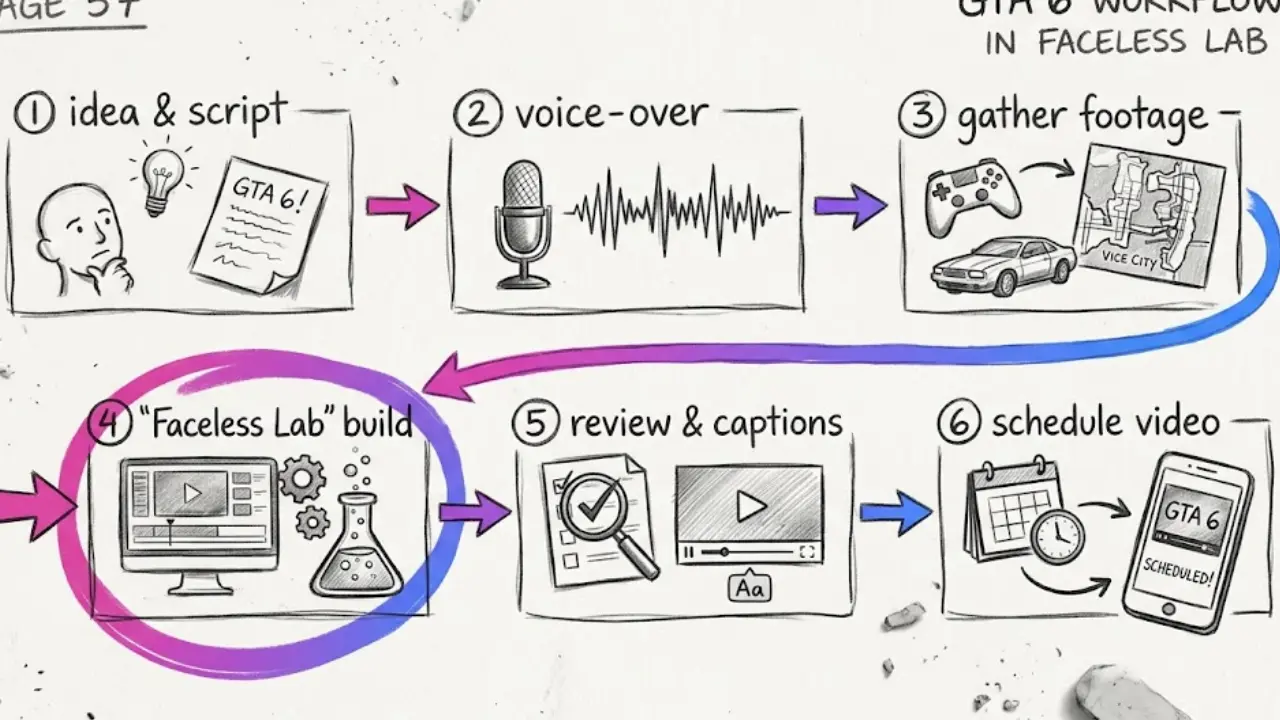
Here is a simple calendar. It assumes you post one short per day, which is a rhythm most solo creators can hold when they batch.
Before the week starts (November 5 to 11)
- Edition breakdown. Standard at $79.99 and Ultimate at $99.99 in the US, with prices varying by region. A short that compares the two helps anyone still deciding.
- Preload explainer. What preloading is, when it opens, and what to free up on your console before November 12.
Launch week (November 12 to 19)
- November 12, Preload day. "Preloading is open" with the steps for PS5 and Xbox Series X and S.
- November 13 to 15. Three evergreen explainers: "5 things confirmed about GTA 6", "who Jason and Lucia are", "what we still do not know".
- November 16 and 17. Checklist videos: "do this before you play on launch day" and "storage and download tips".
- November 18, Launch eve. A countdown short with what is confirmed and what is still a rumor.
- November 19, Launch day. Update with whatever is confirmed on the day. Keep it short and factual.
The first weekend (November 20 to 22)
- First impressions style recaps built from official information and community reaction, framed as commentary. Do not pretend you played something you did not.
3. Faceless video formats that fit launch week
You do not need footage. The strongest launch week searches are informational, and informational videos work with narration plus original visuals.
Formats that hold attention
- Checklists. "Before launch day, do these 5 things" is easy to script and easy to save.
- Explainers. Edition differences, preload steps, and the confirmed story setup in plain language.
- Myth versus fact. Take one rumor and say clearly whether it is confirmed. This format builds credibility and drives comments.
- Timelines. The release date history, from the earlier fall window to May 26, 2026 and then November 19, 2026, makes a good short because it is verifiable and a little dramatic.
- Quick news recaps. One daily update under 45 seconds, always ending with what to expect next.
Open every video with the answer
Launch week viewers are impatient. Put the answer or the promise in the first sentence, then add detail. If you want a deeper hook framework, our guide to writing faceless video scripts that hook in the first three seconds (URL-INTERNO) applies directly.
4. Make a launch week video inside Faceless Lab
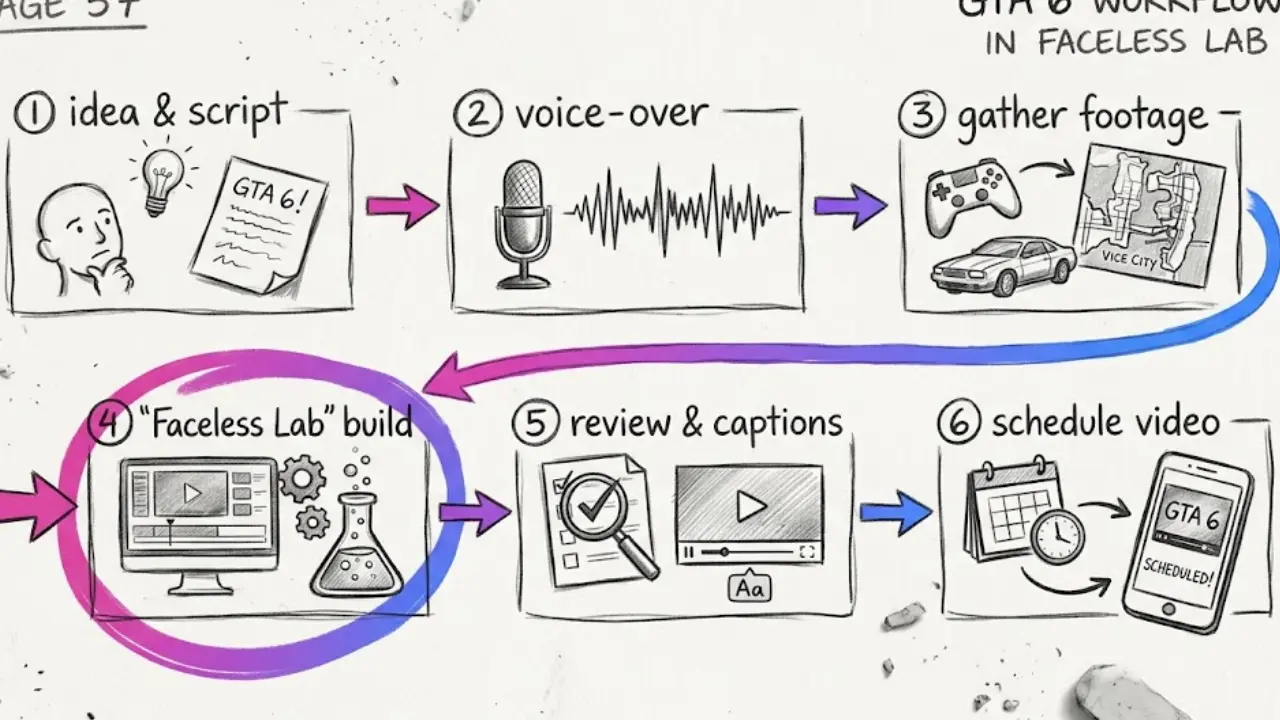
This is how one launch week short goes from idea to scheduled.
Step by step
- Start from a topic or a script. Type "what to do before GTA 6 launch day" or paste your own script. Faceless Lab turns either into a full short.
- Pick a structure. There are 8 built-in structures. For a checklist, a numbered list structure keeps the pacing tight.
- Choose a visual style. There are 39 styles, and image generation runs across multiple models through Replicate. Pick one look for your gaming channel and keep it for every video.
- Pick a voice. More than 200 ElevenLabs voices are available. A confident, clear narrator suits news and checklists.
- Edit before you generate. You can edit the script, voice, visual style, captions and music before the final video is built. This is where you fix any line that states something as fact when it is only a rumor.
- Generate and review. The app builds the voiceover, visuals, music and captions. Most videos take a few minutes.
- Choose the aspect ratio. 9:16 for Shorts, Reels and TikTok, 16:9 for wide YouTube, or 1:1 where it fits.
- Schedule the batch. Line up the whole week so each short goes out on its date.
💡 Ready to try it? Start free on Faceless Lab and make your first launch week short before preload day.
Auto-publish, with one exception
Faceless Lab can schedule and publish to YouTube, Instagram, Facebook and LinkedIn. TikTok is excluded from fully automatic auto-publish and needs your explicit consent for each post. If you use Series and Autopilot to keep a channel running, remember that Autopilot is in beta, so check your queue before a big date like November 19.
5. Keep it accurate and inside the rules
A launch is a magnet for misinformation and for takedowns. A few habits keep a channel safe and trusted.
- Label rumors. Say "unconfirmed" out loud and on screen. PC, an online mode and the exact unlock time all belong here for now.
- Use original visuals. Do not reuse Rockstar trailers or footage unless you have the right to. Generated or original visuals and your own narration carry the video.
- Do not impersonate the brand. Name the game when you talk about it, but do not use the official logo as your channel identity or pretend to be an official account.
- Disclose AI where the platform asks. Platform rules on synthetic content keep changing, so check the current rules for each platform before you publish.
- Update, do not delete. If something changes, post a short correction video. It builds more trust than hiding the old one.
6. Where Faceless Lab is and isn't the right choice
We built Faceless Lab for creators who want to publish consistently without editing every video. Here is the honest fit.
Where it fits well
- You want a daily rhythm of short explainers, checklists and recaps and you want to batch them.
- You want one workflow from idea to voiceover, visuals, captions, music and scheduling.
- You want to start free. The trial is €0, and paid plans are Starter at €19, Growth at €59 and Pro at €149 per month.
Where it is not the right tool
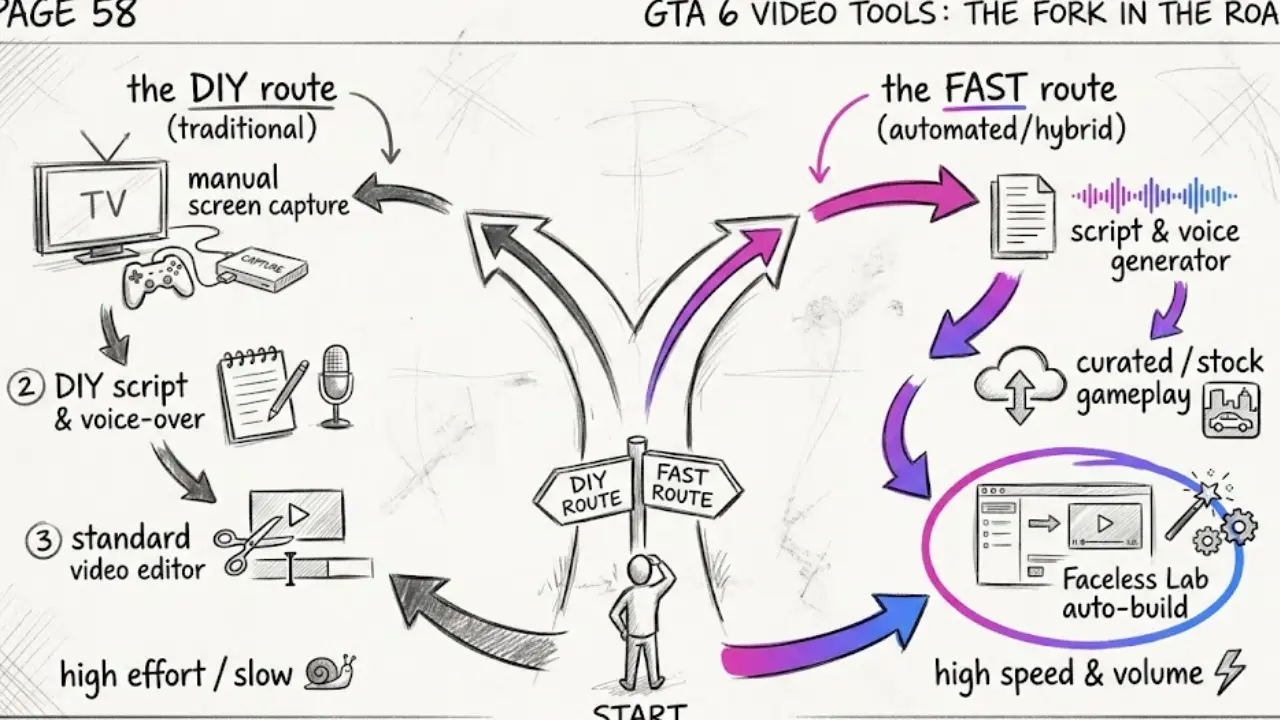
- Gameplay footage and reaction content. If your channel is built on you playing and reacting live, you need a capture workflow and editing tools. Faceless Lab makes narrated videos from a script and generated visuals.
- Minute by minute live coverage. Launch day news moves faster than any scheduled queue. Post the big updates by hand.
- A single highly custom edit. If you want frame by frame control of one hero video, a traditional editor gives you that.
7. What to post on November 20 and after
The week after launch is where most trend channels disappear. You do not have to.
Keep the channel after the hype
- Switch from launch to guides. Tips, explainers and "things to know" content keeps getting searched for weeks after any big release.
- Widen the topic. Cover other open world games, upcoming releases and gaming news so the channel has somewhere to go.
- Reuse the structure. The same checklist and myth versus fact formats work for any big launch.
- Keep the rhythm. If you posted daily through launch week, drop to a schedule you can hold, such as three or four videos a week.
The verdict
A launch is a gift for a new faceless channel, but only if you show up on the dates people are searching. Map one video to each milestone, batch the week, and keep your facts clean. You can try the whole workflow on the free trial before you spend anything.
If this plan helps you, we would love it if you shared your videos organically on your own channels and tagged us. And if you run a channel or community and want to partner with us, ask about our affiliate program.
Try Faceless Lab free and schedule your GTA 6 launch week now: https://facelesslab.video/
Read more
Frequently asked questions
Can you make GTA 6 videos without owning the game?
Yes. During launch week most searches are informational, so you can cover preloading, editions, checklists, confirmed story details and rumor checks with a script, an AI voiceover, original visuals, captions and music. You do not need gameplay footage, and you should not imply you played something you did not. Inside Faceless Lab you type a topic or paste a script, choose a structure, style and voice, and the app builds the finished short. Keep every claim factual and label anything unconfirmed as a rumor so viewers trust the channel.
When is GTA 6 launch week?
Rockstar has confirmed November 19, 2026 as the release date for PS5 and Xbox Series X and S. Digital preloading and physical copies start on November 12, so launch week effectively runs from November 12 to November 19. The pre-order bonus window closes on November 20, which makes that date useful for a final reminder video. Rockstar has not confirmed an exact unlock time, and there is no announced PC date, so label both as unconfirmed in anything you publish.
What faceless video ideas work best for GTA 6 launch week?
Checklists, explainers and rumor checks work best because they answer practical questions. Good examples are a preload walkthrough, an edition comparison, "5 things confirmed so far", "do this before launch day", and a myth versus fact short about PC or an online mode. A timeline of the release date history also works because every date is verifiable. Keep each video under a minute, put the answer in the first sentence, and end by telling viewers what you will cover next so they follow the channel.
Is it safe to use Rockstar footage in faceless videos?
It is risky. Trailers and gameplay clips belong to Rockstar, and reusing them can lead to copyright claims or removed videos. A safer approach is to use your own narration and original or generated visuals, and to name the game only to describe what you are covering. Do not use the official logo as your channel identity or present your account as official. Platform rules also change, so check the current policy on each platform before you publish. This is general guidance, not legal advice.
Can Faceless Lab schedule a whole week of videos?
Yes. You can create a batch of videos, then schedule and publish them to YouTube, Instagram, Facebook and LinkedIn on the dates you choose. TikTok is excluded from fully automatic auto-publish and needs your explicit consent for each post. Series and Autopilot can keep a channel running, but Autopilot is in beta, so review the queue before an important date like launch day. For breaking news on November 19, it is better to post the key update by hand.
What does Faceless Lab cost?
You can start with the free trial at €0 and see a finished video before paying. Paid plans are Starter at €19 per month, Growth at €59 per month and Pro at €149 per month, so you can match the plan to how many videos you publish. If you only want to test a launch week plan, the free trial is a good place to begin. You can upgrade when your posting volume grows and cancel anytime.
Related articles
Get Your Faceless Thanksgiving Videos Ready Before the Holiday Week Fills Up
Thanksgiving is on November 26, and the window to prepare is open now. Here is how to make faceless Thanksgiving videos with AI, with ideas beyond recipes and a five week posting plan.
Ride the Movie Season With a Faceless Movie Facts Channel
Big premieres land on November 20 and December 18. Here is how to start a faceless movie facts channel with AI, what formats work with no footage, and how to stay safe on copyright.
YouTube Is Cutting Reach for Re-Uploaded Shorts. A Faceless Channel Can Stay Original
On October 1, YouTube said it will reduce the reach of re-uploaded Shorts. Here is what counts as original, what to avoid, and how to run a faceless channel built on your own scripts.