Make Faceless Gift Guide Videos Before the Holiday Shopping Rush Peaks
Gift guides are the easiest seasonal win for a faceless channel. Pick a format, script honest picks, add AI voice and visuals, and schedule the whole run before the rush.

Stefano Ventrudo
CTO at Faceless Lab
A practical guide to making faceless gift guide videos with AI, from the formats viewers save to scripting honest picks and scheduling the whole holiday run.
Wondering how to make faceless gift guide videos without filming products, unboxings or your own face? Holiday shopping starts earlier every year, and people search and save gift ideas for weeks before they buy. Black Friday lands on November 27 this year, so the next few weeks are when a gift list gets bookmarked and shared. We run faceless channels ourselves, and gift guides are one of the few seasonal formats that are fast to make, easy to repeat and genuinely useful to the person watching.
Faceless gift guide videos are short lists of present ideas for one type of person or budget, such as "5 gifts for a coffee lover under 30 euros," told with an AI voiceover, AI visuals and captions. The format works without a face because the viewer wants the ideas, the reasons and a link, not the host. The versions people save are budget lists, gifts by interest, gifts by recipient, last-minute picks and "what I would skip" warnings. Write honest picks, disclose any affiliate links, batch the run in one sitting, keep one visual style and voice, and schedule everything before the rush so the channel keeps posting through December.
Table of Contents
- Why gift guides suit faceless video
- The gift guide formats viewers save and share
- How to make a faceless gift guide video inside Faceless Lab
- Write picks people trust enough to click
- Batch the season and schedule it
- Where faceless gift guides are and aren't the right choice
- Disclose, stay accurate and keep your channel safe
1. Why gift guides suit faceless video
Most video formats ask you to perform. A gift guide asks you to curate, and curation travels well without a face. Someone searching for gifts for a dad who has everything wants a short, trustworthy list, a reason for each pick and an easy way to find it. They are not waiting to see who is talking.
Three things make the format easy to run:
- The topics multiply on their own. Every recipient, interest and budget is a new video. Gifts for gamers, for new parents, for people who love cooking, for coworkers, for teachers, under 20 euros, under 50 euros: you will not run out before January.
- People save and share them. A gift list is something you send to a partner or keep for later, and saves and shares are signals that Shorts, Reels and Facebook pay attention to.
- The calendar does the marketing. Interest builds toward Black Friday, Cyber Monday and the last weekend before Christmas. If you publish ahead of each peak, your videos are already there when the searches arrive.
Gift guides also fit monetization that needs no face, such as affiliate links. We cover the wider picture in our guide to what it takes to monetize a faceless YouTube channel.
2. The gift guide formats viewers save and share
Pick two or three of these and repeat them with different topics. A repeatable format is what turns a few videos into a channel.
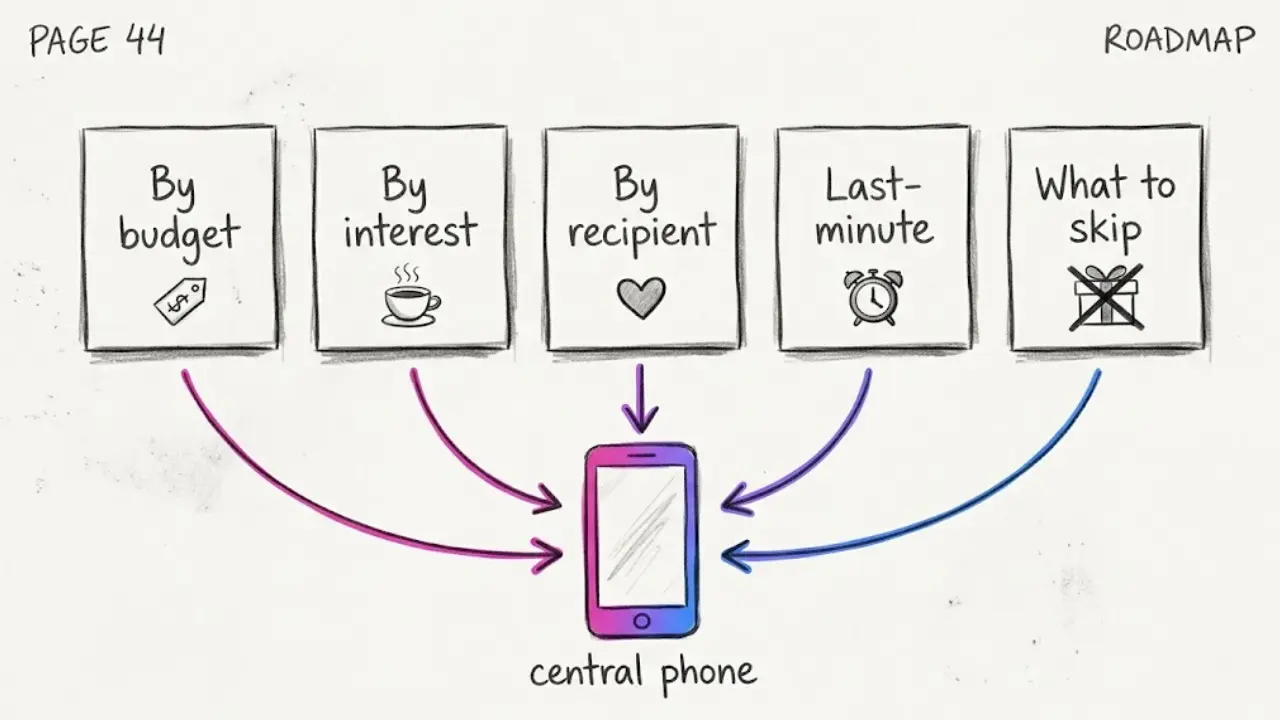
Gifts by budget
"7 gifts under 25 euros that look expensive." Budget lists are searched constantly and they are easy to follow with a clear number on screen. Make a small series: under 10, under 25, under 50, under 100.
Gifts by interest
"5 gifts for a coffee lover." "6 gifts for someone who loves hiking." Interest lists give you a natural hook in the first three seconds, because the viewer self-selects. We go deeper on hooks in our guide to writing faceless video scripts that hook fast.
Gifts by recipient
"Gifts for a mom who says she wants nothing." "Gifts for a teenage brother." This is the most shareable format, because people tag the person it is meant for.
Last-minute picks
"5 gifts you can still get this week." Published in the final stretch before the holiday, these catch the panic searchers. Keep them for the last ten days.
What I would skip
"3 popular gifts that are not worth it." Warnings stand out in a feed full of "best of" lists, and they build trust. Back every warning with a reason, never a guess.
3. How to make a faceless gift guide video inside Faceless Lab
This is the loop we use for list videos, from a one-line idea to a scheduled post.
- Start from an idea or a script. Type a topic like "5 gifts for a coffee lover under 30 euros" or paste a script you already wrote with your picks and reasons. Faceless Lab turns it into a short with scenes, and you can choose from 8 video structures, so a countdown list is laid out differently from a "what to skip" warning.
- Choose a visual style. There are 39 styles, powered by multiple models through Replicate. For gift guides, a warm, clean look keeps the focus on the ideas. Pick one and keep it for the whole season.
- Pick a voice. You get 200+ ElevenLabs voices. A friendly, upbeat voice suits gift talk, and using the same one every time makes the channel sound like one channel.
- Let it build the video. Faceless Lab generates the voiceover, matches visuals to your script, adds captions and drops in background music. You get a publish-ready vertical video in minutes.
- Review and adjust. Swap an image, fix a caption, check the price and the product name. This is the moment to confirm every claim, because you decide what ships.
- Schedule and publish. Connect your accounts and Faceless Lab can publish to YouTube, Instagram, Facebook and LinkedIn for you. TikTok needs your explicit consent, so it is left out of fully automatic publishing.
That takes a gift idea to a scheduled post without opening a separate script tool, voice tool, stock library and editor.
💡 Ready to try it on your first list? Create your first video free.
4. Write picks people trust enough to click
A gift guide only works if the viewer believes the picks. Without a face, trust has to come from the writing.
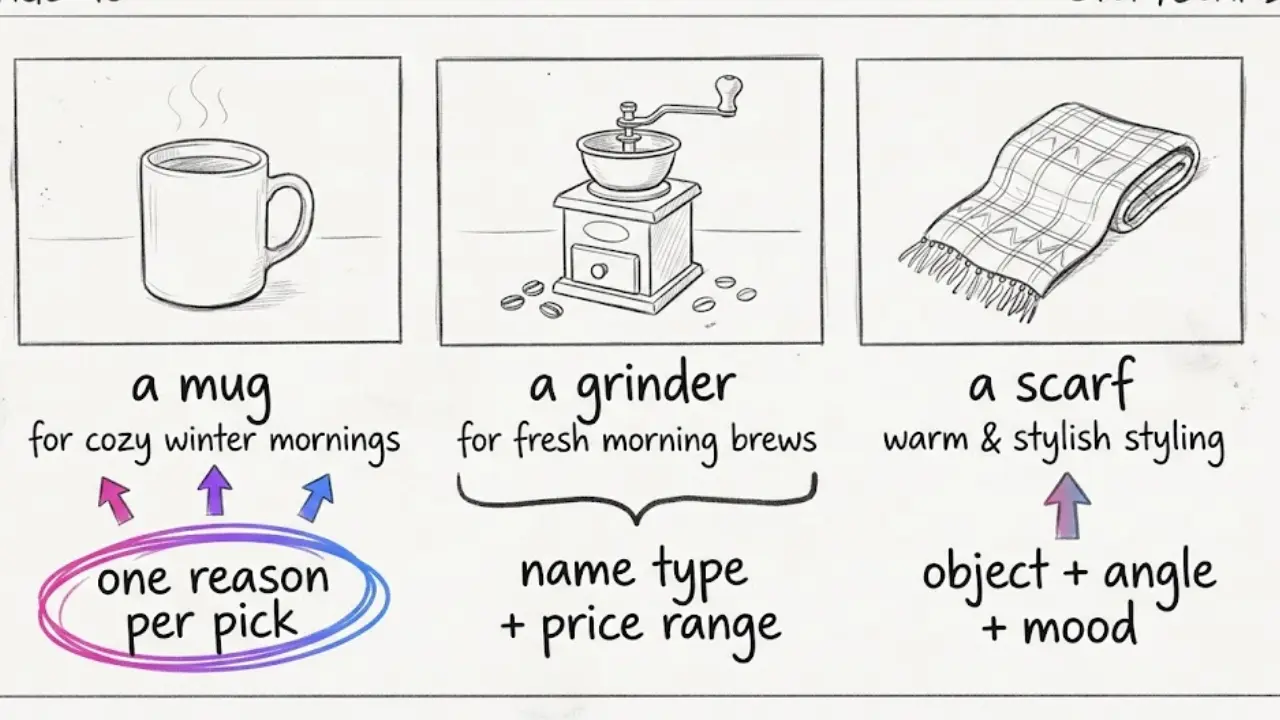
Give one reason per pick. "A burr grinder, because fresh grounds change the taste more than the machine does." One concrete sentence beats a vague "great gift." Short lines also read well as captions, and our guide to adding subtitles that keep people watching shows how to make them easy to read on a small screen.
Name the product type, price range and who it suits. "A 20 euro insulated mug for commuters" gives the image generator something concrete to show, and it gives the viewer something concrete to look for.
Test or research what you recommend. If you have used an item, say so. If you have not, base the pick on reviews you have actually read and do not claim a personal test you never did. Our walkthrough on making faceless product review videos that drive affiliate sales covers how to keep that honest.
Lock one visual style and one voice. Gifts change from video to video while the look stays the same. That consistency is what makes a channel feel like a brand.
Write image prompts like a shop window. Name the object, the angle and the mood: "a ceramic coffee mug on a wooden table, soft morning light, gift ribbon beside it." That gets far better results than "coffee gift." Our guide to getting AI visuals that match your script goes deeper on this.
5. Batch the season and schedule it
Posting a gift list a day by hand is how people burn out before December. Batching fixes it.
Make a week in one sitting. Block an afternoon, pick five recipients or budgets and produce five videos back to back. With your style and voice locked, each new video is mostly a new topic and a new script.
Plan three peaks. Early research in late October and early November, the Black Friday and Cyber Monday window, and the last-minute stretch in mid-December. Schedule each batch to land just before its peak.
Turn one format into a Series. Series lets you set up a repeatable format once, for example "5 gifts for [interest]," and keep it running. That is the difference between making videos and running a channel.
Let Autopilot carry some of the load. Autopilot is in beta and built to keep a channel posting on a rhythm without starting from zero each day. You still choose the gifts and check every claim.
6. Where faceless gift guides are and aren't the right choice
Here is the honest read from the two of us.
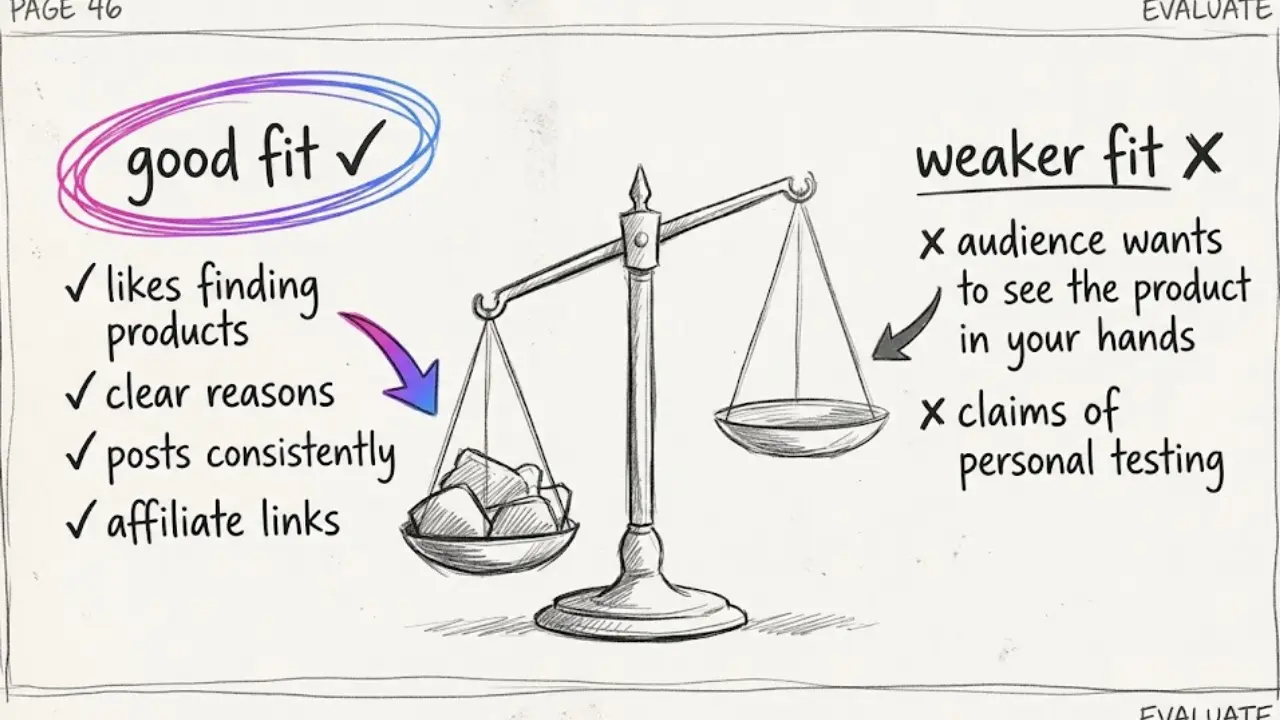
They are a strong choice if you enjoy finding good products, you can write a clear reason for each pick and you can post consistently for a few weeks. They also suit you if you want to earn through affiliate links, since a list with a link in the description is exactly where that income comes from.
They are a weaker choice if your whole appeal is showing a product in your hands. Unboxing and hands-on channels win when viewers want to see real size, real quality and real reactions, and an AI visual of a product cannot replace that. They also fit badly if you want to promote a specific brand's items as if you had tested them, because AI visuals are illustrations of an idea and they are not proof of a purchase.
Faceless Lab has limits too. Automatic publishing covers YouTube, Instagram, Facebook and LinkedIn, and TikTok needs your explicit consent. Autopilot is still in beta, so treat it as a strong assistant rather than a machine you can forget about. AI images of products can occasionally get small details wrong, such as a logo or a button, so give each video a quick look before it goes out.
7. Disclose, stay accurate and keep your channel safe
This section keeps your channel credible and monetizable, so it is worth a careful read.
Disclose affiliate links. If you earn a commission, say so clearly in the video and in the description, and follow the rules of the affiliate program you join. Viewers trust you more when you are open about it, and platforms and regulators expect it.
Check every price and claim. Prices change, deals end and stock runs out. Say "around" or "from" when a price can move, and recheck before you schedule.
Do not show fake results. If a visual is AI-generated, present it as an illustration. Do not invent reviews, ratings or "I tested this for 30 days" claims you cannot back up.
Never use brand logos or other people's footage without rights. Generate your own visuals or use material you are allowed to use, and avoid implying an official partnership with a brand you have no deal with.
Add your own point of view. A reason from experience, an opinion on the best budget pick, a pick you would skip: that is what makes a list yours, and it is also what platforms tend to reward over a slideshow of generic items.
Gift season rewards the creators who are early, useful and consistent, and a faceless setup lets you be all three. Batch your first week of lists, lock your look and schedule the run. If one of your videos takes off, repost it on your other accounts and tag it so people can find you, and if you like the tool, our affiliate program pays you to send other creators our way.
Pick your first gift list, start free and let the channel build itself: https://facelesslab.video/
Read more
Frequently asked questions
What are faceless gift guide videos?
Faceless gift guide videos are short lists of present ideas for one recipient, interest or budget, made without ever appearing on camera. You write a script with each pick and a reason, then an AI tool adds a voiceover, matching visuals, captions and music. The viewer wants the ideas, not the host, so the format suits faceless creators well. A tool like Faceless Lab produces the whole video from one idea, and you review every price, claim and product detail before it publishes.
Can I make gift guide videos with AI and no camera?
Yes. You write or generate a short script with your picks, then an AI tool creates visuals, a voiceover, captions and background music. In Faceless Lab you can choose one of 39 visual styles and one of 200+ ElevenLabs voices, then review the vertical video before publishing. AI visuals work best as illustrations of the idea, so present them that way rather than as proof you tested a product, and give each video a quick check for small errors such as a wrong logo or button.
Which gift guide formats get saved and shared the most?
Lists people want to keep or send to someone tend to do best. Gifts by budget, gifts by interest, gifts by recipient, last-minute picks and "what I would skip" warnings are the formats we would test first. They are short, specific and easy to forward to a partner or friend. Pick two or three, repeat them with different topics through the season, and watch which ones your audience saves before you commit to a single direction.
When should I post holiday gift guide videos?
Publish ahead of each shopping peak rather than during it. Early research lists work in late October and early November, budget and deal lists fit the Black Friday and Cyber Monday window, and last-minute picks belong in the final ten days before the holiday. Batch each wave in one sitting and schedule it. With Series and Autopilot (currently in beta) in Faceless Lab you can set up a repeatable format once and keep the channel posting through December.
How much does it cost to start with Faceless Lab?
You can start on the free trial at €0, which is the right way to test the format and the workflow before spending anything. The paid plans are Starter at €19, Growth at €59 and Pro at €149, so you move up only when the channel is working and you want more output or automation. You also avoid paying for a separate script tool, voice tool, stock library and editor, because Faceless Lab bundles script, voiceover, visuals, captions, music, scheduling and publishing in one workflow.
Do I have to disclose affiliate links in gift guide videos?
If you earn a commission from a link, you should say so clearly, both in the video and in the description, and follow the rules of the affiliate program and the platform you post on. Disclosure rules vary by country, so check the guidance that applies to you. Being open about it protects your audience's trust and keeps your channel on the right side of platform policies. This is general information and not legal advice, so confirm the details with your affiliate program.
Related articles
Brand a Faceless Channel So Viewers Recognize It Without a Face
No face means your brand has to do the remembering. Here are the five signals that make a faceless channel recognizable, and how to set them once and keep them steady across every video.
Start a Faceless Beauty Channel With Skincare Tips People Save
You do not need to show your face to run a beauty channel. Here are the formats, the angle and the exact steps to make skincare and makeup tips with AI, plus where this approach falls short.
Tell Stories on Shorts and Reels Without Ever Showing Your Face
Storytelling is the format that makes faceless videos feel human. Pick a story type, build a hook and a turn, add an AI voice and visuals, then schedule a whole series.