Turn Everyday Life Hacks Into Faceless Videos People Save and Share
Life hacks are short, useful and easy to share. Here is how to build a faceless life hacks channel with AI, from formats and testing to a month of scheduled videos.

Stefano Ventrudo
CTO at Faceless Lab
A practical guide to building a faceless life hacks channel with AI, from the formats viewers save to testing every tip and scheduling a month of videos.
Can you run a life hacks channel without ever showing your face or filming your hands? Yes. Faceless life hacks videos work well because the tip is the star, so a clear voiceover, simple visuals and readable captions carry the whole thing. We run faceless channels ourselves, and tips content is one of the easiest niches to keep alive week after week. This guide shows how to build one with AI, how to keep the tips honest, and how to schedule it so it posts without you.
A faceless life hacks channel is a short-form channel that shares quick, practical tips for home, money, cooking, cleaning, travel or tech, using an AI voiceover, AI visuals, music and captions instead of an on-camera host. The formats that get saved and shared are single-tip shorts, "stop doing this" corrections, numbered roundups and before-and-after fixes. The part that earns trust is yours: pick tips that are safe, test them first and say so when a hack has limits. Production can be automated, and scheduling keeps the channel posting while you work on the next batch.
Table of Contents
- Why life hacks are made for faceless video
- The life hack formats that get saved and shared
- How to make faceless life hack videos inside Faceless Lab
- Test every hack before you post it
- Pick a category and keep a series going
- Where a faceless life hacks channel fits, and where it doesn't
1. Why life hacks are made for faceless video
A life hack is a small answer to a small problem. How do you stop bananas from browning, keep a phone charger from tangling, or get a stuck jar open? People search for these answers, and they send them to friends and family with a quick "you need this". That behavior is exactly what short-form platforms reward: a video that is useful in ten seconds and worth saving for later.
Three things make this niche a natural fit for a faceless channel:
- The tip carries the video. Viewers came for the trick. A calm voice, a clean visual and a caption that spells out the steps do the job.
- The topics never run out. Every room in a home, every kind of meal and every gadget has its own set of small problems. One category can feed months of videos.
- The format repeats. Once you have a structure that works, each new tip drops into the same template. That is what makes a daily or weekly rhythm realistic.
If you are still deciding between niches, our list of faceless video ideas is a good place to compare options before you commit.
2. The life hack formats that get saved and shared
Not every hack needs the same treatment. These four formats cover most of what works, and you can mix them inside one channel.
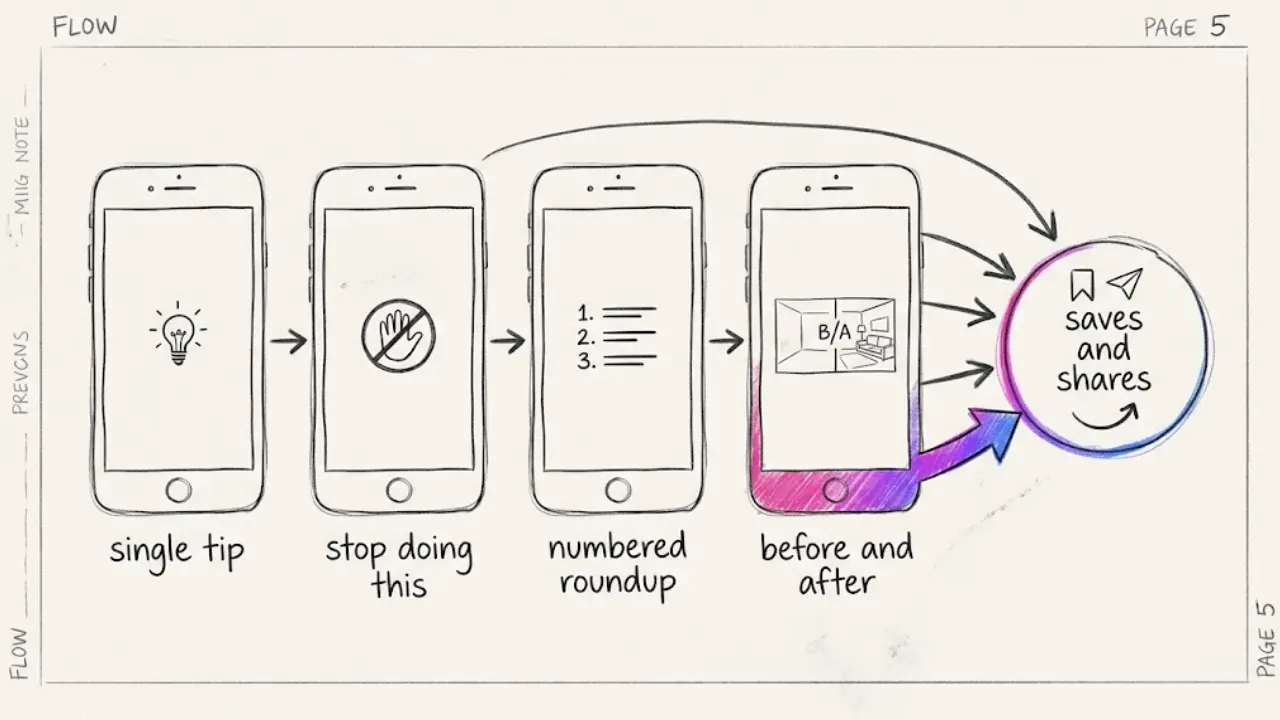
The single tip
One problem, one fix, in 15 to 30 seconds. State the problem in the first line, show the fix, end on the result. This is the backbone of the niche and the easiest format to repeat.
The "stop doing this" correction
Viewers like finding out they have been doing something the slow way. "You are loading the dishwasher wrong" style hooks create curiosity, and the payoff is a better method. Keep the tone friendly and avoid talking down to people.
The numbered roundup
"Five ways to make a small kitchen feel bigger" gives the viewer a reason to stay until the last tip. The structure is clear, the scenes are short, and each tip can later be cut into its own single-tip video. Our guide to the 8 faceless video structures covers the list format in detail.
The before and after
A messy situation, then a clean result. With AI visuals you can illustrate the contrast without any filming. Make sure the visuals are clearly illustrative and not presented as a real photo of a real result.
💡 Want to see how fast a single tip becomes a finished short? Create a free account and try it now.
3. How to make faceless life hack videos inside Faceless Lab
Here is the flow we use for any tips channel.
- Start from a topic or a script. Type something like "three ways to stop a cutting board from sliding" or paste a script you already wrote. The app builds a full script split into scenes, and you can edit every line before anything is generated.
- Pick a structure. Faceless Lab has 8 video structures. A list structure fits roundups, and a short story structure suits a tip that starts with a relatable problem.
- Choose a voice. Pick from 200+ ElevenLabs voices. For tips content, a friendly and clear voice at a steady pace usually works better than a dramatic one. Our post on adding a natural AI voiceover explains how to avoid the robotic read.
- Set the visual style. With 39 styles and several image models through Replicate, choose a bright, clean look that suits everyday objects. Stay with one style so the channel looks like a brand. More on that in why one visual style beats a new look every video.
- Let it assemble. The app generates the voiceover, visuals, background music and captions and puts them into a finished video in vertical 9:16, horizontal 16:9 or square 1:1. Most videos are ready in a few minutes.
- Review, then schedule. Check every step of the tip, fix a caption or swap a voice if needed, then send the video to your schedule.
You keep the decisions that matter, which are the topic, the accuracy and the tone. The production grind goes away.
💡 Ready to make your first tip video? Start with the free trial, no credit card required.
4. Test every hack before you post it
This is the section that separates a channel people trust from one that gets ignored. The internet is full of "hacks" that do not work or that are unsafe, and viewers have learned to be skeptical.
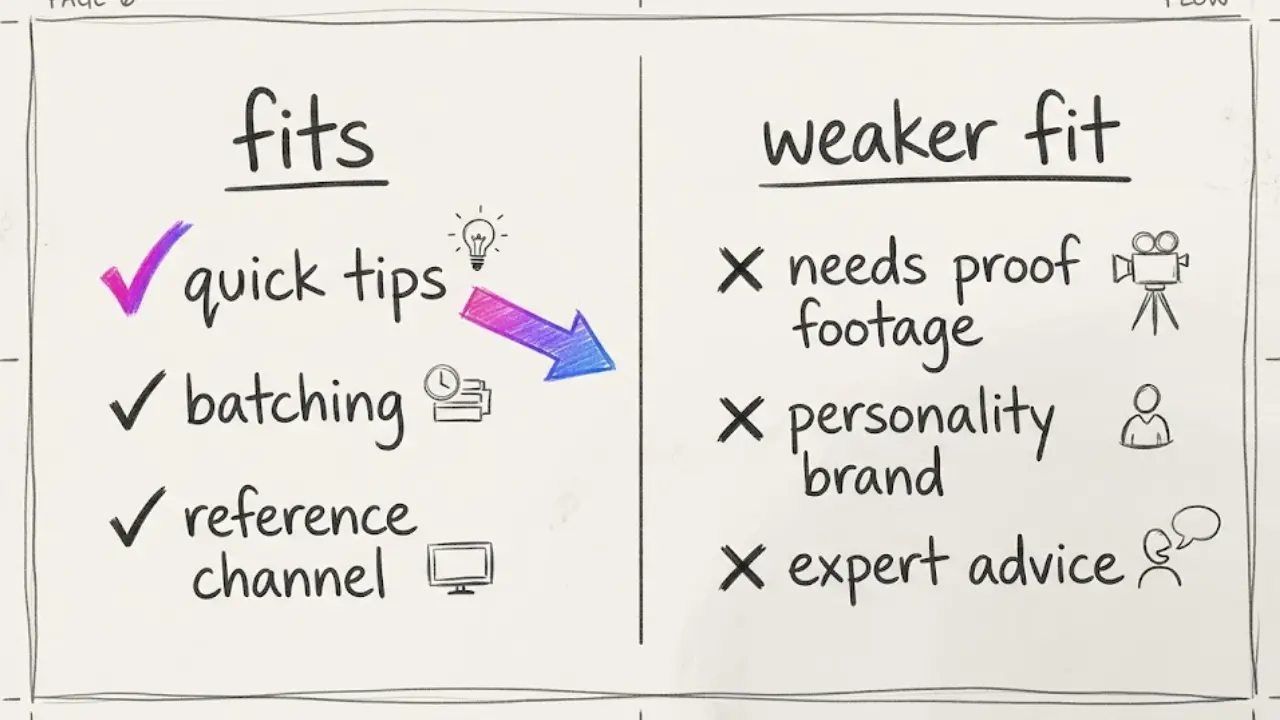
A simple checklist we use before a tip goes out:
- Try it yourself. If you can test it in your own kitchen, desk or car, do it. If a hack fails, you have just saved your audience from a bad video.
- Skip anything risky. Avoid tips involving mixing cleaning chemicals, electrical work, heating food in unusual ways or anything a viewer could get hurt trying. When in doubt, leave it out.
- Say what it cannot do. A hack that works on one material may damage another. One line such as "test on a hidden spot first" makes the video more useful and more credible.
- Do not promise miracles. Words like "always" and "never" age badly. "Often works" is honest and still satisfying.
- Label illustrative visuals. AI images are fine for showing an idea. Do not present them as proof that a result happened.
Platforms also pay attention to repetitive, low-effort mass content, so a channel with tested tips and a consistent voice stands on firmer ground. If monetization is a goal, read our piece on keeping a faceless channel monetizable under YouTube's AI rules.
5. Pick a category and keep a series going
A channel called "life hacks" is broad. A channel called "kitchen hacks" or "travel packing hacks" is easier to remember and easier to recommend. Start with one category you can produce at least 30 tips for, then expand once the audience has formed.
Categories that suit short tips:
- Kitchen and cooking: storage, prep shortcuts, cleanup.
- Home organization: small spaces, closets, cable and desk setups.
- Cleaning: stain handling and routines, with safety notes.
- Travel: packing, airport routines, small comforts.
- Phone and tech: settings and shortcuts that save time.
- Money habits: simple budgeting and saving routines, with no investment promises.
Once you have a category, treat it as a series. A recurring name, a recurring format and a fixed posting rhythm make a channel easy to follow. In Faceless Lab you can plan this with Series and Autopilot. Autopilot is still in beta, so review what it produces before relying on it. If you prefer to do it by hand, our guide to batching a month of videos in one afternoon shows a simple routine.
Scheduling and auto-publishing are built in. You connect your accounts and Faceless Lab posts to your platforms on the schedule you set. TikTok is the exception, since it is excluded from fully automatic publishing and needs your explicit consent. Our post on auto-publishing faceless videos walks through the setup.
6. Where a faceless life hacks channel fits, and where it doesn't
We would rather you pick the right tool and format than oversell either, so here is the honest view.
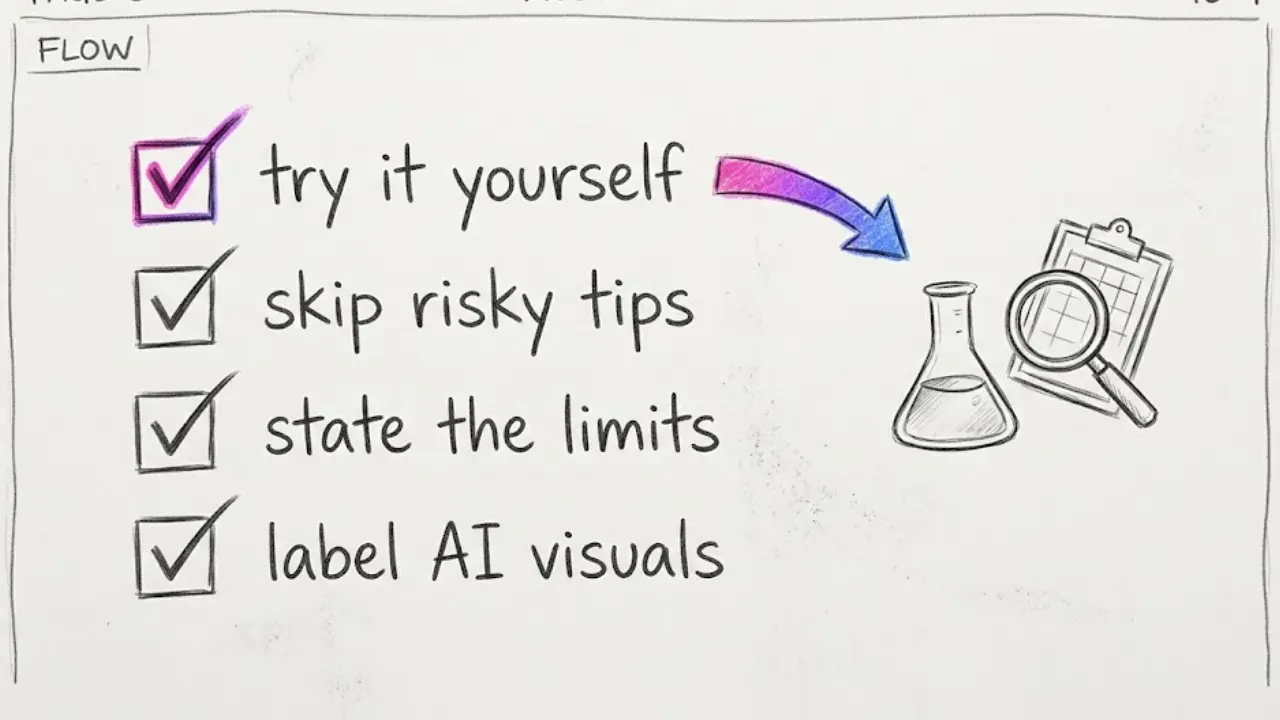
It fits well when:
- You want a niche with endless small topics and a simple, repeatable format.
- You are happy for the tip to be the star and the channel to feel like a useful reference.
- You want to batch production and schedule it, so posting does not depend on your daily energy.
It is a weaker fit when:
- The value of the hack depends on seeing a real result. A video claiming "this removes any stain" needs real footage to be believable, and AI visuals cannot prove it. In that case record the real attempt yourself and use Faceless Lab for the voiceover, captions and edit around it, or choose tips that do not rely on proof.
- You want a personality-led brand. A faceless channel builds trust through consistency and accuracy.
- The topic needs professional advice, such as electrical or health tips. Leave those to qualified creators.
Faceless Lab is also not the only way to make videos. If you enjoy hands-on editing and have the time, a manual editor gives you total control. We built Faceless Lab for creators who want to publish consistently and spend their time on ideas and quality control.
Conclusion
A faceless life hacks channel is one of the simplest ways to start posting short videos on a steady schedule. Pick a category, choose a few formats, test every tip and let a repeatable system handle the production. Our verdict: it is a very good first niche if you value accuracy and consistency, and a poor one if you want to cut corners on testing.
You can start on the free trial at €0 with no credit card, and the paid plans are Starter at €19, Growth at €59 and Pro at €149. Make a handful of tip videos first and see how much volume you actually need before choosing a plan.
If you publish a video made this way, post it organically on your own accounts and tell people how you made it. Sharing it helps other creators find the workflow. And if you have an audience of your own, ask us about our affiliate program, we would be glad to work with you.
Try Faceless Lab free and make your first faceless life hacks video
Read more
Frequently asked questions
Can I make life hacks videos without showing my face?
Yes. A faceless life hacks video uses an AI voiceover, AI-generated visuals, background music and captions instead of footage of you. The tip is what viewers came for, so a clear script and readable captions matter more than a host. In Faceless Lab you type a topic or paste a script, pick a structure, a voice and a visual style, and the app assembles a finished short. You still decide which tips to share and check that each one is accurate and safe before posting.
What kind of life hacks work best as short videos?
Quick, low-risk tips with a visible payoff work best. Kitchen shortcuts, small-space organization, packing routines, phone settings and simple cleaning routines all fit a 15 to 30 second format and are easy to explain in a few lines. Avoid tips involving chemicals, electricity or anything that could injure a viewer. A single clear problem, a clear fix and a short caption are enough for most videos in this niche.
Do I need to test the hacks before posting them?
You should. Many viral "hacks" fail or can cause damage, and viewers increasingly notice. Try each tip yourself where you can, note which materials or situations it suits, and add a short caution when needed, such as testing on a hidden spot first. This protects your audience and your credibility, and it gives you an honest edge over channels that copy tips without checking. If you cannot test a tip safely, leave it out.
How often should I post life hacks videos?
A steady rhythm beats bursts followed by silence. Many creators do well with three to five short videos a week, made in one batch session and scheduled in advance. Pick a number you can keep for three months, then raise it if it feels easy. Faceless Lab can schedule and auto-publish to your connected platforms, with TikTok needing your explicit consent, so most posting can run without you.
Can a faceless life hacks channel make money?
It can, but results depend on your audience, platform rules and consistency, and no tool can promise income. Monetization paths include platform programs once you meet their requirements, affiliate links for products you have actually used, and sponsorships. Original, tested and consistent content is the safest base, especially under platform rules about repetitive or low-effort content. Treat the first months as time to learn what your audience saves and shares.
How much does it cost to make faceless life hacks videos with Faceless Lab?
You can start on the free trial at €0 with no credit card required. The paid plans are Starter at €19, Growth at €59 and Pro at €149. Which one fits depends on how many videos you plan to make each month, so make a few videos on the free trial first and see what volume you need before upgrading. Current plan details are on the pricing page of the site.
Related articles
Make Faceless Real Estate Videos That Bring in Local Leads
Agents, brokers and investors can grow a local audience with market updates, buyer tips and neighborhood guides, all made as faceless videos with AI and scheduled ahead of time.
Write Faceless Video Titles, Captions and Hashtags That Get Found
A good faceless video still stalls with a vague title. Here is a simple routine for titles, captions and hashtags that helps the right viewers and platforms find your videos.
Style a Dream Room Every Day With Faceless Interior Design Videos
Start a faceless interior design channel with AI rooms, a calm voiceover and captions. Batch a week of home decor videos in one afternoon and schedule them to post themselves.