How to Get AI Visuals That Match Your Faceless Video Script
The visuals are the part of a faceless video most people rush. Here is how to generate AI b-roll that lines up with every line of your script, pick a style that fits your niche, and keep a whole batch varied.

Roberto Pasqualini
CMO at Faceless Lab
A practical guide to generating AI b-roll that lines up with every beat of your voiceover, picking a visual style that fits your niche, and keeping a batch of videos varied enough to stay in the algorithm's good graces.
So you have a script and a voiceover, and now you need AI visuals for your faceless videos that actually match what the narrator is saying. This is the step where most faceless channels quietly fall apart. The words are fine, the voice is fine, and then the screen shows a random stock loop that has nothing to do with the line being read. We built Faceless Lab because we kept hitting this exact wall, and after making thousands of shorts, we have a clear view of what separates visuals that hold attention from visuals that make people swipe.
Executive Summary: Good faceless visuals are not about owning the fanciest AI model. They come from one habit: matching a clip to each 5 to 8 second beat of your script so the picture always reinforces the words. Chunk the script, generate or pick a visual per beat, keep the style consistent inside a video but varied across a batch, and disclose AI content where the platform asks. Do that and your retention curve holds. Faceless Lab runs this whole loop for you, aligning visuals to the script automatically across a range of styles, so you spend your time choosing topics instead of hunting for footage.
Table of Contents
- Why visuals are the part of faceless videos most people get wrong
- How AI video models actually work for faceless shorts
- Match your visuals to the script, beat by beat
- Pick a visual style that fits your niche
- How to get script-matched visuals inside Faceless Lab
- Keep a batch varied so the algorithm does not throttle you
- Where Faceless Lab is and is not the right choice
1. Why visuals are the part of faceless videos most people get wrong
On a faceless video, the picture is doing the job your face would normally do. There is no presenter to look at, so every second the viewer is reading the screen and deciding whether to keep watching. When the visual drifts away from the words, that little gap registers as boredom, and boredom is a swipe.
The common mistakes are easy to name:
- One clip for the whole video. A single looping background under 40 seconds of narration reads as low effort, and viewers feel it even if they cannot explain why.
- Visuals that ignore the script. A line about "the first thing that went wrong" playing over a generic city timelapse tells the brain that nobody thought about this shot.
- Style whiplash. Ten clips that each look like they came from a different app break the sense that this is one piece of content from one channel.
The metric that matters here is retention. The algorithm on Shorts and TikTok does not care whether a human is on screen. It watches how long people stay and how many rewatch. Visuals that track the script keep the eye busy at the exact moment the ear is engaged, and that is what pushes your average view duration up.
2. How AI video models actually work for faceless shorts
There is a lot of noise in 2026 about which AI video model is best. Veo 3.1, Sora 2, Kling 3.0 and Runway Gen-4.5 all generate short clips from a text prompt, and each has strengths. Here is the honest version for faceless creators.

Generated clips versus sourced footage
AI generation is strong for a specific set of shots and weak for others.
- Where AI generation shines: establishing shots, abstract concepts, atmospheric scenes, product close-ups with no people, and stylized motion that would be expensive to film.
- Where sourced or stock footage still wins: real recognizable places, specific branded products, and complex human interaction, which generated models still get subtly wrong.
For most faceless niches, a mix works best. You generate the moments that need to feel bespoke and pull from a library for the rest.
The models are converging
A year ago the gap between the best and worst model was huge. Now the leaders are close enough that your choice of model matters far less than your prompt quality and your edit. Chasing the newest model name is a distraction. A clean prompt tied to the line of script beats a fancy model fed a lazy prompt every time.
3. Match your visuals to the script, beat by beat
This is the core technique, and it is simpler than it sounds. Stop thinking about "a video" and start thinking about beats.
The 5 to 8 second beat method
Break your script into chunks of roughly 5 to 8 seconds, which is usually one or two sentences. Every chunk gets its own visual that shows what that chunk is about. A 45 second short becomes six to nine beats, and six to nine visuals.
Here is what that looks like for a short about saving money:
- Beat 1 (hook): "Most people waste 200 euros a month without noticing." Visual: coins slipping through fingers.
- Beat 2: "It starts with the subscriptions you forgot about." Visual: a phone screen full of app icons.
- Beat 3: "Then the delivery habit nobody tracks." Visual: takeaway bags on a doorstep.
Each picture is a small confirmation of the words. The viewer never has to work to connect them, so they relax and keep watching.
Write prompts that describe the beat, not the whole topic
When you generate a clip, prompt for the single moment, not the subject of the video. "Coins slipping through open fingers, slow motion, warm light" gives you a usable shot. "A video about saving money" gives you a shrug. Specific beat, specific prompt, specific shot.
4. Pick a visual style that fits your niche
Style is the mood of your channel. A finance explainer and a horror story short should not look the same, and the style you choose sets expectations before a single word is read.
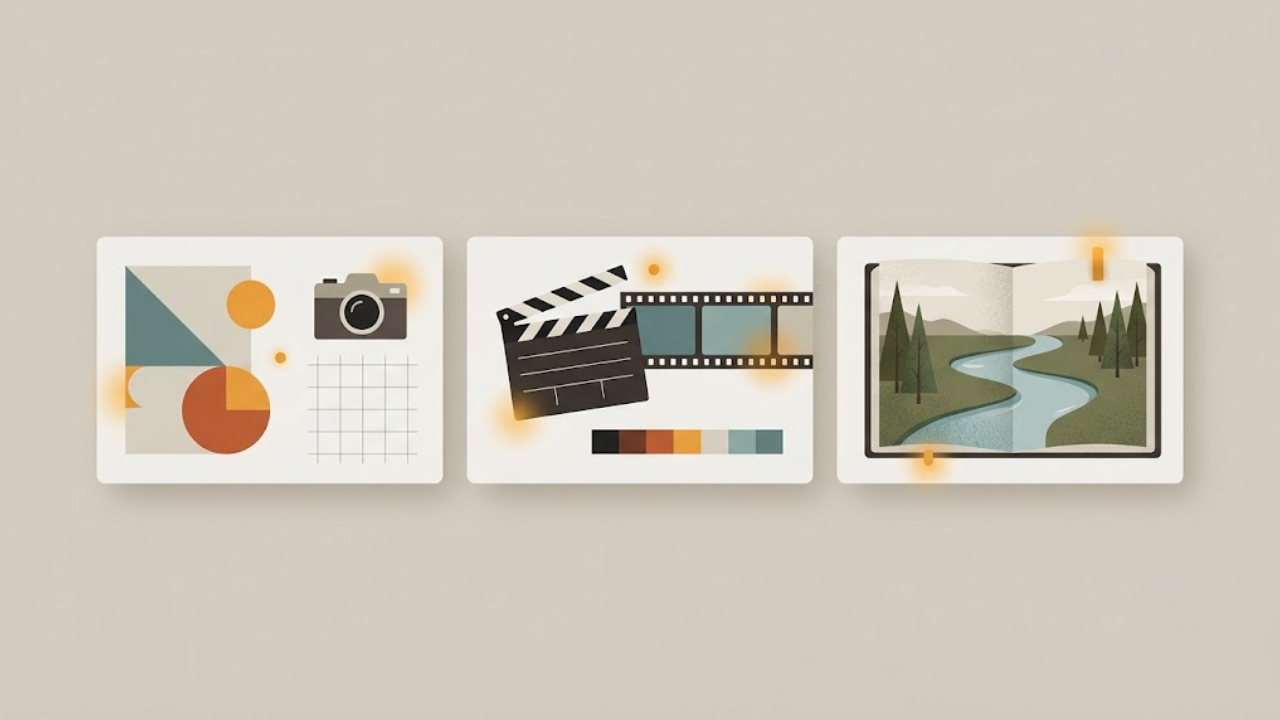
A few style families and where they land:
- Flat editorial and clean motion graphics: great for finance, business, and how-to niches where clarity signals trust.
- Cinematic and photoreal: strong for storytelling, history, and mystery, where atmosphere carries the piece.
- Illustrated and stylized: a fit for kids content, fables, and anything where a lighter feel helps.
The rule inside a single video is consistency. Pick one look and hold it from the hook to the last frame so the piece feels like one thing. Faceless Lab ships with a large library of visual styles, so you can lock a look for a channel and reuse it, or test a new one for a fresh series without rebuilding anything.
5. How to get script-matched visuals inside Faceless Lab
Here is the part where all of the above happens for you instead of by hand. This is the exact flow inside the app.
- Enter your idea or paste a script. Type a topic or drop in a finished script. The app builds a scene by scene breakdown, which is your beat structure already done.
- Pick a structure. Choose from the built in video structures that shape how the story is told, from list formats to story arcs, so the beats are ordered for retention.
- Choose a visual style. Select a look from the style library. This sets the mood for every generated shot in the video so the whole piece stays coherent.
- Let it generate visuals per beat. Faceless Lab creates a visual aligned to each scene, using the right generation model through Replicate, so the picture matches the line being read.
- Add voice, captions and music. Pick from a large library of natural voices, and the app layers synced captions and background music on top of the matched visuals.
- Review and swap. Scan the scenes, regenerate any beat whose visual you want to change, and adjust before export.
- Publish or schedule. Send it straight to your platforms or queue it. Automatic publishing covers YouTube, Instagram, Facebook and LinkedIn. TikTok stays a manual step because it needs your explicit consent, and Autopilot is currently in beta.
The whole point is that step 4 is invisible to you. You are choosing topics and styles, and the beat matching that this article describes is running underneath.
6. Keep a batch varied so the algorithm does not throttle you
If you batch content, and you should, there is one trap to avoid. When ten videos in a row share the same intro shot, the same three stock loops and the same rhythm, platforms start to read the batch as templated, and reach drops.
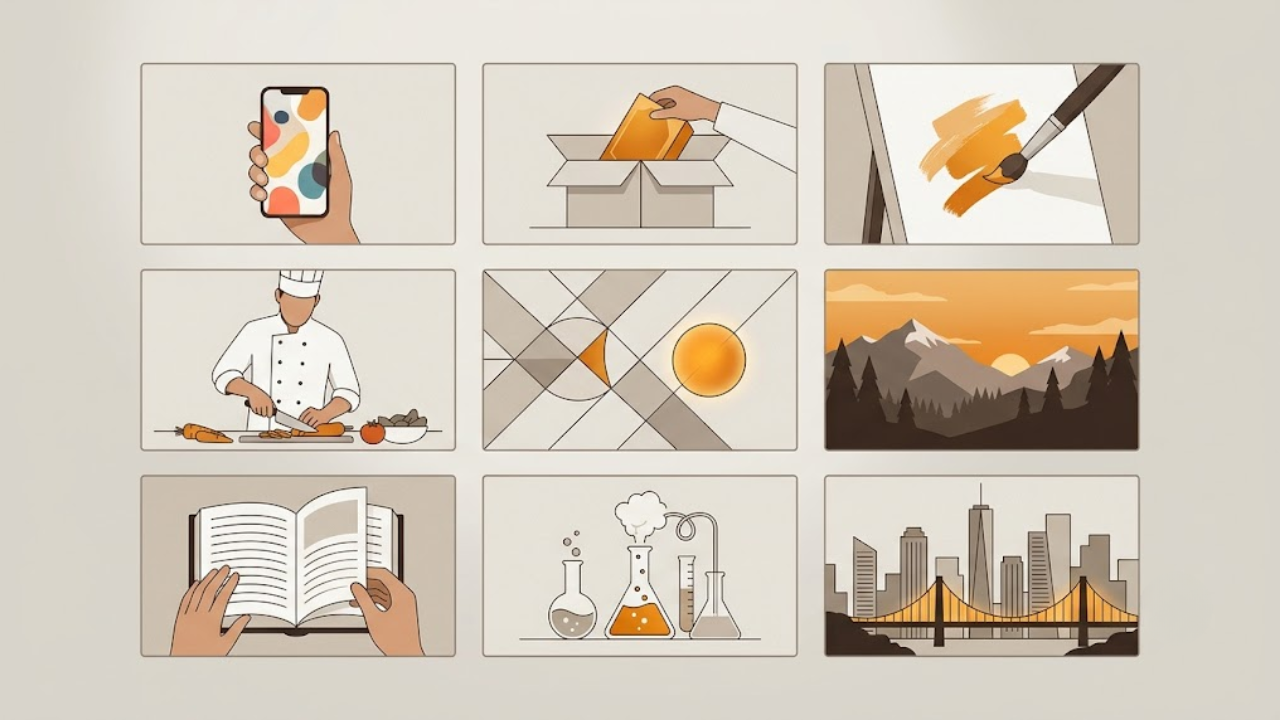
Keep a batch alive with a few habits:
- Vary the opening visual. The first frame is the most important one you have. Give each video in a batch a different hook shot.
- Rotate within your style. Staying in one style does not mean reusing the same five clips. Fresh generated shots per video keep the look consistent while the footage stays distinct.
- Change pacing across the set. Some videos can run tighter beats, others slower. Uniform pacing across a batch is a tell.
One more thing on compliance. When your visuals are AI generated, platforms may add a disclosure label. On YouTube this reads as a small note that content was altered or synthetic. This label does not hurt reach, and disclosed AI content is not penalized in recommendations, so there is no reason to hide it.
7. Where Faceless Lab is and is not the right choice
We would rather you pick the right tool than the wrong one and churn, so here is the straight version.
Faceless Lab is a strong fit if you:
- Want script, voice, visuals, captions and music handled in one place so beats and footage line up without manual syncing.
- Post short-form on a schedule and value consistency over one perfect hero video.
- Prefer choosing topics and styles to prompting individual clips and stitching them yourself.
Faceless Lab is not the right tool if you:
- Need frame level control over a single high-budget cinematic piece. A dedicated editor and a manual model workflow will give you more control per shot.
- Make long-form talking-head content where your face is the point.
- Want to hand craft every b-roll clip by yourself, in which case a standalone generation model plus an editor fits better, at the cost of a lot more time.
That honesty is the whole reason we started. Stefano built the first version because every other tool was packed with features he never used and still did not solve the actual problem, which was shipping consistently. If that is your problem too, this is built for it.
Matching visuals to your script is the highest-leverage habit in faceless video, and it is also the most tedious to do by hand. If you would rather it just happen, try Faceless Lab free, generate a video, and see whether the beats line up the way this article describes. If it helps, the best thanks is a repost so another creator finds it, and if you want to earn from sharing it, our affiliate program is open. Try Faceless Lab free and make your first video today.
Read more
Frequently asked questions
What are the best AI visuals for faceless videos?
The best visuals are the ones that match your script, not the ones from the newest model. For faceless shorts, generated clips work well for establishing shots, abstract ideas and product close-ups with no people, while sourced footage is safer for real places and recognizable products. In 2026 the leading models like Veo, Sora, Kling and Runway are close enough in quality that prompt quality and edit matter more than the brand name. Faceless Lab handles this by generating a visual for each scene automatically, using the right model behind the scenes, so the picture always tracks the line being read.
How do I make AI b-roll match my script?
Break your script into beats of roughly 5 to 8 seconds, usually one or two sentences, and give each beat its own visual that shows what that chunk is about. Prompt for the single moment rather than the whole topic, so "coins slipping through fingers" instead of "a video about money." A 45 second short becomes six to nine beats and six to nine visuals. This beat matching keeps the eye busy while the ear is engaged, which lifts retention. Faceless Lab builds this scene breakdown for you and generates a matched visual per beat.
Do AI-generated visuals hurt my reach on YouTube?
No. When content is AI generated, YouTube may add a small disclosure label noting that visuals were altered or synthetic. YouTube has confirmed that disclosed AI content is not penalized in recommendations, so the label does not reduce your reach. What actually affects reach is retention and whether a batch of videos looks templated. Keep each video's opening shot and footage distinct, disclose honestly, and focus on visuals that match your script. That combination keeps you compliant and keeps your videos competitive in the feed.
Which AI video model should I use for faceless shorts?
For most faceless creators, the specific model matters far less than people think. Veo 3.1, Sora 2, Kling 3.0 and Runway Gen-4.5 have converged in quality, so a clean prompt tied to a script beat beats a lazy prompt on any of them. Rather than manage several subscriptions, it is easier to use a tool that selects the right model per shot. Faceless Lab runs multiple generation models through Replicate under the hood, so the appropriate one is used for each visual without you creating separate accounts or switching dashboards.
How many different clips does a faceless video need?
As a rule, one visual per 5 to 8 second beat. A 30 second short usually needs four to six clips, and a 60 second short needs eight to twelve. Using a single looping background for a whole video reads as low effort and hurts retention, while a fresh visual on each beat keeps attention. The goal is not maximum clips, it is a picture that matches every line. Faceless Lab generates the right number of scene-matched visuals automatically based on your script length and structure.
Can I keep a consistent style across a whole channel?
Yes, and you should. Pick one visual style family that fits your niche, clean motion graphics for finance, cinematic for storytelling, illustrated for lighter content, and hold it inside every video so each piece feels like one thing. Across a batch, keep the same style but vary the actual footage and opening shots so videos do not look templated. Faceless Lab ships with a large style library, so you can lock a look for a channel and reuse it while every video still gets fresh, distinct visuals.
Related articles
5 Analytics Numbers That Tell You What to Post Next on a Faceless Channel
Skip the dashboard overload. Check five numbers on YouTube, Instagram and TikTok, spot why a faceless video lost viewers, and use a 20-minute weekly routine to decide what to post next.
A/B Test Your Faceless Video Hooks Without Any Testing Tool
YouTube cannot A/B test Shorts, and Reels and TikTok have no hook tester either. Here is a simple one-variable method to find the opening line that keeps viewers watching on your faceless channel.
Brand a Faceless Channel So Viewers Recognize It Without a Face
No face means your brand has to do the remembering. Here are the five signals that make a faceless channel recognizable, and how to set them once and keep them steady across every video.