Turn Your DIY Know-How Into Faceless Videos People Save for the Weekend
Start a faceless DIY channel with AI visuals, a clear voiceover and captions. Batch a week of home project how-tos in one afternoon and schedule them to post themselves.

Roberto Pasqualini
CMO at Faceless Lab
A practical guide to starting a faceless DIY and home improvement channel with AI, from the project formats people bookmark to batching a season of how-to Shorts and scheduling them.
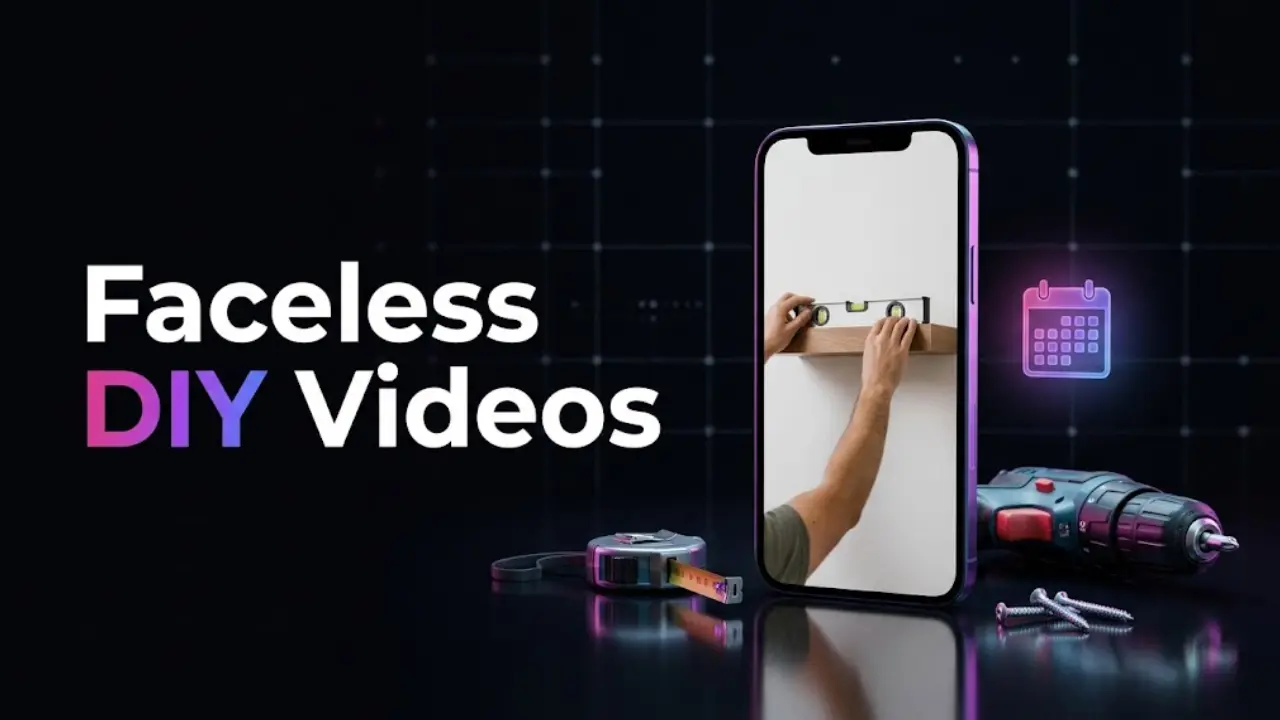
Wondering how to make faceless DIY videos without filming your hands, your garage or your face? Home projects are one of the most saved topics on short-form video, because people bookmark a fix and come back to it on Saturday morning with a tool in their hand. The clocks just went back, the evenings are getting dark and everyone is suddenly thinking about drafty windows, cold garages and winter prep, which makes right now a good moment to start. We run faceless channels ourselves, and DIY is a niche we like because the topics never run out and the audience actually uses what you teach.
Faceless DIY videos work because the viewer wants the steps, and the steps do not need your face. You write a short script for one project, generate clear visuals with AI, add a calm voiceover and captions, and publish a vertical video in minutes. The formats that get saved are quick fixes, step-by-step tutorials, tool and material guides, common-mistake warnings and seasonal checklists. Batch a week of projects in one sitting, keep one visual style and one voice, schedule the run, and the channel keeps posting while you plan the next season.
Table of Contents
- Why DIY is a natural fit for faceless video
- The faceless DIY formats people actually save
- How to make a faceless DIY video inside Faceless Lab
- Make the steps clear enough to follow
- Batch a season of projects and schedule the lot
- Where a faceless DIY channel is and isn't the right choice
- Keep your DIY advice safe and trustworthy
1. Why DIY is a natural fit for faceless video
Most niches ask you to entertain. DIY asks you to be useful, and usefulness travels well without a face. Someone searching for how to patch a hole in drywall wants a clear sequence of steps, the right filler and a warning about the one thing people always get wrong. They are not waiting to see who is talking.
Three things make the niche easy to run:
- The topics repeat endlessly. Every room, every tool, every season and every budget is a new video. Patching drywall, sealing a window, hanging a shelf straight, bleeding a radiator: you will not run out.
- People save and return. A how-to gets bookmarked and watched again at the moment of the project, which is a strong signal on YouTube Shorts, Reels and Facebook.
- The calendar feeds you. Winter prep now, spring cleaning and garden beds later, summer outdoor projects after that. If you batch ahead, you publish into each moment.
DIY also fits monetization that does not need a face, such as affiliate links to tools and materials, which we cover in our guide to monetizing a faceless YouTube channel.
2. The faceless DIY formats people actually save
Saves are the signal that matters here, because people keep the videos for later. These are the formats we would test first.
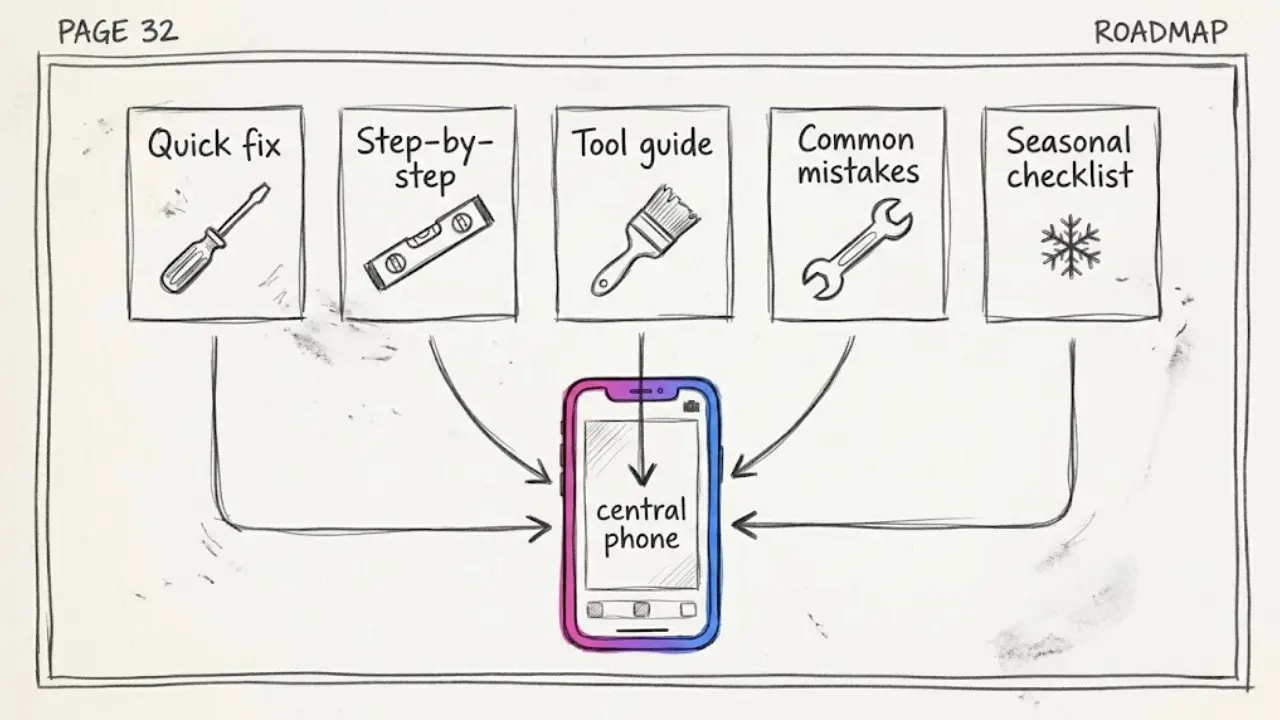
Quick fixes
One problem, one fix, 30 to 45 seconds. "Stop a door from squeaking." "Remove a water ring from wood." The structure is simple: the problem, the fix, the result. Quick fixes are easy to write and easy to batch.
Step-by-step tutorials
Walk through a project in numbered steps. "Hang a floating shelf in five steps." Each step is a scene, and the visuals can show the tool, the position and the finished result. This is the format where clear captions matter most.
Tool and material guides
"Which sandpaper grit for which job." "The five screws every toolbox needs." These get searched constantly and stay useful for months, so they make a good evergreen backbone for the channel.
Common mistakes
"Three mistakes that ruin a paint job." People love learning what to avoid, and warnings make a strong hook in the first three seconds. We go deeper on hooks in our guide to writing faceless video scripts.
Seasonal checklists
"Winterize your home before the first freeze." "Spring garden bed reset." A checklist gives viewers a reason to follow the channel, because the next season's list is already something they will want.
3. How to make a faceless DIY video inside Faceless Lab
This is the loop we use on our own channels, from a one-line idea to a scheduled post.
- Start from an idea or a script. Type a topic like "how to seal a drafty window before winter" or paste a script you already wrote. Faceless Lab turns it into a short with scenes, and you can choose from 8 video structures, so a numbered tutorial is laid out differently from a mistakes list.
- Choose a visual style. There are 39 styles, powered by multiple models through Replicate. For DIY, a clean, realistic or simple illustrated look keeps the steps easy to read. Pick one and keep it for the whole channel.
- Pick a voice. You get 200+ ElevenLabs voices. A clear, friendly voice suits instruction, and using the same one every time makes the channel sound like one channel.
- Let it build the video. Faceless Lab generates the voiceover, matches visuals to your script, adds captions and drops in background music. You get a publish-ready vertical video in minutes.
- Review and adjust. Swap an image, fix a caption, tighten a step. This is the moment to double-check every measurement and safety note, because you decide what ships.
- Schedule and publish. Connect your accounts and Faceless Lab can publish to YouTube, Instagram, Facebook and LinkedIn for you. TikTok needs your explicit consent, so it is left out of fully automatic publishing.
That takes a project idea to a scheduled post without opening a separate script tool, voice tool, stock library and editor.
💡 Ready to try it on your first project? Create your first video free.
4. Make the steps clear enough to follow
A DIY viewer is often standing in a room with a drill in one hand and a phone in the other. If a step is vague, they stop watching and search for someone else's video. Clarity is how a faceless channel earns trust without a face.
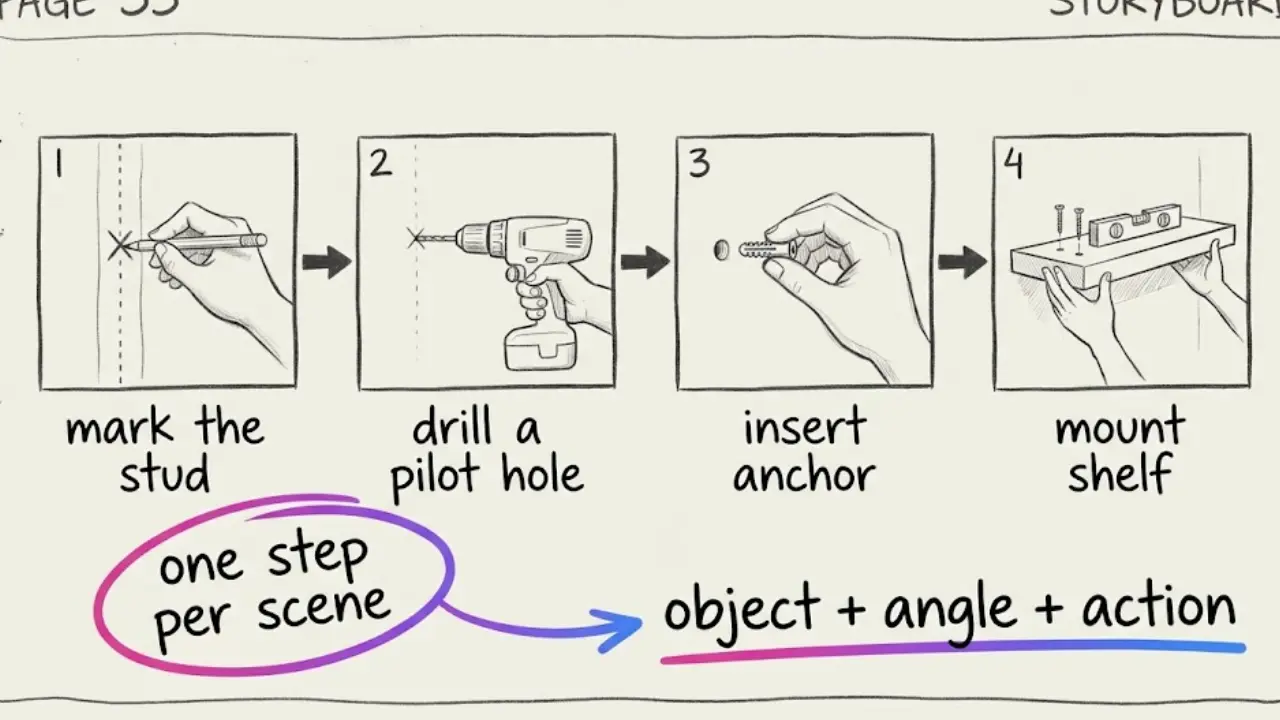
One step per scene. Keep each step to one action and one sentence. "Mark the stud." "Drill a pilot hole." Short lines read well as captions, and our guide to adding subtitles that keep people watching shows how to make them easy to read on a small screen.
Name the tool in the script. "Use a 3 millimeter drill bit" gives the image generator something concrete to show, and it gives the viewer something concrete to buy or find.
Lock one visual style and one voice. Rooms and tools can change from video to video while the look stays the same. That consistency is what makes a channel feel like a brand. If you want to keep a recurring mascot or helper in every video, see how to keep the same character in every faceless video.
Write image prompts like a project manager. Name the object, the angle and the action: "close-up of a hand holding a level against a white wall, soft daylight." That gets far better results than "hanging a shelf." Our guide to getting AI visuals that match your script goes deeper on this.
5. Batch a season of projects and schedule the lot
Posting a project a day by hand is how people burn out in week three. Batching fixes it.
Make a week in one sitting. Block an afternoon, pick five projects and produce five videos back to back. With your style and voice locked, each new video is mostly a new topic and a new script.
Plan around the calendar. Winter prep and heating tips now, holiday hosting fixes in December, spring cleaning and garden beds in March. When you batch ahead, you publish into each moment instead of chasing it.
Turn one format into a Series. Series lets you set up a repeatable format once, for example "one problem, one fix, one tool," and keep it running. That is the difference between making videos and running a channel.
Let Autopilot carry some of the load. Autopilot is in beta and built to keep a channel posting on a rhythm without starting from zero each day. You still choose the projects and check the advice.
6. Where a faceless DIY channel is and isn't the right choice
Here is the honest read from the two of us.
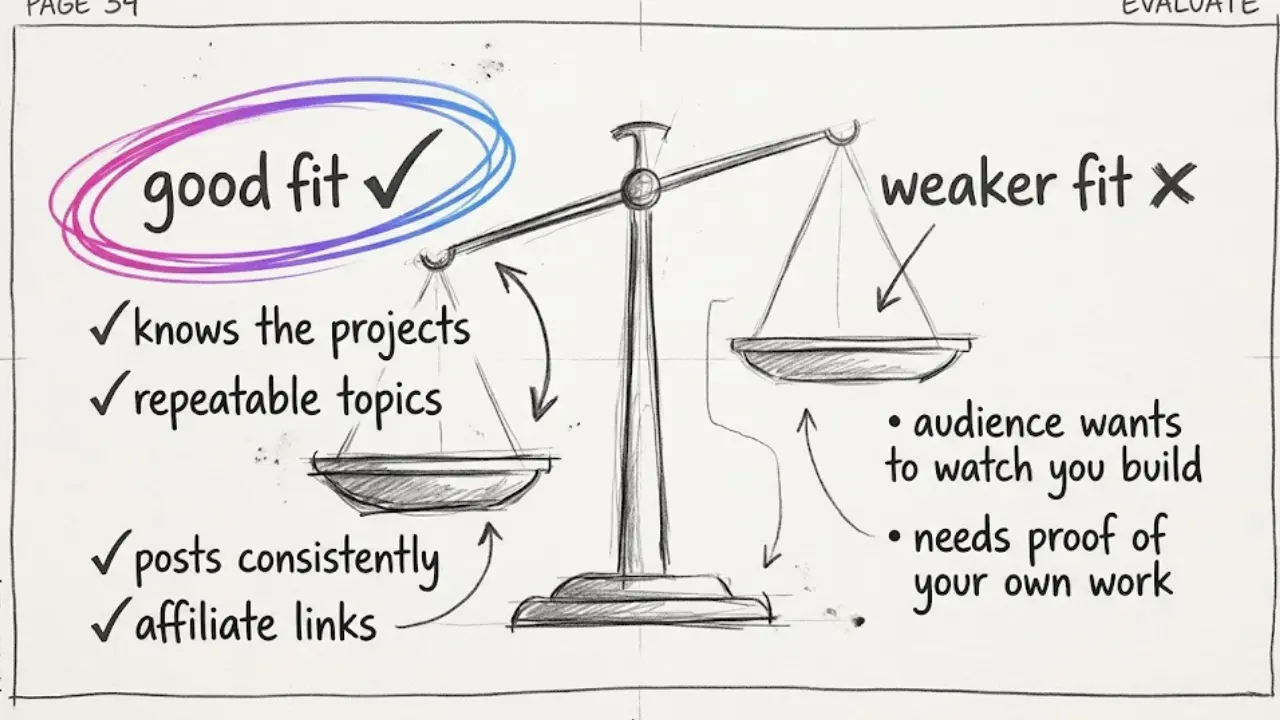
It is a strong choice if you genuinely know your way around tools and home projects, you want a niche with endless repeatable topics, and you can post consistently. It also suits you if you want to earn through affiliate links, since someone watching a shelf tutorial often needs the level, the anchors and the drill.
It is a weaker choice if your whole appeal is watching you build something with your own hands. Craft and woodworking channels often win because viewers love seeing real sawdust and real results, and an AI visual cannot replace that. It also fits badly if you want to show proof of a finished project you made. AI visuals are great for explaining a method, and they are not a record of your own work.
Faceless Lab has limits too. Automatic publishing covers YouTube, Instagram, Facebook and LinkedIn, and TikTok needs your explicit consent. Autopilot is still in beta, so treat it as a strong assistant rather than a machine you can forget about. AI images of tools and hands can occasionally produce odd details such as an extra finger or a drill bit that points the wrong way, so give each video a quick look before it goes out.
7. Keep your DIY advice safe and trustworthy
This section keeps your channel credible and monetizable, so it is worth a careful read.
Take safety seriously. Electrical, gas, structural and roofing work can hurt people. Stick to projects that are reasonable for a beginner, add a short safety line where it matters, and tell viewers to call a licensed professional for anything involving mains wiring, gas lines or load-bearing walls.
Check every fact before you publish. A wrong measurement or the wrong material can ruin someone's weekend. AI can draft a script quickly, and you are still the person who verifies it against a reliable source.
Do not pass AI visuals off as your own finished work. If a video shows an AI-generated result, present it as an illustration of the method. Viewers feel misled when they discover a "before and after" never existed, and platforms increasingly ask creators to label realistic AI content.
Never reuse other people's footage or photos. Clips from other creators, brand catalogs and tutorials are protected. Generate your own visuals or use material you have the right to use.
Add your own point of view. A tip from experience, a warning, an opinion on the best tool for the money: that is what makes a video yours, and it is also what platforms tend to reward over a slideshow of generic steps.
DIY rewards people who are useful and consistent, and a faceless setup lets you be both every day. Batch your first week of projects, lock your look and schedule the run. If one of your videos takes off, repost it on your other accounts and tag it so people can find you, and if you like the tool, our affiliate program pays you to send other creators our way.
Pick your first project, start free and let the channel build itself: https://facelesslab.video/
Read more
Frequently asked questions
What is a faceless DIY channel?
A faceless DIY channel is a home improvement and how-to channel where you never appear on camera. You post short videos about repairs, projects, tools and seasonal home checklists, using a written script, an AI voiceover and AI-generated visuals instead of footage of your own hands or workshop. The steps are what people watch, so the format suits the niche well. A tool like Faceless Lab produces the voiceover, visuals, captions and music from one idea, and you review the result, including every measurement and safety note, before it publishes.
Can I make DIY videos with AI and no camera?
Yes. You write or generate a short script for one project, then an AI tool creates matching visuals, a voiceover, captions and background music. In Faceless Lab you can pick one of 39 visual styles and one of 200+ ElevenLabs voices, then review the finished vertical video before publishing. AI visuals work best as illustrations of a method. Present them as explanations rather than as proof of your own finished work, and give each video a quick look for odd details like a warped tool or an extra finger before it goes live.
What types of faceless DIY videos get saved the most?
Videos people want to follow later tend to get bookmarked. Quick fixes, numbered step-by-step tutorials, tool and material guides, common-mistake warnings and seasonal checklists are the formats we would test first. They are short, practical and easy to rewatch at the moment of the project, which is what drives saves and shares. Pick two or three, run them on repeat with different problems and seasons, and watch which ones your audience bookmarks before committing to a single direction.
How often should I post faceless DIY videos?
A steady rhythm matters more than volume. One short per day is a strong target if you batch, and a few per week is a fine start while you test the niche. Block an afternoon, make five projects back to back with your style and voice locked, and schedule them. With Series and Autopilot (currently in beta) in Faceless Lab you can set up a repeatable format once and keep the channel posting without rebuilding every video from scratch.
How much does it cost to start a faceless DIY channel with Faceless Lab?
You can start on the free trial at €0, which is the right way to test the niche and the workflow before spending anything. The paid plans are Starter at €19, Growth at €59 and Pro at €149, so you move up only when the channel is working and you want more output or automation. You also avoid paying for a separate script tool, voice tool, stock library and editor, because Faceless Lab bundles script, voiceover, visuals, captions, music, scheduling and publishing in one workflow.
Is it safe to give DIY advice in AI-made videos?
It is safe when you treat the AI as a drafting tool and stay responsible for the advice. Verify every measurement, material and step against a reliable source before publishing, add a short safety line where it matters, and tell viewers to call a licensed professional for electrical, gas or structural work. Frame AI visuals as illustrations of the method, never as your own finished project, and check current disclosure rules on each platform. Accurate, honest advice keeps your audience's trust and your monetization options open.
Related articles
Start a Faceless Car Channel Without Owning a Single Supercar
Cars never stop being searched. Here is how to start a faceless car channel with AI, which formats need no footage, a four-week posting plan and how to keep specs accurate.
Turn Study and Productivity Tips Into Faceless Shorts People Save for Later
Exam season and New Year planning send people searching for study and productivity tips. Learn how to pick a promise, write useful shorts and schedule a faceless productivity channel without filming.
Dog and Cat Tips Make a Faceless Channel That Owners Come Back To
Pet owners search for tips every day, and each answer fits one short. Learn how to pick an audience, write safe tips, and publish a faceless dog and cat channel without ever filming.