Share Parenting Tips on Shorts and Reels Without Putting Your Kids on Camera
Parents search for routines and calm-down tricks all year. Learn how to start a faceless parenting channel with AI voice and visuals, keep your family private and schedule tips without filming.

Stefano Ventrudo
CTO at Faceless Lab
How to start a faceless parenting channel, from choosing a topic to writing helpful tips and scheduling them, while keeping your children and your face out of every video.
How do you make parenting videos when you do not want your kids, or yourself, on camera? You turn each tip into a short script, add an AI voice and illustrated scenes, and publish a steady stream of helpful ideas without filming your family. Many parents want to share what works at home and keep their children private, and a faceless format makes that possible. We are Stefano and Roberto, the co-founders of Faceless Lab, and this is how we would set up a faceless parenting channel today.
Executive Summary
A faceless parenting channel publishes short videos with routines, activity ideas, meal and bedtime tips and calm communication phrases, narrated by an AI voice over illustrated or AI-generated scenes instead of real family footage. It works because parents save practical tips they can try that same evening, and because the format protects your children's privacy by design. The channels that grow pick one age group and one problem, open each video with a situation parents recognize, give one small action, and stay careful with health and safety claims. With Faceless Lab you can turn each tip into a scripted, voiced and captioned video, batch a month of episodes, keep a consistent look with a Series, and schedule publishing to YouTube, Instagram, Facebook and LinkedIn, starting on a free trial.
Table of Contents
- Why parenting tips suit faceless video
- Pick one age group and one problem
- Write a tip parents try tonight
- Protect your kids and stay careful with advice
- How to make a parenting short inside Faceless Lab
- Where Faceless Lab is (and is not) the right choice
- Conclusion
1. Why parenting tips suit faceless video
Parenting content is built on situations every parent knows: the bedtime that takes an hour, the picky eater, the rainy afternoon. The viewer cares about the idea, so the presenter does not need to be on screen.
Privacy is a real advantage
Many parents prefer not to publish their children's faces online. A faceless channel solves that from the start, because there is nothing to blur, crop or delete later. You share what you know and your family stays out of the frame.
The tips are small and repeatable
- One situation is one episode. "What to say when your toddler refuses to put on shoes" is a complete short with a hook, a phrase to try and a reason.
- Viewers save and share. Parents send tips to a partner, a grandparent or a friend in the same stage of life.
- The topic renews itself. Every new age group brings new problems, so ideas do not run out.
The visuals are easy to produce
Illustrated scenes of a calm living room, a bedtime routine, a lunchbox, a play corner or a simple checklist explain most tips well. You do not need real children in any scene.
2. Pick one age group and one problem
"Parenting tips" is too wide. A new viewer should see within two seconds that the video is for them.
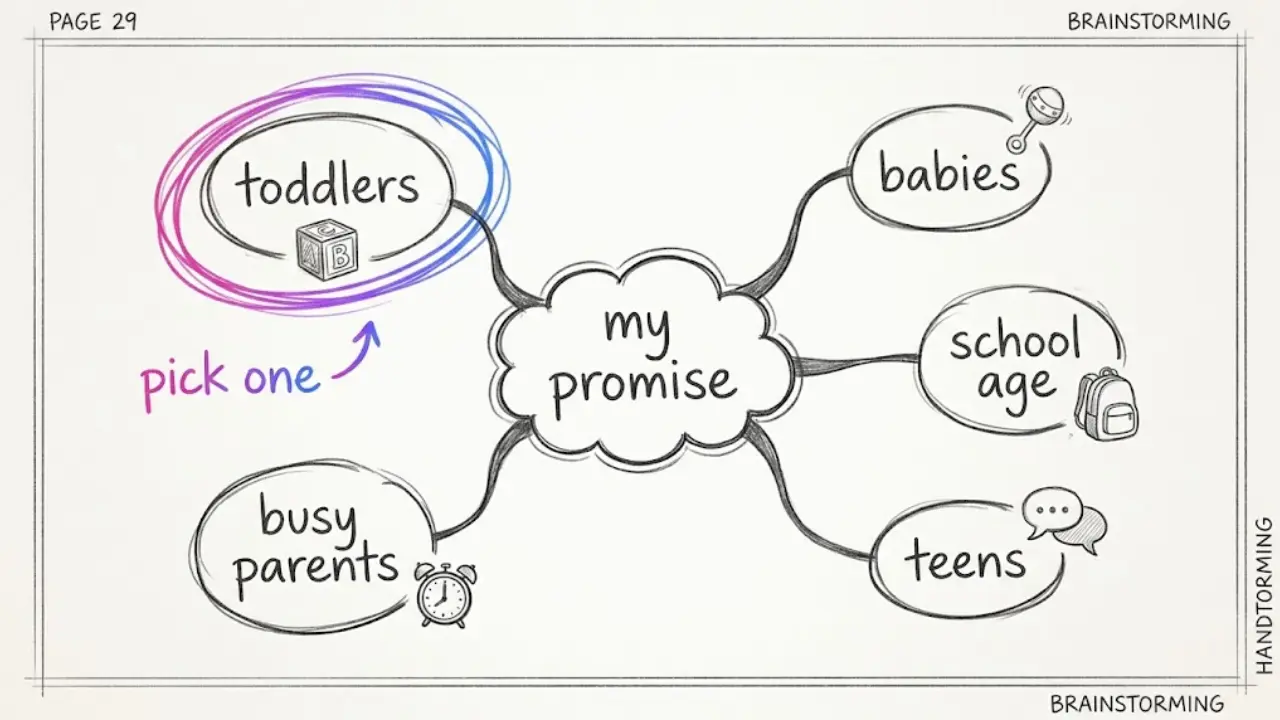
Age groups with room to grow
- Babies and newborns. Sleep routines, feeding schedules and gentle settling ideas, shared as personal experience.
- Toddlers. Tantrums, transitions, potty training and simple play.
- School-age kids. Homework routines, morning rush fixes and screen-time rules.
- Teens. Conversation starters and how to stay connected.
- Busy-parent topics. Quick dinners, lunchbox ideas, weekly planning and travel with kids.
Choose with a simple test
Pick the age group you could write 15 episode ideas for in ten minutes. If you run dry at five, it is too narrow. If every idea could sit on any family channel, it is too broad.
Make one promise and repeat it
A promise sounds like "one calm phrase for toddler meltdowns, every day" or "ten-minute indoor activities for rainy days". Put it in your channel name and your first line, and keep the same narrator voice and visual style across episodes so viewers recognize your shorts at a glance.
3. Write a tip parents try tonight
Parents are tired and short on time. Open with the situation, not a greeting.
A script structure that works
- Hook (first line). Name the moment. "Your toddler refuses to leave the park again? Try this."
- The tip. Say what to do in one plain sentence.
- What to say or do. Give the exact phrase or the two steps.
- The reason. One line on why it tends to help, in everyday words.
- Loop or question. End with a question ("What works at your house?") or a line that returns to the hook.
Formats that repeat well
- One phrase, one situation. A single sentence parents can use right away.
- Activity in ten minutes. A simple indoor or outdoor idea with a short materials list.
- Routine in order. "Our 15-minute bedtime wind-down" as a numbered list.
- Myth versus another way. Name a common belief and offer a practical alternative.
- Week plan. Five dinners or five activities in one short.
Write for the ear
- Keep each sentence short enough to say in one breath.
- Speak to "you" and keep the tone warm and kind, never judgmental.
- At 30 seconds, aim for roughly 75 to 90 spoken words.
4. Protect your kids and stay careful with advice
Parenting is a sensitive topic. Viewers trust you with real decisions, so accuracy and care matter more here than in most niches.
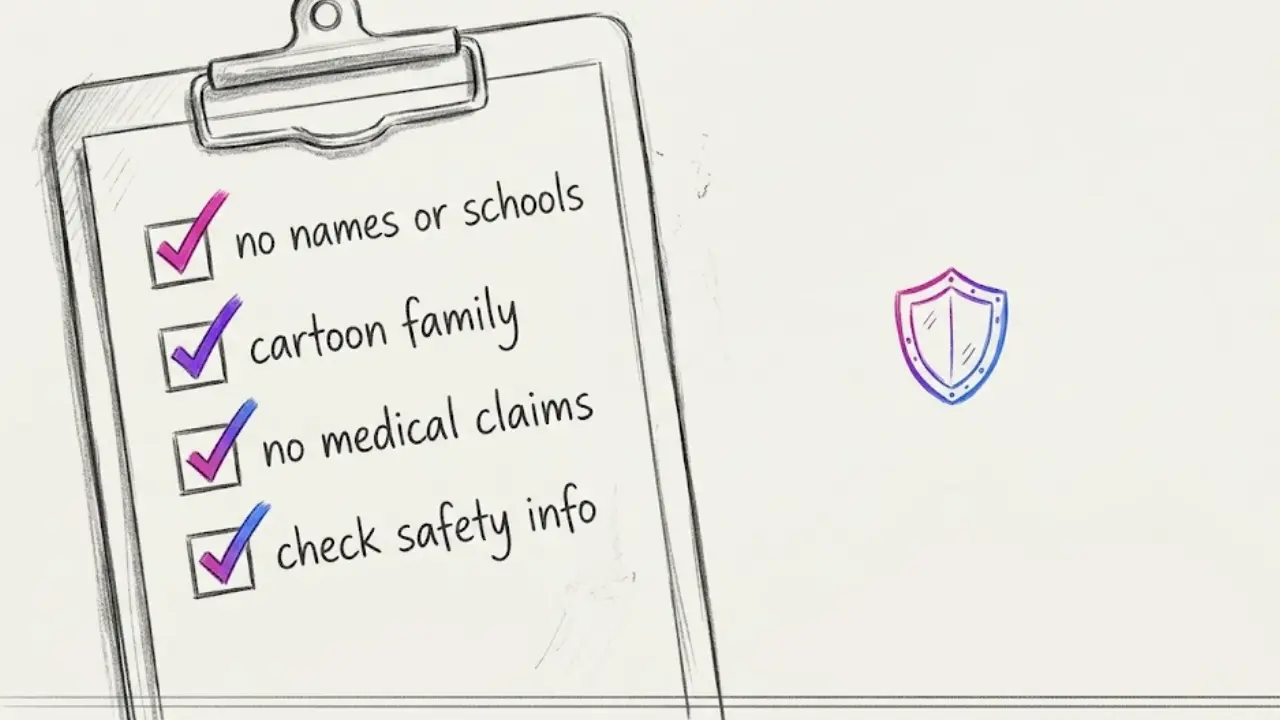
Keep your family private
- Do not show identifying details. Skip your children's names, schools, street names and daily schedules in scripts and captions.
- Use illustrated characters. A consistent cartoon family keeps the channel warm and recognizable without real people.
- Keep your own story general. Share what worked as "what we tried" instead of posting private moments.
Be careful with health and safety claims
- Do not diagnose or treat. Sleep, feeding, development and behavior concerns can have medical causes, so suggest a pediatrician or qualified professional for health questions.
- Say "what worked for us" instead of "this always works". Children differ, and honest framing sounds more credible.
- Check safety tips. For anything involving sleep spaces, car seats, food allergies or supervision, follow official guidance from recognized health authorities, and leave it out if you cannot verify it.
- Edit the AI script. An AI draft is a starting point. Read it, check every claim and cut what you cannot stand behind.
Mind the audience setting
Your videos are for parents, not for children. When you upload to YouTube you are asked to set the audience, and a channel for parents is a different thing from content made for kids. Read YouTube's current guidance on the "made for kids" setting and choose accurately, since the choice affects features like comments.
Keep it original
Faceless channels are allowed on the major platforms. What tends to cause trouble is a pile of near-identical videos or re-uploaded clips from other creators. Write in your own words, vary your formats and give each tip a specific situation.
5. How to make a parenting short inside Faceless Lab
This is the workflow we use, from blank page to scheduled video. Once your channel settings are in place, each short takes only a few minutes.
Step 1: Start with one situation
Open the dashboard and type the idea, for example "what to say when a toddler refuses to put on shoes". If you already wrote a script, paste it in and Faceless Lab uses your text as the script.
Step 2: Choose a structure
Pick one of the 8 video structures. A problem, solution and call to action structure suits "one phrase for toddler meltdowns", a step-by-step structure suits "our 15-minute bedtime wind-down", and a ranked list suits "five rainy-day activities".
Step 3: Review and edit the script
Read the draft, check each claim and soften any wording that sounds like medical advice. This is where your channel earns its credibility, so do not skip it.
Step 4: Pick a voice
Choose from more than 200 ElevenLabs voices. A warm, calm voice suits family content. Use the same one on every episode so parents recognize it.
Step 5: Lock your visual style
Choose one of the 39 visual styles and stay with it. A soft illustrated look works well for family topics. You can also choose which AI image model generates the scenes, since Faceless Lab runs several models through Replicate, which helps when one model draws rooms and characters better than another.
Step 6: Captions and music
Captions are generated automatically and you can adjust them. Add background music from the library, where licensing is clearly indicated. Gentle, steady tracks suit this niche.
Step 7: Batch it, Series it, schedule it
Make five to ten episodes in one sitting, save the setup as a Series so every episode keeps the same voice, style and structure, and schedule them to publish automatically on YouTube, Instagram, Facebook and LinkedIn. TikTok publishing needs your explicit consent each time, so it is not fully hands-off there. Autopilot (currently in beta) can keep a Series running on a rhythm you set.
💡 Ready to try it on your first tip? Create your free Faceless Lab account and make one today.
6. Where Faceless Lab is (and is not) the right choice
We want you on the tool that fits your channel, so here is our honest take.
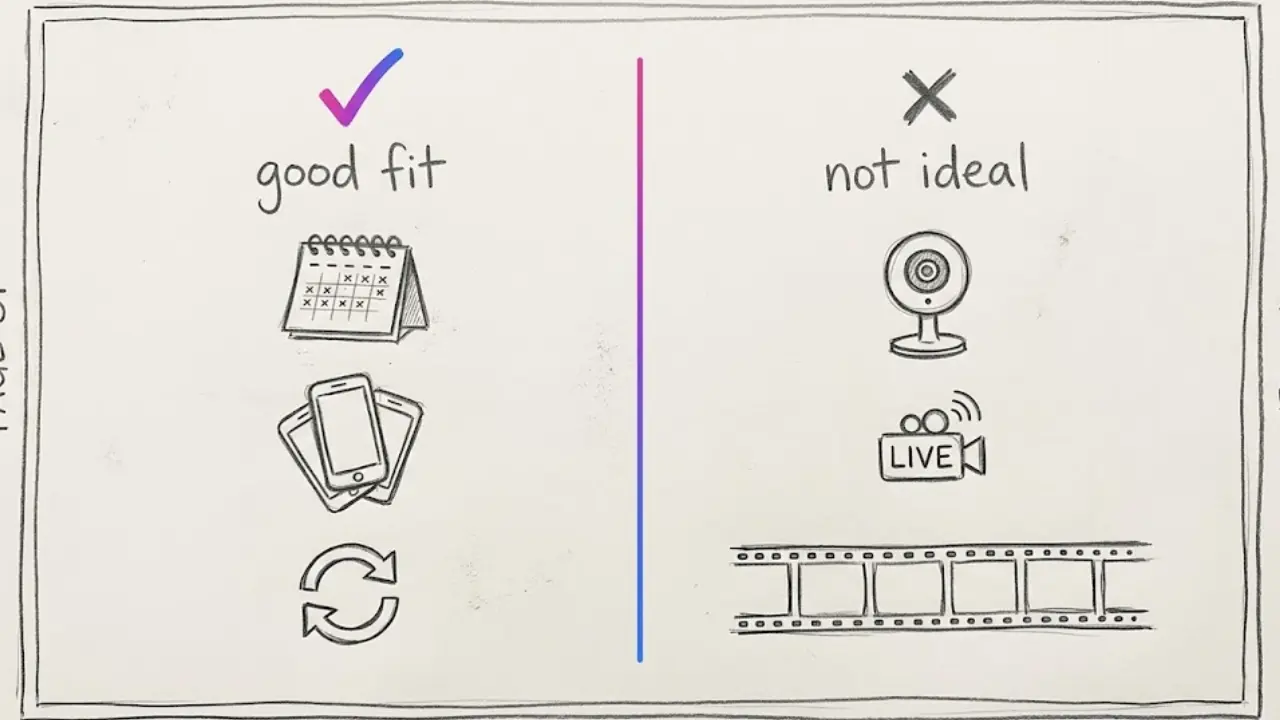
Faceless Lab is a good fit if
- You want to batch a month of tips during nap time or after bedtime and schedule them ahead.
- You like the idea of a Series that keeps your voice and style consistent.
- You want scheduling and auto-publishing in the same place you create.
- You want to start free and pay only when the channel proves itself. Plans are Free trial €0, Starter €19, Growth €59 and Pro €149 per month.
It is probably not the right choice if
- You want real family footage. Faceless Lab generates AI visuals, or you can bring your own content. If your channel is about real moments at home, a regular phone editor is a better home for those clips.
- You make long courses or webinars. We focus on short-form and support videos up to 5 minutes.
- You want live parenting Q&A. Live sessions need a streaming tool, not a video generator.
- You want frame-by-frame timeline control. A full video editor will give you more manual control.
7. Conclusion
Parenting tips fit faceless video well. The situations are familiar, the visuals are simple, and your family stays private. The channels that grow choose one age group, open with a moment parents recognize, give one small action and stay honest and careful with advice.
Our verdict: if you enjoy sharing practical ideas and want to keep your children out of the spotlight, a faceless parenting channel is a gentle place to start. Make a batch this week, see which tips get saved and shared, and keep the best formats for the holiday season.
You can make your first tip video on the free trial before paying anything. If this guide helped, share it with a friend who keeps saying they will start a channel, and if you already love Faceless Lab, ask us about our affiliate program.
Try Faceless Lab free and make your first parenting short
Read more
Frequently asked questions
Can I run a parenting channel without showing my kids or my face?
Yes. Parents value the idea or phrase you share, not who says it, so an AI narrator over illustrated scenes works well. A warm AI voice reads the script, cartoon or illustrated scenes show rooms, routines and objects, and captions carry the message for viewers watching on mute. Keeping children off camera also protects their privacy from the start. Pick one age group, give one small action per video, and share your experience as "what worked for us" rather than as guaranteed results.
What parenting videos work best as shorts?
Short, specific tips work best: one phrase for a common moment, a ten-minute activity, a bedtime or morning routine in order, or a week of simple dinners. Each fits a hook, one action and a reason in about 30 to 45 seconds. Open with a situation parents recognize, such as a toddler refusing to leave the park, and end with a question or a line that loops back. Pick one age group, keep the same voice and style, and watch which episodes get saved and shared.
Is it okay to give parenting advice in AI-made videos?
Everyday tips about routines, activities and communication are fine when you present them as ideas to try and keep them accurate. Health, sleep safety, feeding and development questions need more care. Do not diagnose or promise results, follow official guidance from recognized health authorities for safety topics, and suggest a pediatrician or qualified professional for medical concerns. We are not medical advisors, so check the guidelines of each platform and review every AI-written claim before publishing.
How often should I post a faceless parenting channel?
Consistency matters more than volume. A rhythm you can keep for months beats a burst of daily posts that stops after two weeks. Many creators start with three to five shorts a week, then adjust to what they can sustain and what analytics show. Batching helps busy parents: write and generate several episodes in one sitting, then schedule them across the week. A Series in Faceless Lab keeps the voice and style identical, so a batch stays consistent without extra work.
Can a faceless parenting channel be monetized on YouTube?
It can, as long as it follows YouTube Partner Program rules. AI visuals and voices are allowed, but mass-produced, near-identical uploads and re-uploaded clips can cause problems. Write original scripts, vary your formats, give each video a specific situation and a real tip, and set your channel audience accurately, since a channel for parents differs from content made for kids. Entry requirements for new applicants change over time, so check YouTube's official Partner Program page for current thresholds.
How much does it cost to make parenting videos with Faceless Lab?
You can start on the Free trial at €0 and make your first videos before paying. When you want to publish more often, the paid plans are Starter at €19, Growth at €59 and Pro at €149 per month, with usage limits that reset monthly and the option to cancel anytime. Yearly billing saves about 20%. Scripts, voiceover, AI visuals, captions, music, scheduling and auto-publishing live in one workflow, so you do not need separate tools to get a finished short out.
Related articles
Tell Stories on Shorts and Reels Without Ever Showing Your Face
Storytelling is the format that makes faceless videos feel human. Pick a story type, build a hook and a turn, add an AI voice and visuals, then schedule a whole series.
Turn Your DIY Know-How Into Faceless Videos People Save for the Weekend
Start a faceless DIY channel with AI visuals, a clear voiceover and captions. Batch a week of home project how-tos in one afternoon and schedule them to post themselves.
Start a Faceless Car Channel Without Owning a Single Supercar
Cars never stop being searched. Here is how to start a faceless car channel with AI, which formats need no footage, a four-week posting plan and how to keep specs accurate.