A Free Faceless Video Generator You Can Actually Publish With
Most free faceless video tools stop at a watermarked preview. Here is what a free plan should really include, and how far Faceless Lab gets you before you pay a cent.

Stefano Ventrudo
CTO at Faceless Lab
A free faceless video generator should hand you a finished short you can post, not a locked preview with a watermark stamped across it.
So what does "free" actually buy you when you want to make faceless videos without paying up front? If you have searched for a free faceless video generator in 2026, you already know the pattern. You sign up, you type a topic, the tool builds something that looks promising, and then the export button asks for your card. I am Roberto, co-founder of Faceless Lab, and I run three faceless channels myself, so I have hit every one of these walls. This piece is my honest take on what a free plan should include, where the common ones fall short, and exactly how far you get inside Faceless Lab before you decide to upgrade.
Executive Summary: A genuinely useful free faceless video generator lets you go from a topic to a watchable, postable short with a real voice, real visuals, captions and music, without a watermark ruining it and without hiding the download behind a paywall. Most free tiers in 2026 fail one of those tests: they cap you at a few seconds, they burn "credits" you cannot predict, or they watermark the output so it looks amateur on your channel. Faceless Lab takes a different route with a Free trial at €0 that lets you build and feel the full workflow (script, voiceover from 200+ ElevenLabs voices, visuals through multiple AI models, captions, music), then flat monthly plans (Starter €19, Growth €59, Pro €149) when you are ready to post on a rhythm. The right move is simple: test the whole pipeline for free, judge it by whether your first video is good enough to publish, and only pay once it saves you real hours.
Table of Contents
- What "free" really means in a faceless video generator
- The three free-plan traps to watch for
- What a genuinely useful free plan includes
- How to make your first faceless video free inside Faceless Lab
- Where Faceless Lab is (and isn't) the right choice
- From free trial to a posting rhythm you can keep
1. What "free" really means in a faceless video generator
"Free" is one word doing a lot of different jobs. Before you judge any tool, it helps to know which kind of free you are being offered.
Free preview. You can build and watch, but you cannot export without paying. Useful for a five second gut check, useless for publishing.
Free with a watermark. You get a real file, but a logo sits on it. Fine for private drafts, weak for a channel you want people to take seriously.
Free credits. You get a small pool of credits that each generation eats into. The catch is that scripts, voices and video renders often cost different amounts, so you cannot easily predict how many finished videos you actually get.
Free trial of the full product. You get the real workflow end to end for a limited run, so you can judge the finished quality on your own topic. This is the version that tells you the truth.
2. The three free-plan traps to watch for
I have signed up for a lot of these tools. Three traps come up again and again.

The five second ceiling
Some free tiers cap output length so hard that you can never test a real hook to payoff arc. A faceless short lives or dies on the first three seconds leading into a satisfying finish, and you cannot feel that in a clip that ends before the hook lands.
The credit fog
Credit systems are not evil, but many are designed so you cannot mentally count your videos. When a voiceover costs one amount, an AI visual costs another, and a re-render costs again, "500 free credits" tells you almost nothing about how many posts you will ship. Flat, predictable pricing is easier to plan a content calendar around.
The watermark tax
A watermark on a free export is a fair trade for the tool, but it quietly taxes your growth. On short-form platforms, a visible third party logo reads as low effort, and low effort content gets less reach. If the only way to remove it is to pay before you have seen your channel work, you are paying on faith.
💡 Want the deeper version of the hook question? Read our guide on writing faceless scripts that grab attention in the first three seconds. [Write Faceless Video Scripts That Hook in the First Three Seconds]
3. What a genuinely useful free plan includes
Here is the checklist I would apply to any free faceless video generator, including my own.
- A real voice, not a robot. Natural narration is the single biggest quality lever in faceless video. Faceless Lab runs on 200+ ElevenLabs voices, so even on the free trial your test video sounds like a person, not a GPS.
- Visuals that match the script. The tool should generate or source footage that fits each line, not drop random stock over everything. Faceless Lab uses multiple AI models through Replicate, so different styles and looks are on the table.
- Captions built in. Most short-form viewers watch on mute, so burned-in captions are non negotiable. They should come with the video, not as a separate paid step.
- Music that fits. Background music sets pace and mood. It should be included and cleared for use, so you are not hunting for tracks after the fact.
- A full structure, not a fragment. Faceless Lab ships 8 video structures and 39 visual styles, so your free test can match a real format (story, list, explainer and so on) instead of a generic template.
- An honest export. You should be able to see the finished quality on your own topic before you are asked to pay.
That last point is the whole game. A free plan earns your money by proving the finished product, then getting out of your way.
4. How to make your first faceless video free inside Faceless Lab
You can run this whole flow on the Free trial. Here is the exact path.
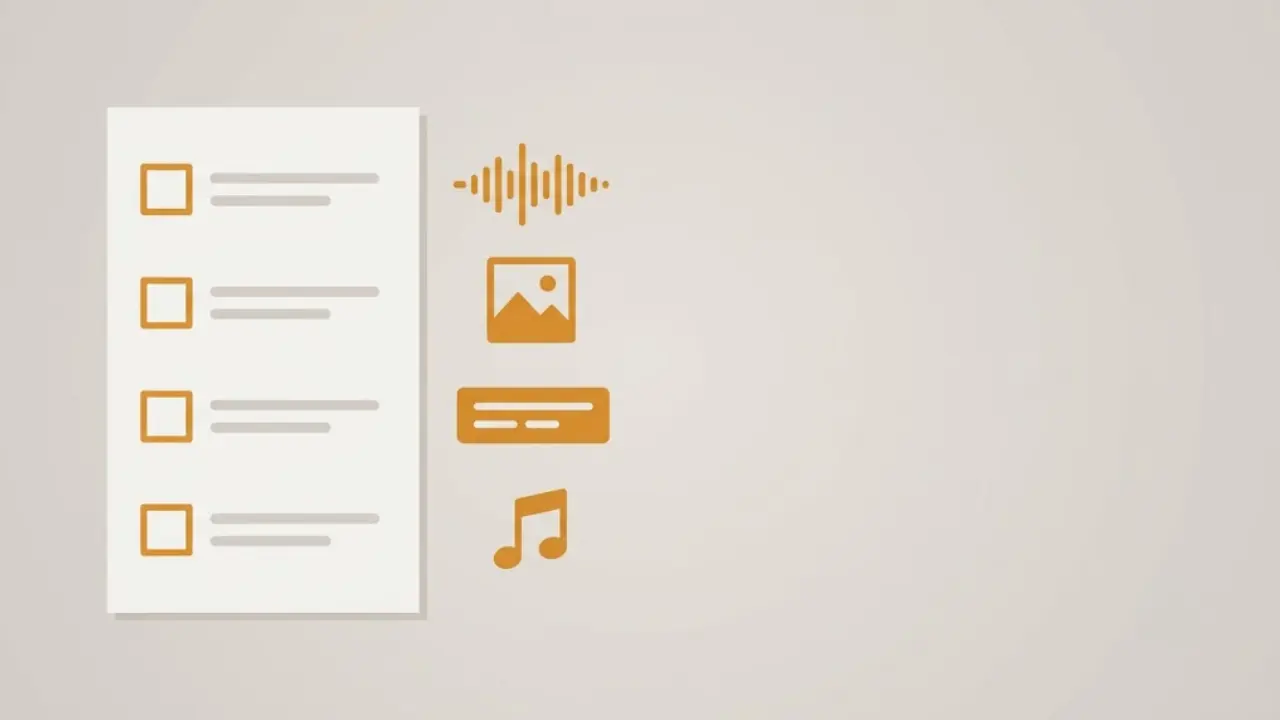
Step 1: Open a project and give it a topic. Sign up, start a new video, and type your idea in plain language. One clear sentence is enough, for example "three money habits that quietly keep people broke."
Step 2: Pick a structure. Choose one of the 8 structures that fits your idea. A list format for tips, a story format for narrative, an explainer for how-to. The structure shapes the script so you are not staring at a blank page.
Step 3: Review and tweak the script. The AI drafts the script with scenes. Read it out loud in your head. Cut any line that does not earn its place, sharpen the first line so the hook is doing work in the first three seconds.
Step 4: Choose a voice and a visual style. Pick from the 200+ ElevenLabs voices until one matches your channel's tone, then pick from the 39 styles for the look. This is where your channel starts to feel like yours.
Step 5: Generate and watch. Faceless Lab assembles voiceover, visuals, captions and music into a finished short, usually in a few minutes. Watch it the way a scrolling viewer would, thumb ready to swipe.
Step 6: Decide honestly. If you would post it, you have your answer about the tool. From there you can keep creating, and on a paid plan you can schedule and auto-publish so the posting takes care of itself.
💡 Ready to run these steps yourself? Start your free trial and build your first short today: https://facelesslab.video/auth/register?redirect=/dashboard
5. Where Faceless Lab is (and isn't) the right choice
I would rather you pick the right tool than the loudest one, so here is the straight version.
Faceless Lab is a strong fit if you:
- Want one workflow that takes an idea to a publish-ready short without app switching. Doing this by hand runs roughly 3.5 hours per video once you count scripting, voice, visuals, captions, music and syncing.
- Plan to post on a rhythm and want scheduling plus auto-publish to platforms like YouTube, Instagram, Facebook and LinkedIn.
- Value predictable flat pricing over counting credits.
Faceless Lab is not the best fit if you:
- Need frame-by-frame manual editing, custom keyframe animation, or Hollywood style VFX. A timeline editor will serve you better there.
- Want fully automatic posting to TikTok specifically. TikTok is excluded from fully hands-off auto-publish and needs your explicit consent for each post, which is a platform rule we respect rather than route around.
- Want to lean entirely on Autopilot today. Autopilot is in beta, so I would treat it as a helpful assist you supervise, not a set-and-forget machine yet.
Being clear about the edges is how I would want a founder to talk to me, so that is how I talk to you.
6. From free trial to a posting rhythm you can keep
Once the free trial has proven the quality, the plans are built around how often you post, not around a credit meter.
- Free trial, €0. Build videos and feel the full workflow before you pay anything.
- Starter, €19/month. For creators finding their rhythm and posting steadily on one channel.
- Growth, €59/month. For creators scaling volume across more posts and channels.
- Pro, €149/month. For heavy output and creators running faceless like a small studio.
The point of a good free plan is not to be free forever. It is to remove the risk from your first video so the decision to upgrade is based on results you have already seen.
Conclusion
Here is my verdict after building and testing more of these tools than I would like to admit. A free faceless video generator is worth your time only if it lets you judge a finished, postable video on your own topic, with a real voice, real visuals, captions and music, and no watermark tax on your growth. Faceless Lab is built exactly for that: try the full workflow on the €0 trial, watch your first short, and upgrade only when it clearly saves you hours. If this guide helped, repost it or send it to a creator who is still stitching videos together across five apps, and if you want to earn while you share it, our affiliate program is open to you.
Start free and make your first faceless video today: https://facelesslab.video/
Read more
Frequently asked questions
Is there a truly free faceless video generator?
Yes, but read the fine print. "Free" ranges from a locked preview to a watermarked export to a real free trial of the full product. The version worth your time lets you build a complete short and judge the finished quality on your own topic before paying. Faceless Lab offers a Free trial at €0 where you can run the whole workflow, script, voiceover, visuals, captions and music, so you see real output rather than a teaser. Test it by asking one question: could I post this video as it is? If yes, the free plan is genuinely useful. If the good part is locked, it is a demo.
Do free faceless video tools put a watermark on your videos?
Many do, and it is a fair trade for the tool, but it can quietly cost you reach. On short-form platforms, a visible third party logo often reads as low effort, and low effort content tends to get less distribution. That is why it matters whether a free plan lets you see finished, clean quality before you commit. With Faceless Lab you test the full workflow on the €0 trial and judge the actual output, then move to a flat paid plan (Starter €19, Growth €59, Pro €149) when you are ready to publish consistently without a logo taxing your growth.
How much does Faceless Lab cost after the free trial?
Faceless Lab uses flat monthly pricing so you can plan a content calendar without counting credits. After the Free trial at €0, plans are Starter at €19 per month for creators finding their rhythm, Growth at €59 per month for scaling across more posts and channels, and Pro at €149 per month for heavy output and studio-style workflows. Flat pricing is easier to budget than credit systems, where scripts, voices and renders each cost different amounts and the number of finished videos you get is hard to predict in advance.
Can I auto-publish faceless videos for free?
The free trial is for building and judging quality, and scheduling plus auto-publish come with the paid plans. Faceless Lab can auto-publish to platforms such as YouTube, Instagram, Facebook and LinkedIn so posting runs on a rhythm. One honest caveat: TikTok is excluded from fully hands-off auto-publish and requires your explicit consent for each post, which is a platform rule we follow rather than work around. There is also an Autopilot feature in beta, which I would treat as a supervised assistant for now rather than a fully set-and-forget system.
How natural do the AI voices sound?
Voice quality is the biggest single lever in faceless video, and it is the first thing you should test on any free plan. Faceless Lab runs on 200+ ElevenLabs voices, which are among the most natural available, so even your free-trial test video sounds like a person rather than a robotic reader. You can audition different voices to match your channel's tone before you commit to a paid plan. My advice is to generate one short on your real topic, listen with headphones, and only judge the tool once you have heard how the narration lands.
How long does it take to make a faceless video?
Doing it by hand runs roughly 3.5 hours per video once you add up scripting, generating and picking a voiceover, sourcing and cutting visuals, cleaning captions, finding music, and syncing everything together. Inside Faceless Lab that collapses to a few minutes, because one workflow handles script, voiceover, visuals, captions and music, then assembles the finished short automatically. That time saving is the real reason to upgrade after the free trial. If a tool does not clearly save you hours on your own topic, it has not earned the subscription, so measure it against your manual process.
Related articles
The Faster Way to Make Faceless Videos Than Editing Each One in CapCut
You can make faceless videos in CapCut, but every short turns into hours of manual editing. Here is where CapCut fits, where it slows you down, and a faster all-in-one way to publish.
GTA 6 Launch Week Is Two Weeks Away. Here Is the Faceless Video Calendar to Post Through It
GTA 6 preloads on November 12 and launches November 19. Here is a day by day calendar of faceless videos to post through launch week, plus a plan for what comes after.
5 Analytics Numbers That Tell You What to Post Next on a Faceless Channel
Skip the dashboard overload. Check five numbers on YouTube, Instagram and TikTok, spot why a faceless video lost viewers, and use a 20-minute weekly routine to decide what to post next.